4.1 Smart VIN
Smart VIN allows to identify a vehicle by automatically reading the vehicle identification number
(VIN).
To identify a vehicle by SmartVIN:
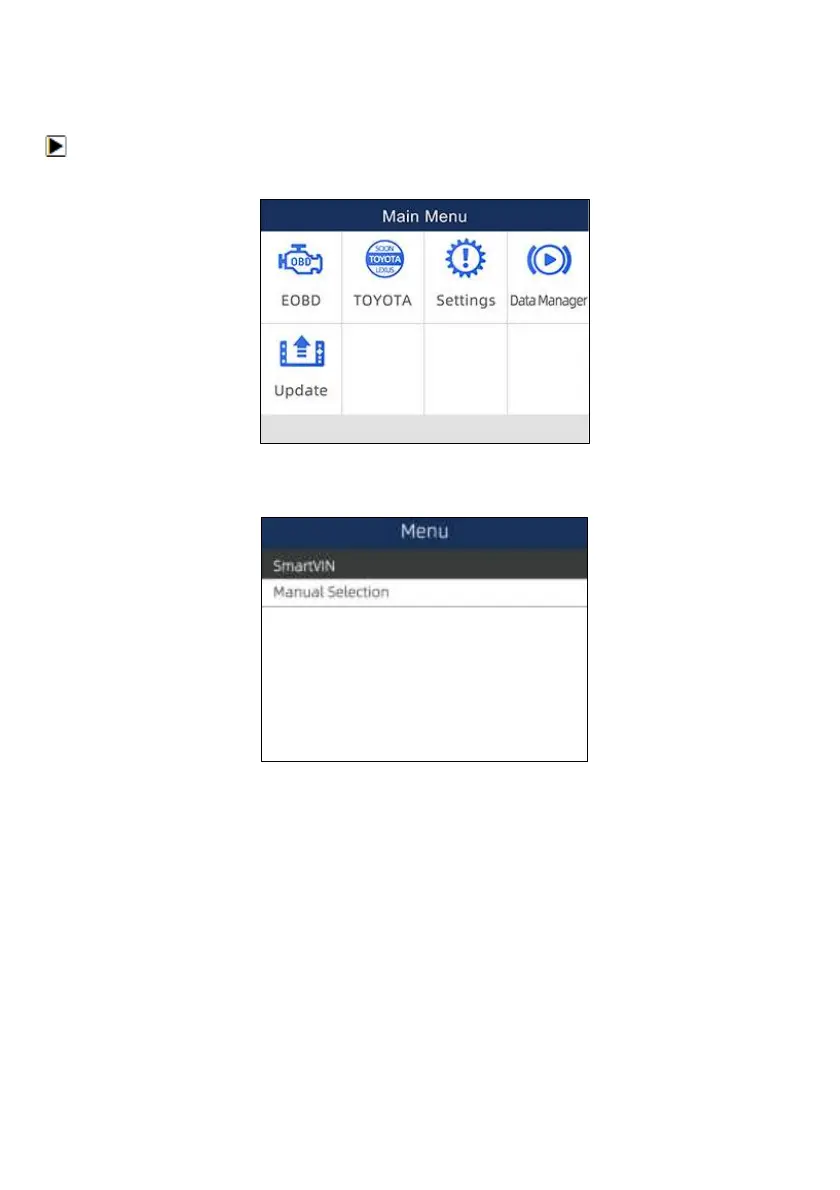
1. Scroll with arrow keys to highlight the vehicle application from main menu and press ENTER.
Figure 4-1 Sample Main Menu Screen
2. Select SmartVIN from the menu, and press the ENTER key.
Figure 4-2 Sample VIN Reading Screen
3. The scan tool starts to communicate with the vehicle and read the Vehicle Specification or VIN
Code automatically.


 To Next Page