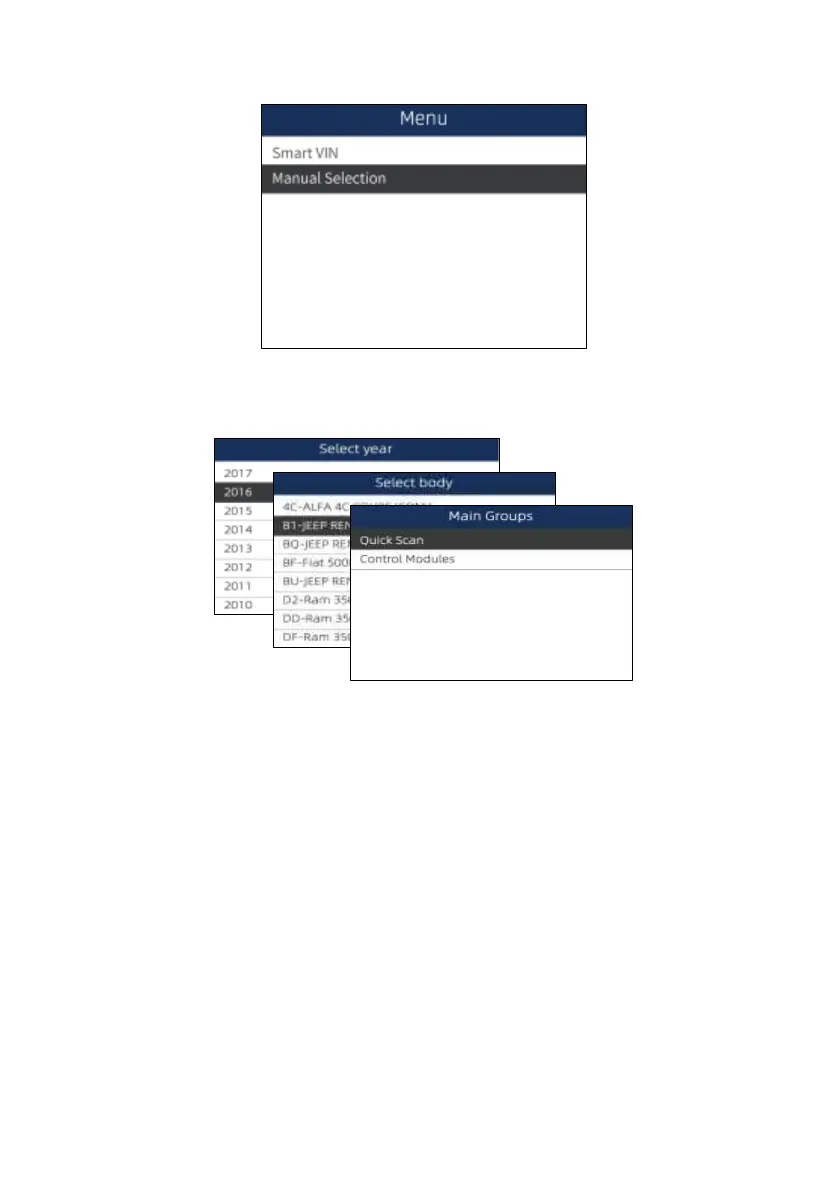
Figure 4-5 Sample Main Menu Screen
2. Select Manual Selection from the menu, and press the ENTER key.
Figure 4-6 Sample Control Module Selection Screen
3. On each screen that appears, select the correct option and then press the ENTER key. Do this until
the complete vehicle information is entered and the menu of controller selection displays.
Figure 4-7 Sample Manual Vehicle Selection Screen
5 Diagnostic Operations
This section illustrates how to use the scanner to read and clear diagnostic trouble codes, and view
“live” data readings and ECU information on controllers installed on a variety of vehicles and also
save “recordings” of the data readings.
5.1 Control Module Selection
When you completed the identification of vehicle, you have to identify the control modules installed in
the vehicle. There are two ways to identify the controllers installed in a car:
● Quick Scan
● Control Modules


 To Next Page