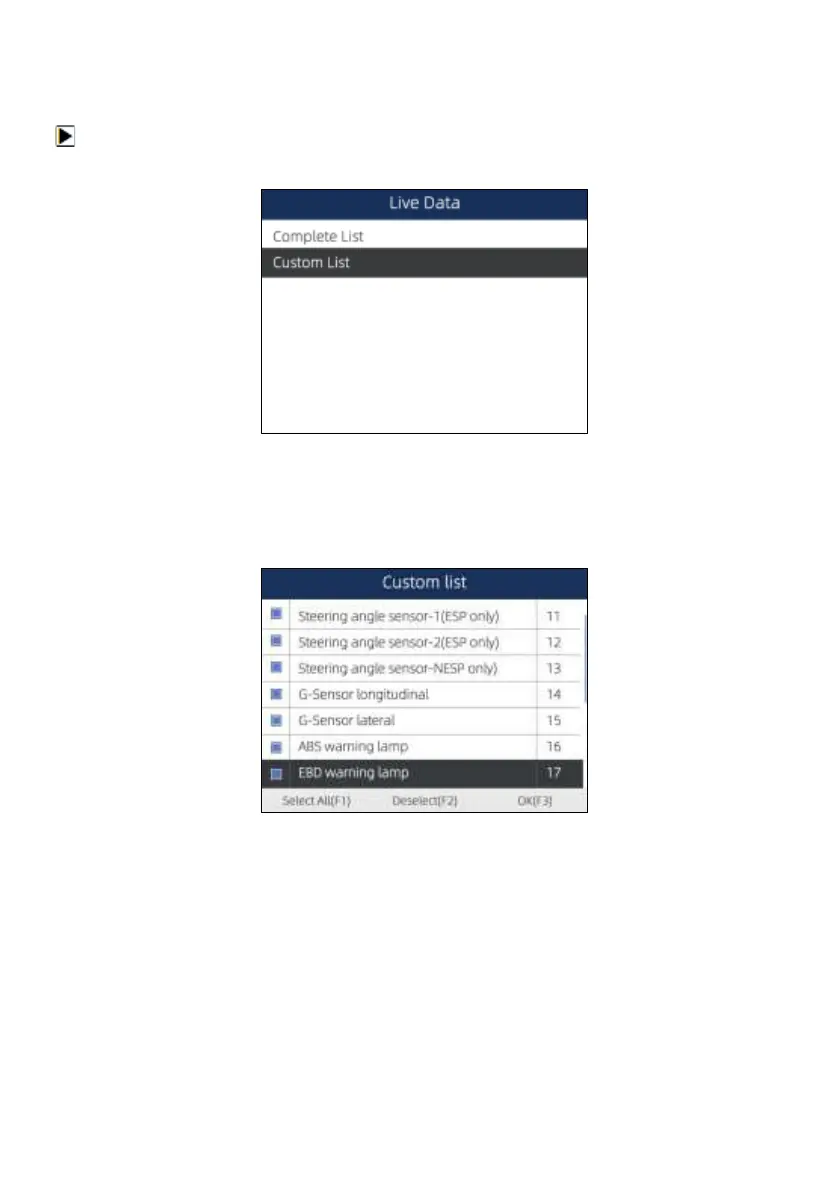
5.2.3.2 Custom List
Custom List menu lets you to minimize the number of PIDs on the data list and focus on any
suspicious or symptom-specific data parameters.
To create a custom data list:
1. Select Custom List from the menu and press the ENTER key.
Figure 5-19 Sample Live Data Menu Screen
2. The custom data selection screen displays. Scroll with the up and down arrow keys to highlight a
line, press the ENTER key and then repeat the action to make more selections. To deselect an
item, select it again and then press the ENTER key. Alternatively, use the function keys Select All
and Deselect to select or deselect all items at once.
Figure 5-20 Sample Custom List Selection Screen
3. When finished selection, use the function key OK to display selected items.


 To Next Page