1. Visit our site www.endeavourtools.com.au and search ET2530 to go the Product page. Download
FoxAssist Update Tool.
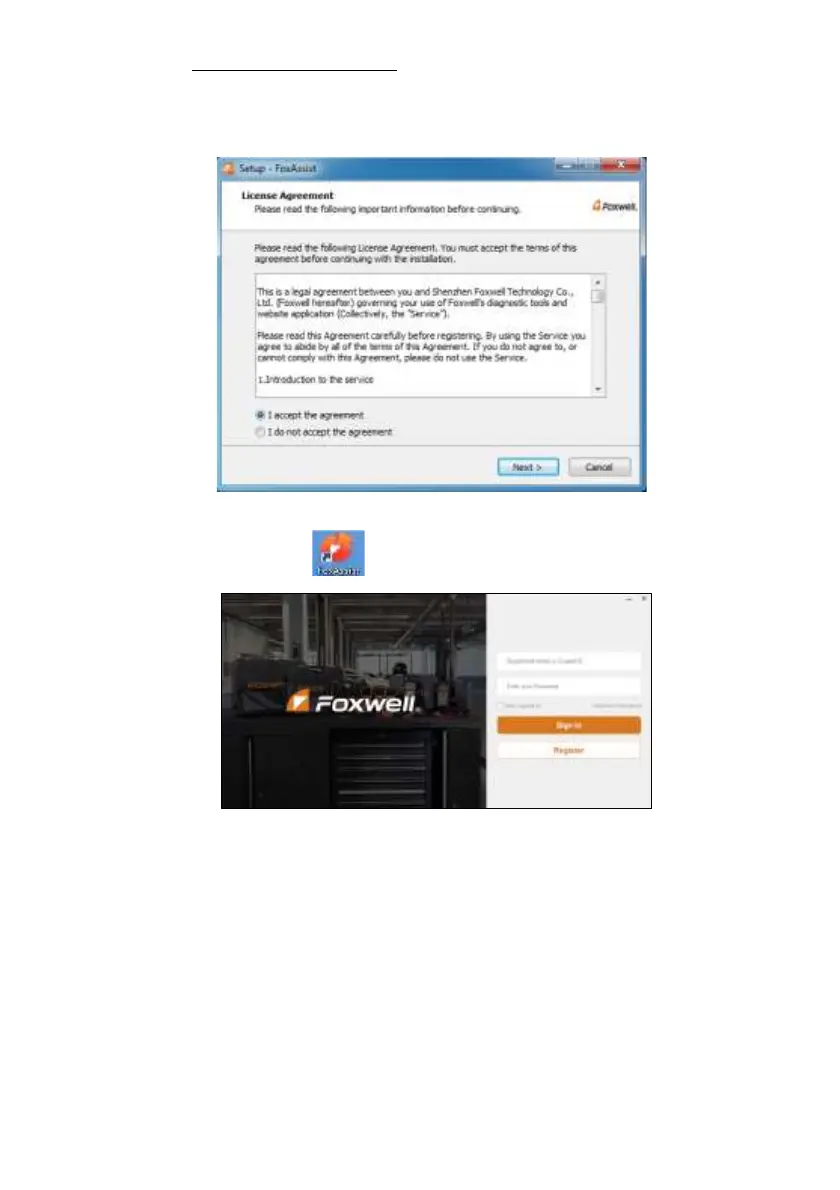
2. Unzip the application file. Follow instructions on computer screen to install the application and
driver.
Figure 8-10 Sample FoxAssist Installation Screen
3. Double click the desktop icon to launch the application.
Figure 8-11 Sample FoxAssist Main Screen
4. Click Register button, a Register window will pop up. Enter your own email address and click
“Send code” to find the verification code in your mailbox . Create a unique password, confirm
password and then click “Free registration” to complete.


 To Next Page