Foxwell F1000B OBDII&Battery Tester User’s Guide_ English Version_V1.00
2. Connect the OBDII&Battery tester with the DLC.
3. Switch the ignition key to the ON position.
4. The OBDII&Battery tester automatically boots up.
IMPORTANT
Never try to provide power for the OBDII&Battery tester from USB connection when the
OBDII&Battery tester is communicating with a vehicle.
3.1.2 Connecting to Personal Computer with USB Cable
The OBDII&Battery tester also receives power through the USB port when it is connected to a PC
for updating software and transferring saved files.
To connect to PC:
1. Insert the small end of the USB cable to the USB port at the right side of the OBDII&Battery
tester and the large end to a computer.
2. Press the power switch of the OBDII&Battery tester to power it on.
3.2 Application Overview
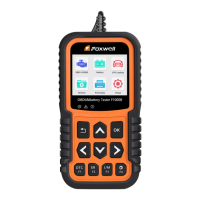
When the OBDII&Battery tester boots up, the Home screen opens. This screen shows all
applications loaded on the unit.
Following applications are preloaded into the OBDII&Battery tester:
● OBDII/EOBD – leads to OBDII screens for all 9 generic OBD system tests.
● Battery – leads to battery testing functions
● DTC Lookup – leads to screens for diagnostic trouble code lookup.
● Review – leads to screens for access to tested data files.
● Print Data – leads to screens for access to printing function
● Setup – leads to screens for adjusting default settings to meet your own preference when
using the OBDII&Battery tester.
Figure 3.1 Sample Home Screen
4 OBDII/EOBD Operations
OBD-II/EOBD menu lets you access all OBD service modes. According to ISO 9141-2, ISO
14230-4, and SAE J1850 standards, the OBD application is divided into several sub programs,
called ‘Service $xx’. Below is a list of OBD diagnostic services:
●Service $01 - request current power train diagnostic data
●Service $02 - request power train freeze frame data
●Service $03 - request emission-related diagnostic trouble codes
●Service $04 - clear/reset emission-related diagnostic information
●Service $05 - request oxygen sensor monitoring test results
●Service $06 - request on-board monitoring test results for specific monitored systems
●Service $07 - request emission-related diagnostic trouble codes detected during current or
last completed driving cycle


 To Next Page