Foxwell F1000B OBDII&Battery Tester User’s Guide_ English Version_V1.00
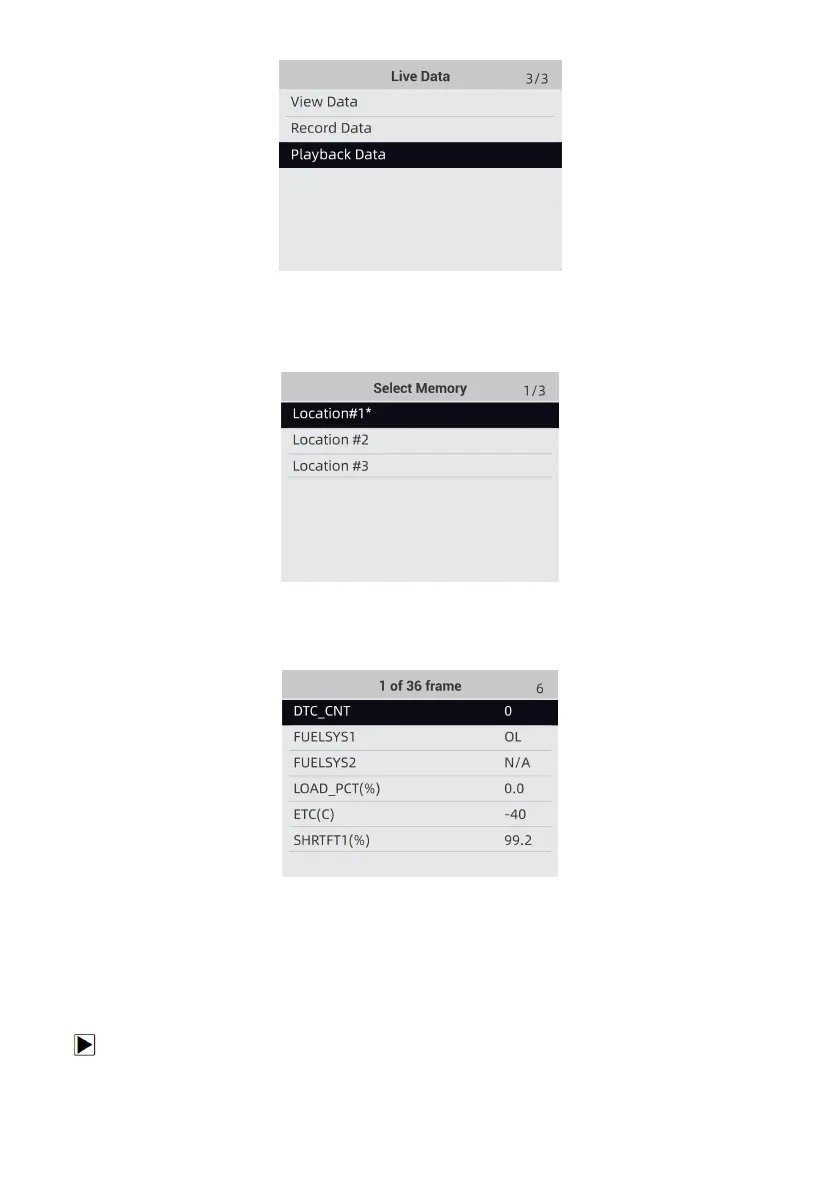
Figure 4-26 Sample Record Data Screen
2. Use the UP/DOWN key to select a memory area that is marked with an asterisk (*) and press
the ENTER to confirm.
Figure 4-27 Sample Record Data Screen
3. Press the UP/DOWN key to view recorded PIDs of each frame. Press the BACK key to exit.
Figure 4-27 Sample Record Data Screen
4.4 View Freeze Frame
Freeze Frame menu displays freeze frame data, a snapshot of critical vehicle operating
conditions automatically recorded by the on-board computer at the time of the DTC set. It is a
good function to help determine what caused the fault.
To view freeze frame data:
1. Select View Freeze Frame from the Diagnostic Menu. Details of freeze frame data displays.


 To Next Page