Foxwell F1000B OBDII&Battery Tester User’s Guide_ English Version_V1.00
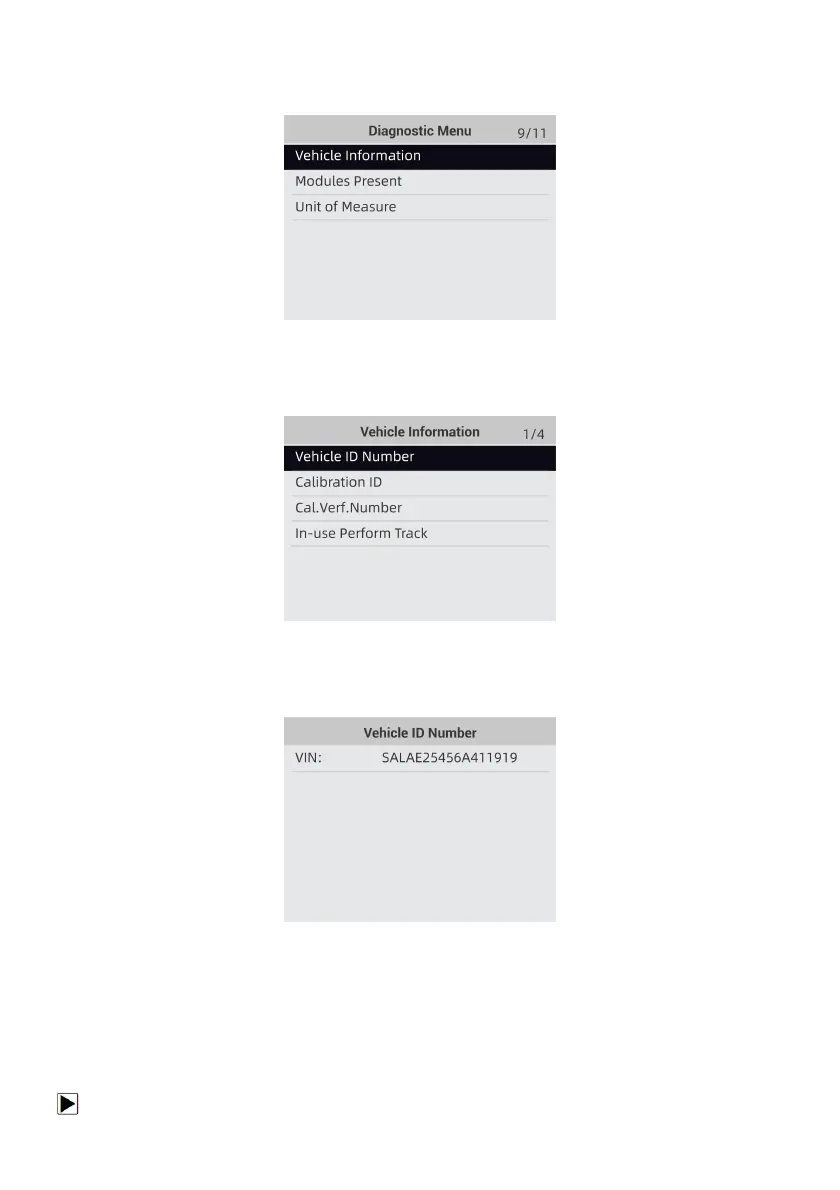
1. Use the UP/DOWN key to highlight Vehicle Info. from Diagnostic Menu and press the ENTER
key.
Figure 4-45 Sample Diagnostic Menu Screen
2. Follow on-screen instruction and send the command to read vehicle information. A screen with
a list of available options displays.
Figure 4-46 Sample Vehicle Info Screen
3. Use the UP/DOWN key to highlight an available option and press the ENTER key. A screen
with details of the selected option displays.
Figure 4-47 Sample Calibration ID Screen
4. Press the BACK key to exit and return.
4.10 Modules Present
The OBDII&Battery tester identifies module IDs and communication protocols for OBD2 modules
in the vehicle.
To view module IDs and communication types:


 To Next Page