Foxwell F1000B OBDII&Battery Tester User’s Guide_ English Version_V1.00
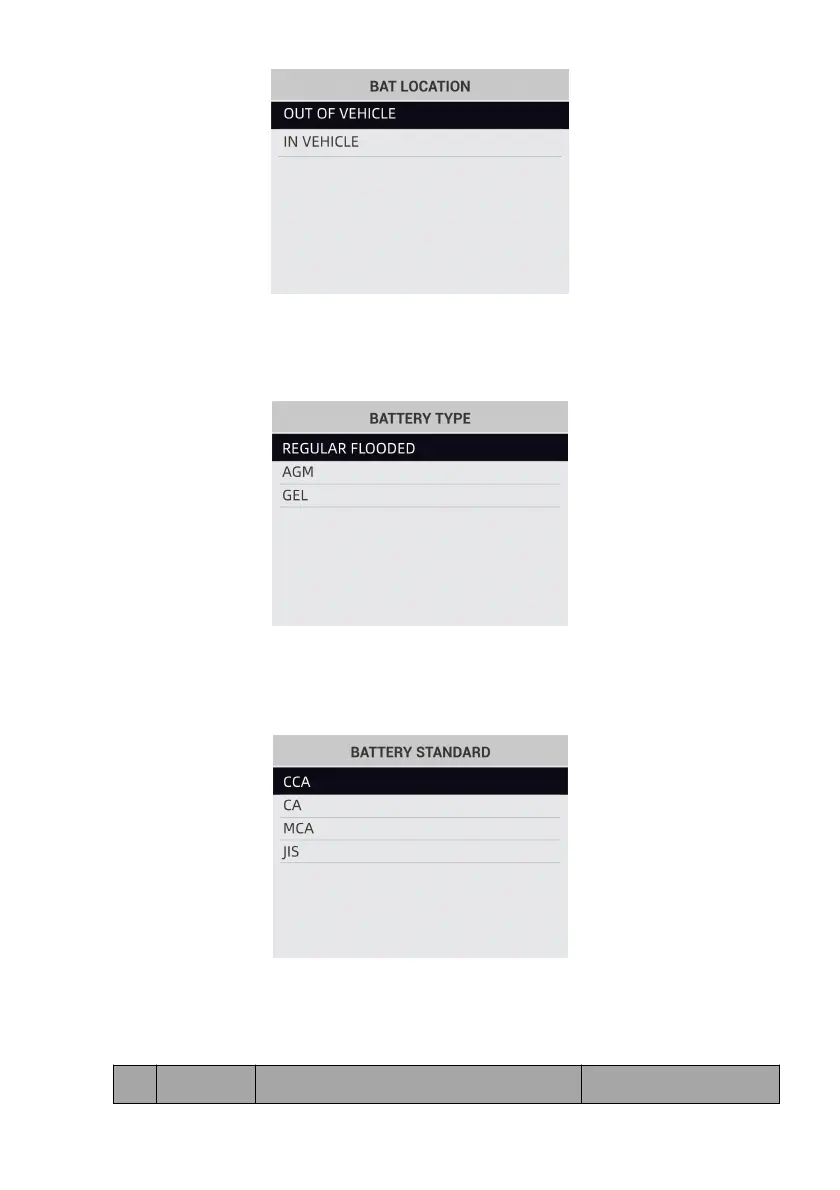
Figure 6-3 Sample BAT.LOCATION Screen
3. Scroll with the UP or DOWN button to select the battery type from BATTERY TYPE menu and
press ENTER to confirm.
Figure 6-4 Sample Battery Type Screen
4. Scroll with the UP or DOWN button to select the battery standard from BATTERY STANDARD
menu and press ENTER to confirm. Not all rating systems are available for each application.
Figure 6-5 Sample Battery Standard Screen
5. You may find the battery type and battery rating label on every battery.
Global Rating Systems:


 To Next Page