Foxwell F1000B OBDII&Battery Tester User’s Guide_ English Version_V1.00
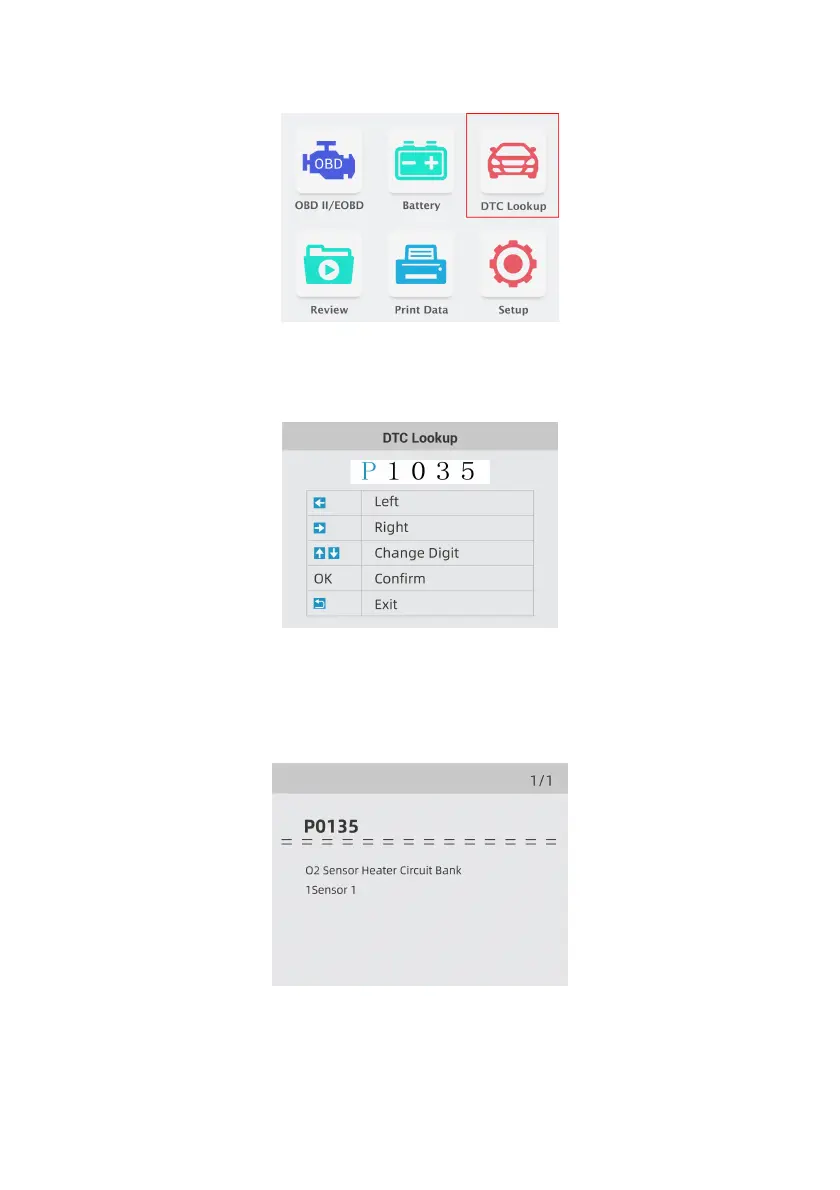
1. Use the LEFT/RIGHT key to highlight DTC Lookup from Home Screen and press the ENTER
key.
Figure 5-1 Sample Home Screen
2. Use the LEFT/RIGHT key to select the desired character, then press the UP/DOWN key to
change the digit you want to enter a valid code number. Press the ENTER key to confirm.
Figure 5-2 Sample DTC Lookup Screen
3. A screen with code number and its definition displays. If definition could not be found (SAE or
Manufacturer Specific), the OBDII&Battery tester displays “DTC definition not found! Please
refer to vehicle service manual!” If a P1xxx, C1xxx, B1xxx or U1xxx code is entered, select a
vehicle make to look for DTC definitions. Press the BACK key to exit.
Figure 5-3 Sample Trouble Codes Screen


 To Next Page