67
Automotive Diagnostic Platform GT75 User's Manual V1.01
To change the unit setup:
1. Press Settings from home screen of the GT75 diagnostic application.
2. Press Unit and available unit system display.
3. Select a unit system.
11.2 Language
Select Language opens a screen that allows you to choose system
language.
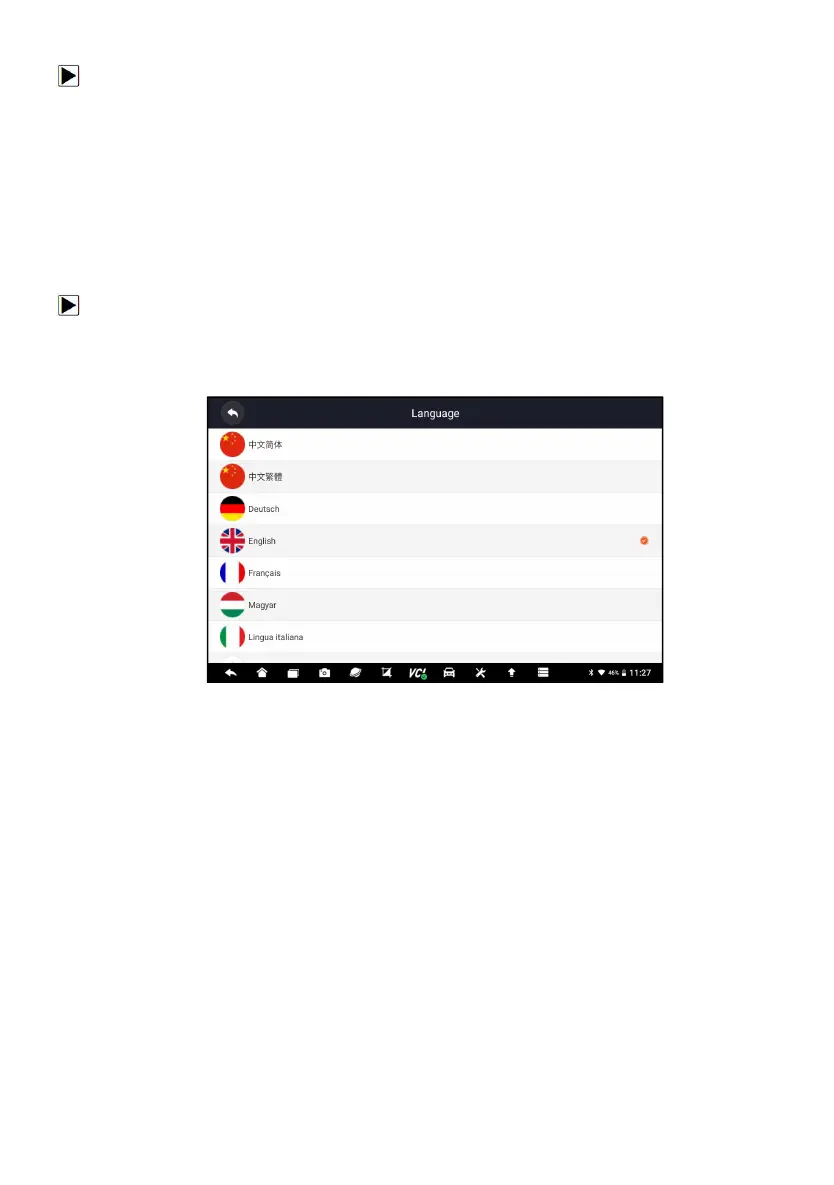
To configure system language:
1. Press Settings from home screen of the GT75 diagnostic application and
select Language. Then all available language options display.
2. Select your preferred language and click Yes to confirm.
Figure 11-1 Sample Language Setting Screen
11.3 Front Size
This option allows you to select different front size of this device language
display:


 To Next Page