45
Automotive Diagnostic Platform GT75 User's Manual V1.01
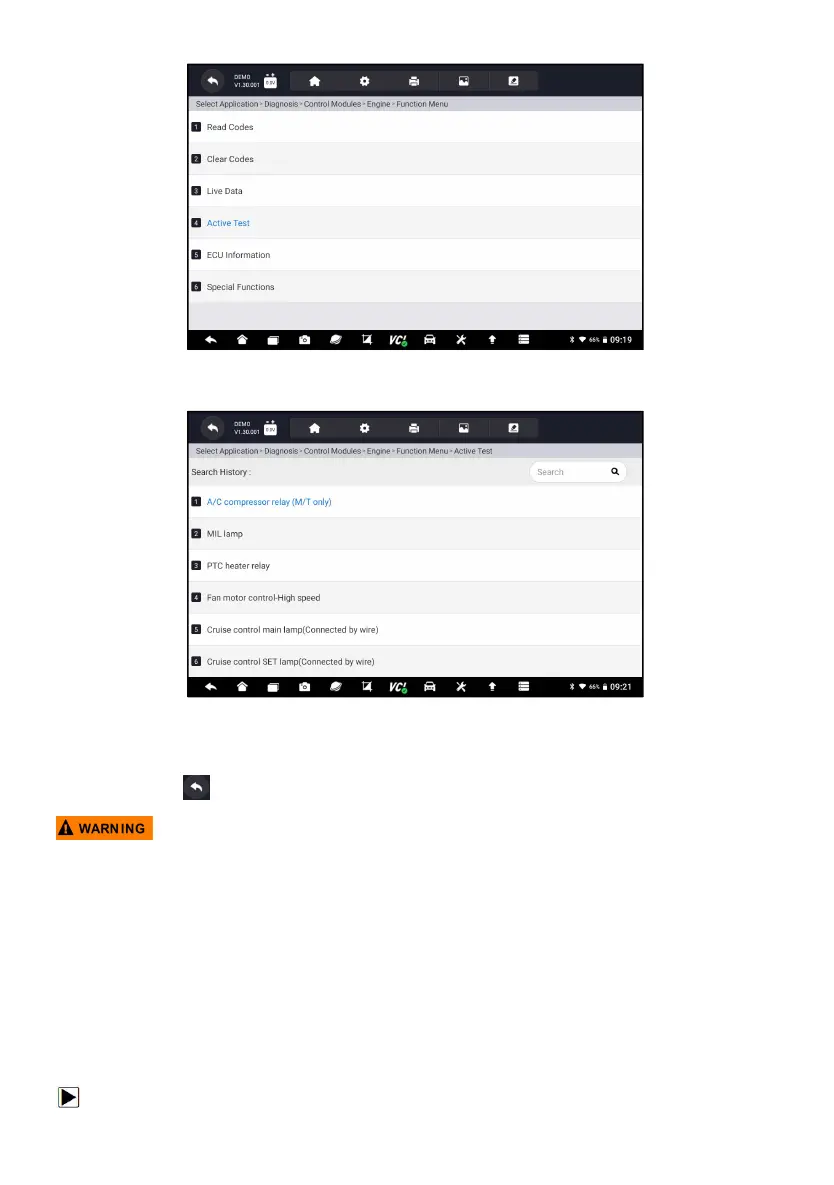
Figure 5-26 Sample Function Menu Screen
2. Select an option to start the test and live data of the selected test displays.
Figure 5-27 Sample Active Test Screen
3. Follow on-screen instructions to make proper selections and operations to
complete the tests.
4. Press to exit.
● Before running any tests, always observe the safety instructions provided in
this manual and the warnings provided by the vehicle manufacturer. In
addition, follow any warnings and descriptions provided on the scanner
screens.
● Never run the tests while the vehicle is moving.
5.2.5 ECU Information
ECU Information screen displays the identification data of the control
module under test, such as the control module identification string and the
control module coding.
To read ECU information:












 To Next Page