43
Automotive Diagnostic Platform GT75 User's Manual V1.01
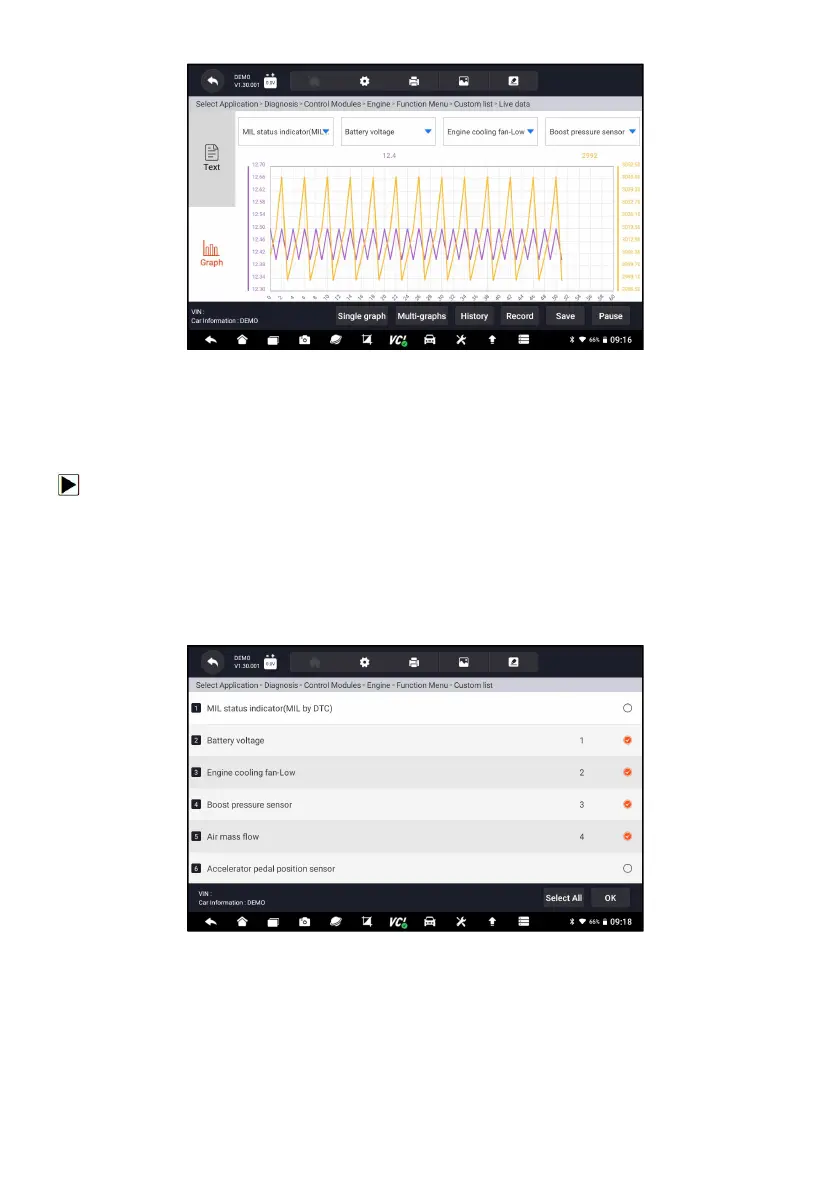
Figure 5-23 Sample Merge Graph Screen
5.2.3.2 Custom List
Custom List menu lets you to minimize the number of PIDs on the data list
and focus on any suspicious or symptom-specific data parameters.
To create a custom data list:
1. Press Custom List from the menu to display all available parameters from
the selected control module.
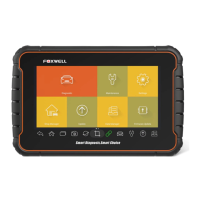
2. The custom data stream selection screen displays. Tap the lines you
wish to select.
3. To deselect an item, tap the line again. Alternatively, tap SELECT ALL or
CLEAR ALL to select or deselect all items at once.
Figure 5-24 Sample Custom List Selection Screen
4. Press OK to complete the selection, and all selected parameters display.



 To Next Page