47
Automotive Diagnostic Platform GT75 User's Manual V1.01
executive commands. Follow on-screen instructions to complete the
operation.
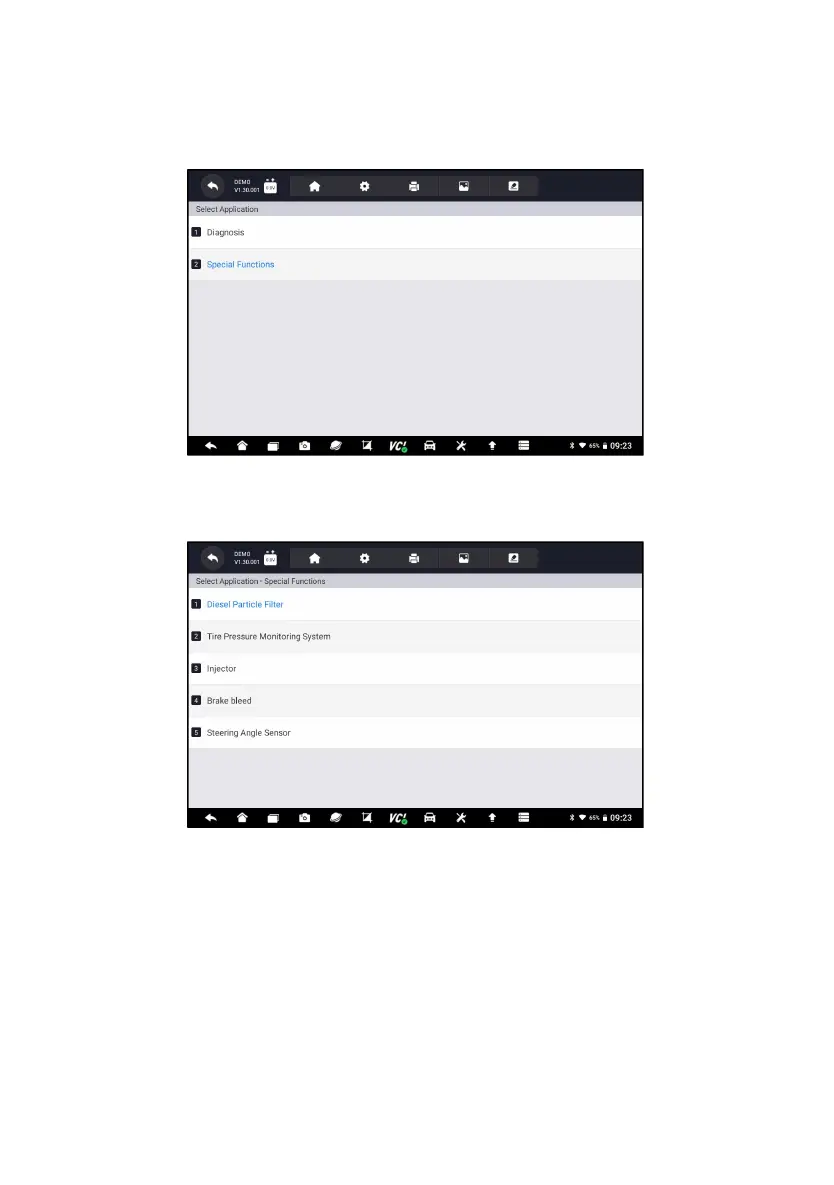
1. Select Special Functions from main menu and press ENTER to confirm.
A list of available services display.
Figure 5-30 Sample Main Menu Screen
2. Select the service you want to perform. Follow on-screen instructions to
make proper selections and operations to complete the tests.
Figure 5-31 Sample Service Function Screen
6 Maintenance
This section gives brief instructions of the most commonly required service
and maintenance operations. Typical service operation screens are a series
of menu driven executive commands. Follow on-screen instructions to
complete the operation.
Available service and maintenance options include:
●
Oil Light Reset
●
EPB Service




 To Next Page