32
Automotive Diagnostic Platform GT75 User's Manual V1.01
installed, perform special functions such as actuation and coding, and
perform vehicle services and maintenance on Asia, European and USA
vehicle brands.
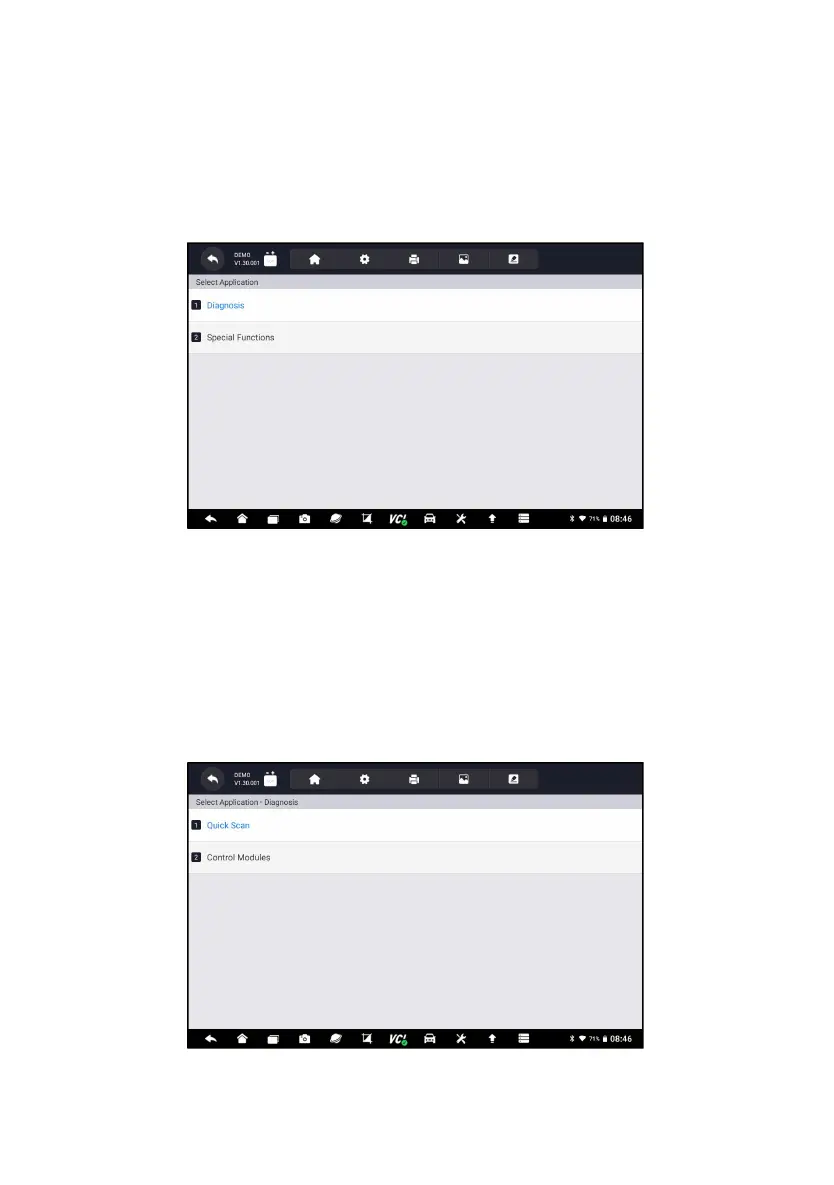
When you have completed the identification of vehicle, the main menu
displays. Menu options typically include:
● Diagnosis
● Special Functions
Figure 5-1 Sample Main Menu Screen
5.1 Control Module Selection
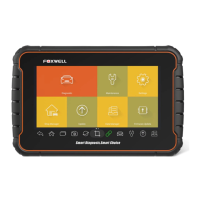
When you completed the identification of vehicle, you have to identify the
control modules installed in the vehicle. There are two ways to identify the
controllers installed in a car:
● Quick Scan
●
Control Modules
Figure 5-2 Sample Diagnosis Screen












 To Next Page