40
Automotive Diagnostic Platform GT75 User's Manual V1.01
5.2.3.1 All Data
All Data menu lets you view all live PID data from a selected control module.
To view all live PID data:
1. Press Live Data from Select Diagnostic Function menu to display the live
data menu.
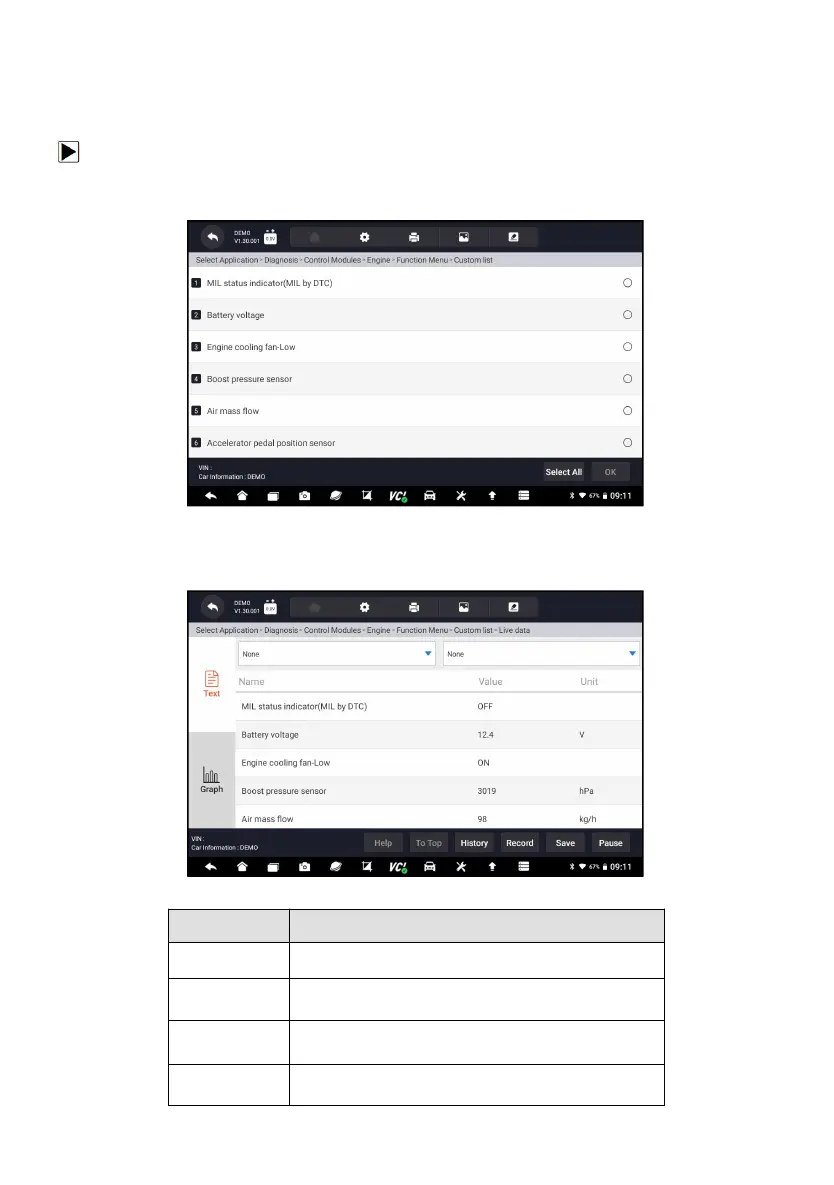
Figure 5-17 Sample Function Menu Screen
2. Press All Data from the menu to display the data stream screen. All
readings will be displayed in text format by default.
Figure 5-18 Sample Live Data Screen
To provide help information of a PID
To move a data line to the top of Data List screen
To view the previous live data records or test
reports
To make record of live data












 To Next Page