NT200 OBDII/EOBD Code Reader User’s Guide_English Version_V1.10
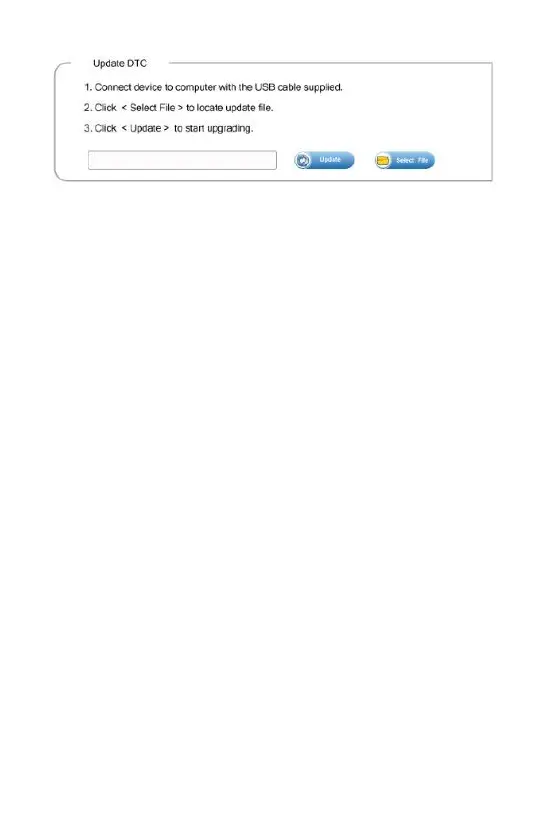
2. Click <Update> to start updating.
7. Troubleshooting
7.1 Error Message
When a “Communication Error!” message displays, please
check the following:
● Verify ignition key is in the ON position.
● Make sure the code reader is correctly attached to
vehicle’s Data Link Connector (DLC).
● Check DLC for cracked or recessed pins, or for any
substance that could prevent a good electrical
connection.
● Check NT200’s OBDII connector for bent or broken
pins.
● Make sure the vehicle is OBDII/EOBD compliant.
● Cycle the vehicle key to OFF for 10s and then back to
ON.
● Verify battery voltage is at least 8.0V with KOEO.
● Verify that the control module is not defective.
7.2 Code Reader Does Not Power Up
If NT200 will not power up, communicate with vehicle’s control
module, or functions incorrectly in any other way, do the
following:
● Check DLC for broken or bent pins and clean the pins
if need be.
● Make sure NT200 is correctly connected to vehicle’s
DLC.
● Verify battery voltage is at least 8.0V with KOEO.



 To Previous Page