26
AutoMaster Pro NT414 Manual_English_V1.00
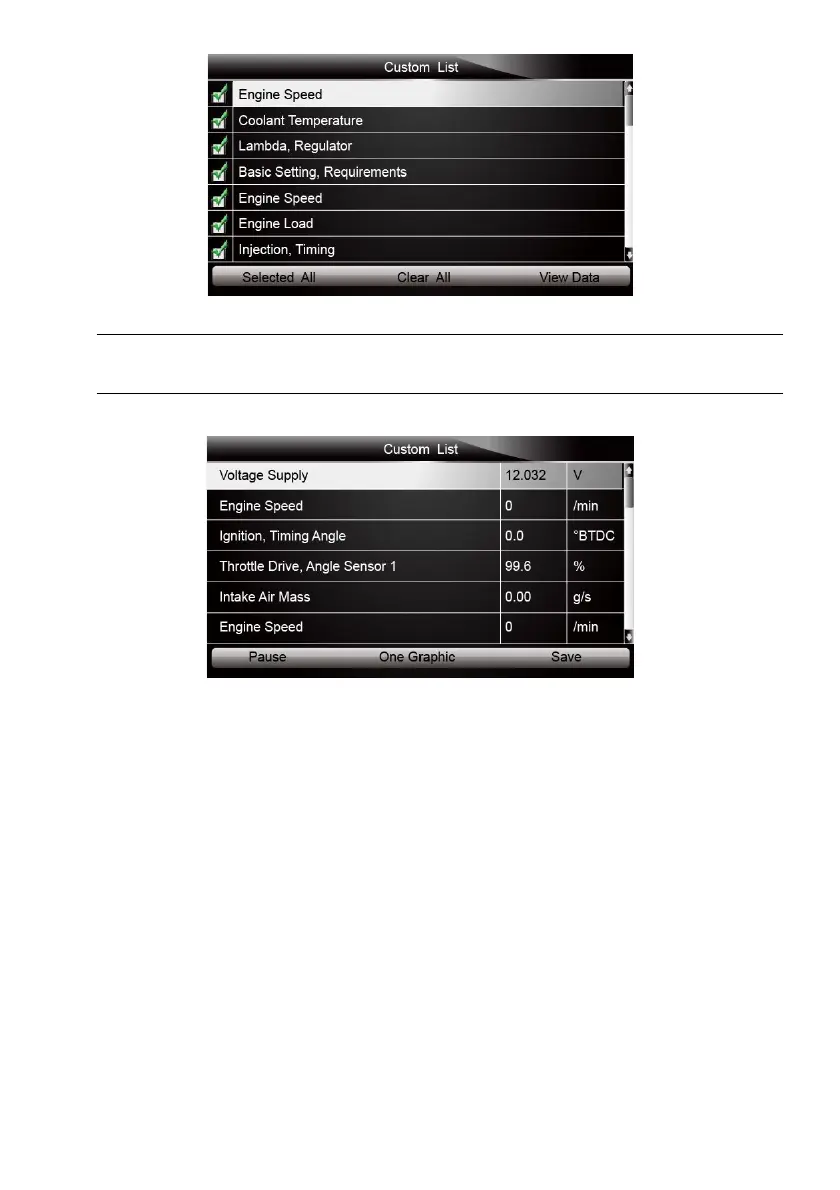
Figure 4-33 Sample Custom List Selection Screen
To deselect an item, select it again and then press the ENTER key. Alternatively, use the function
keys SELECT ALL and CLEAR ALL to select or deselect all items at once.
3. When finished selection, use the function key VIEW DATA to display selected items.
Figure 4-34 Sample Datastream Screen
OBD-II/EOBD menu lets you access all OBD service modes. According to ISO 9141-2, ISO
14230-4, and SAE J1850 standards, the OBD application is divided into several sub programs,
called ‘Service $xx’. Below is a list of OBD diagnostic services:
● Service $01 - request current powertrain diagnostic data
● Service $02 - request powertrain freeze frame data
● Service $03 - request emission-related diagnostic trouble codes
● Service $04 - clear/reset emission-related diagnostic information
● Service $05 - request oxygen sensor monitoring test results
● Service $06 - request on-board monitoring test results for specific monitored systems
● Service $07 - request emission-related diagnostic trouble codes detected during current or
last completed driving cycle
● Service $08 - request control of on-board system, test or component
● Service $09 - request Vehicle Information
When OBDII/EOBD application is selected from Home screen, the scanner starts to detect the
communicaiton protocol autometically. Once the connection has established, a menu that lists all
of the tests available on the identified vehicle displays. Menu options typically include:



 To Next Page