EasyManua.ls Logo

Foxwell NT414 - Playback Data

Foxwell NT414
51 pages
Print Icon
To Next Page IconTo Next Page
To Previous Page IconTo Previous Page
Loading...
45
AutoMaster Pro NT414 Manual_English_V1.00
6 Playback Data
The PlayBack option leads to screens for review of recorded test results.
To review recorded data:
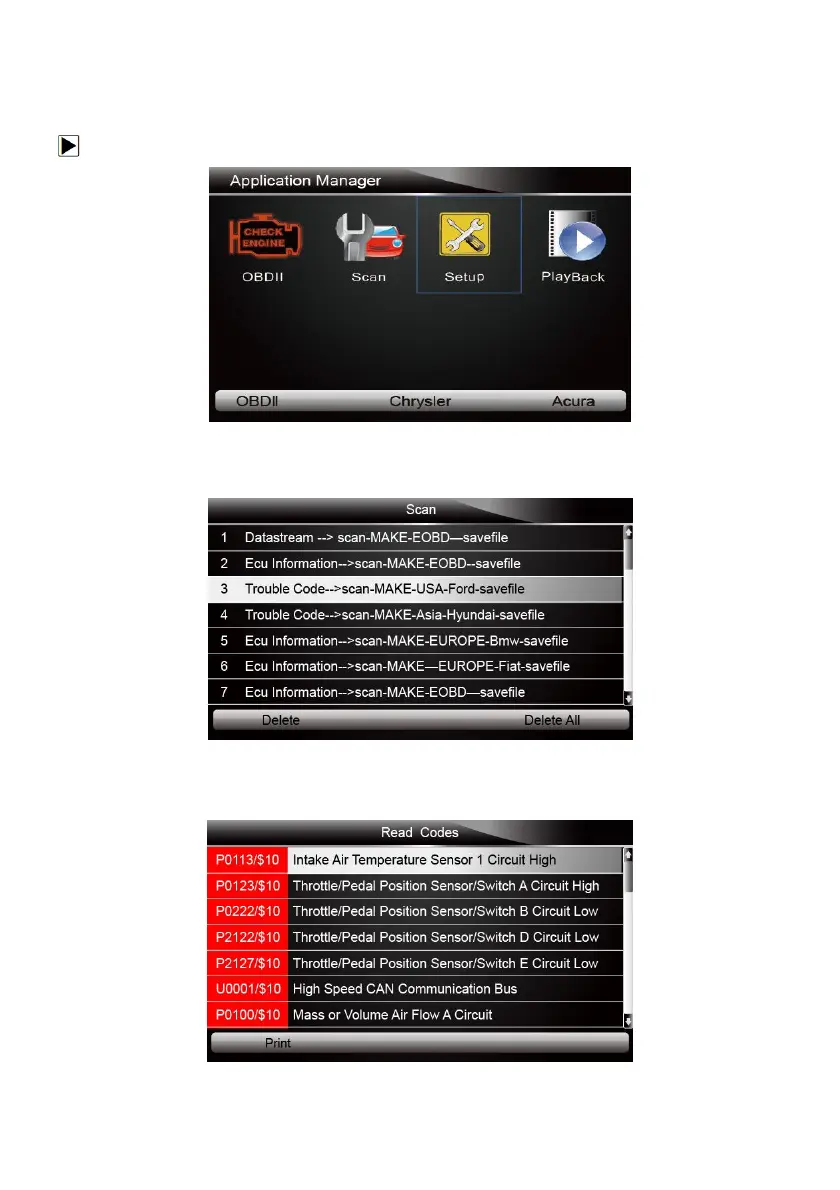
1. Scroll with the arrow keys to highlight PlayBack from home screen and press the ENTER key.
Figure 6-1 Sample Home Screen
2. A screen with a list of test records displays. If no data is recorded, the message “No Data
available!” is displayed.
Figure 6-2 Sample Playback Screen
3. Scroll with the arrow keys to highlight a vehicle record and press the ENTER key. Details of the
test record displays. Use the up and down arrow keys to scroll through data to select lines.
Figure 6-3 Sample Test Data Details Screen

Related product manuals