08
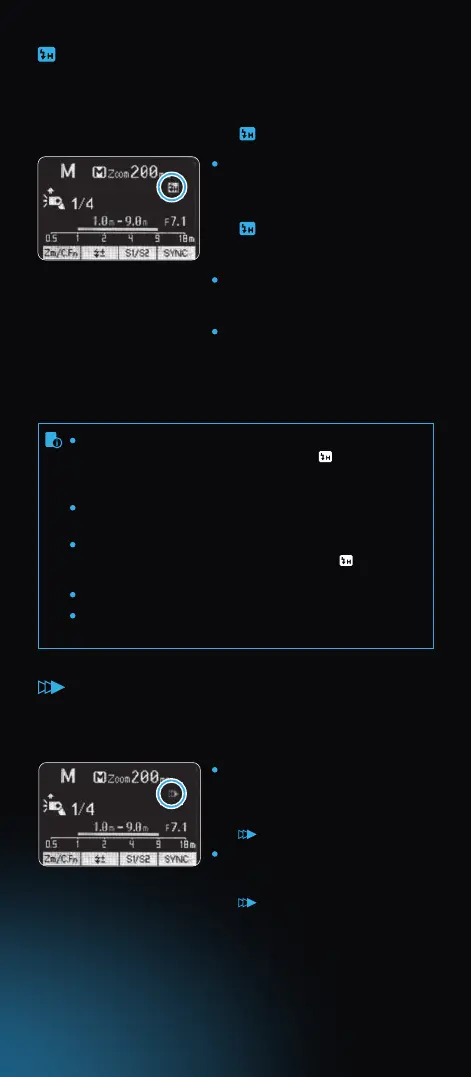
Set the ash sync speed to 1/320s
(Auto FP) or 1/250s (Auto FP) in the
Nikon camera menu. Press the
shutter button halfway. The icon
< > displayed on the ash
screen means the high speed sync
function is enabled on the ash.
Turning the camera command dial
can set the shutter speed to 1/250s
or faster.
To check if the FP ash function
works properly, look through the
shutter speed in the viewnder. If it
shows a speed of 1/250s or faster,
the FP ash function is on.
Set the camera to Rear curtain
mode and press the shutter button
halfway, the ash display panel will
show the second curtain sync icon
< >.
When the camera is not set to Rear
mode, pressing the shutter button
halfway will not light up the icon
< > on the ash display panel.
High Speed Sync (FP ash) enables the ash to synchronize with all
camera shutter speeds. This is convenient when you want to use
aperture priority for ll-ash portraits.
Select the high-speed sync icon < >.
High-Speed Sync
If you set a shutter speed as 1/320s (Auto FP) or 1/250s
(Auto FP) in the Nikon camera setting, < > will be
displayed in the ash screen regardless of practical
shutter speed.
With high-speed sync, the faster the shutter speed, the
shorter the eective ash range.
To return to normal ash, set the ash sync speed to other
options other than Auto FP. Then the icon < > will
disappear when pressing the shutter halfway.
Stroboscopic mode cannot be set in high-speed sync mode.
Over-heat protection may be activated after 10 consecutive
high-speed sync ashes
Second-Curtain Sync
With a slow shutter speed, you can create a light train following the
subject. The ash res right before the shutter closes.



 To Next Page