Frama F-Link
11
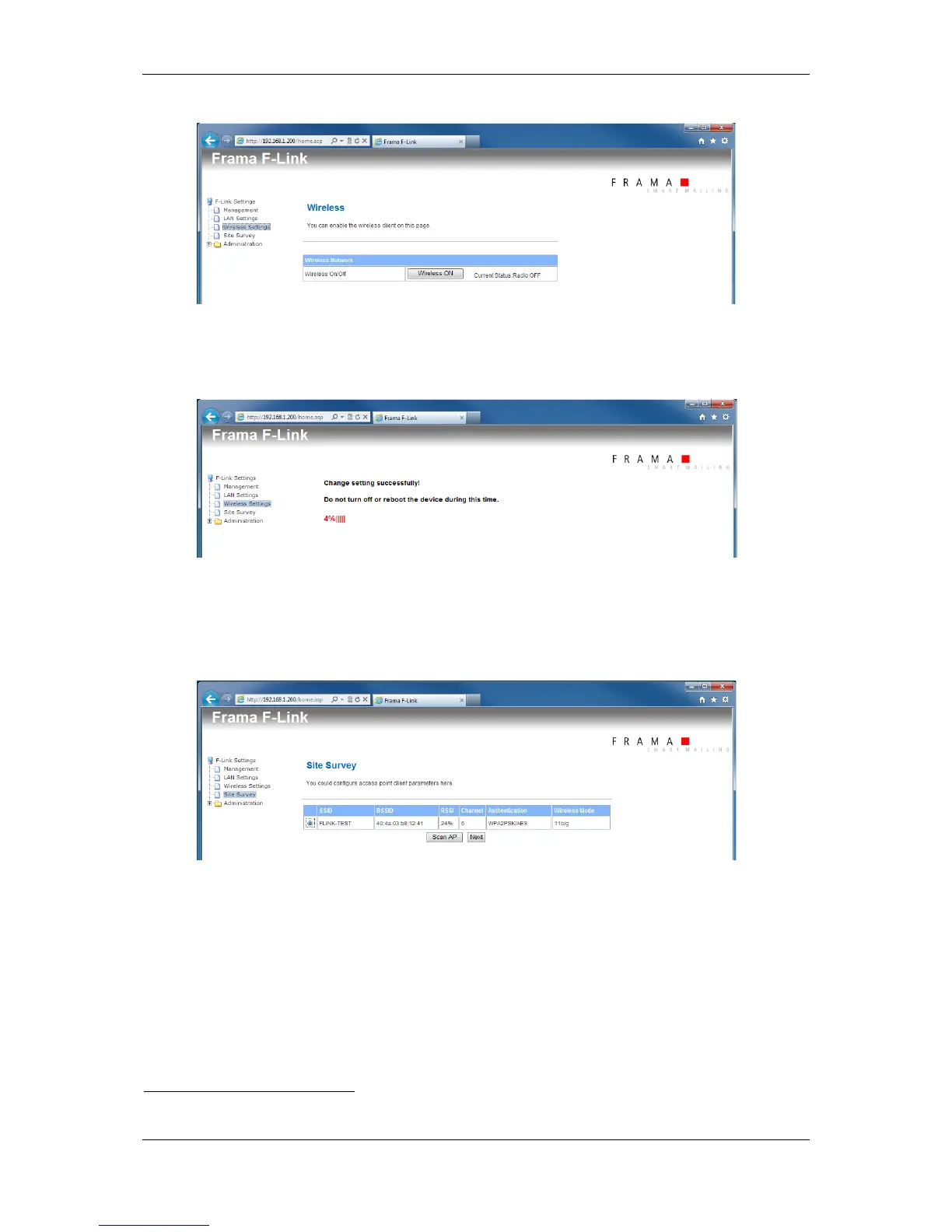
Press button “Wireless ON” -> Please wait. The wireless function will be enabled.
(The execution of the command may need to be confirmed in the internet web browser)
8. Wait until Ready LED of the F-Link is switched on again. Wait until home site is displayed
again. Open configuration page Site Survey
9. Press button “Scan AP”
10. Select the wireless network which shall be used. Press button “Next”.
If your wireless network uses Hidden-SSID then press button “Next” without selecting a wire-
less network.
11. Select the channel
1
, security mode and encryption type for your wireless network. Insert the
passphrase / security keys for your wireless network.
Insert also the SSID of your wireless network even if it uses Hidden-SSID.
1
F-Link V2: Selection field for the Wi-Fi channel does not exists.



 To Next Page