Frama F-Link
13
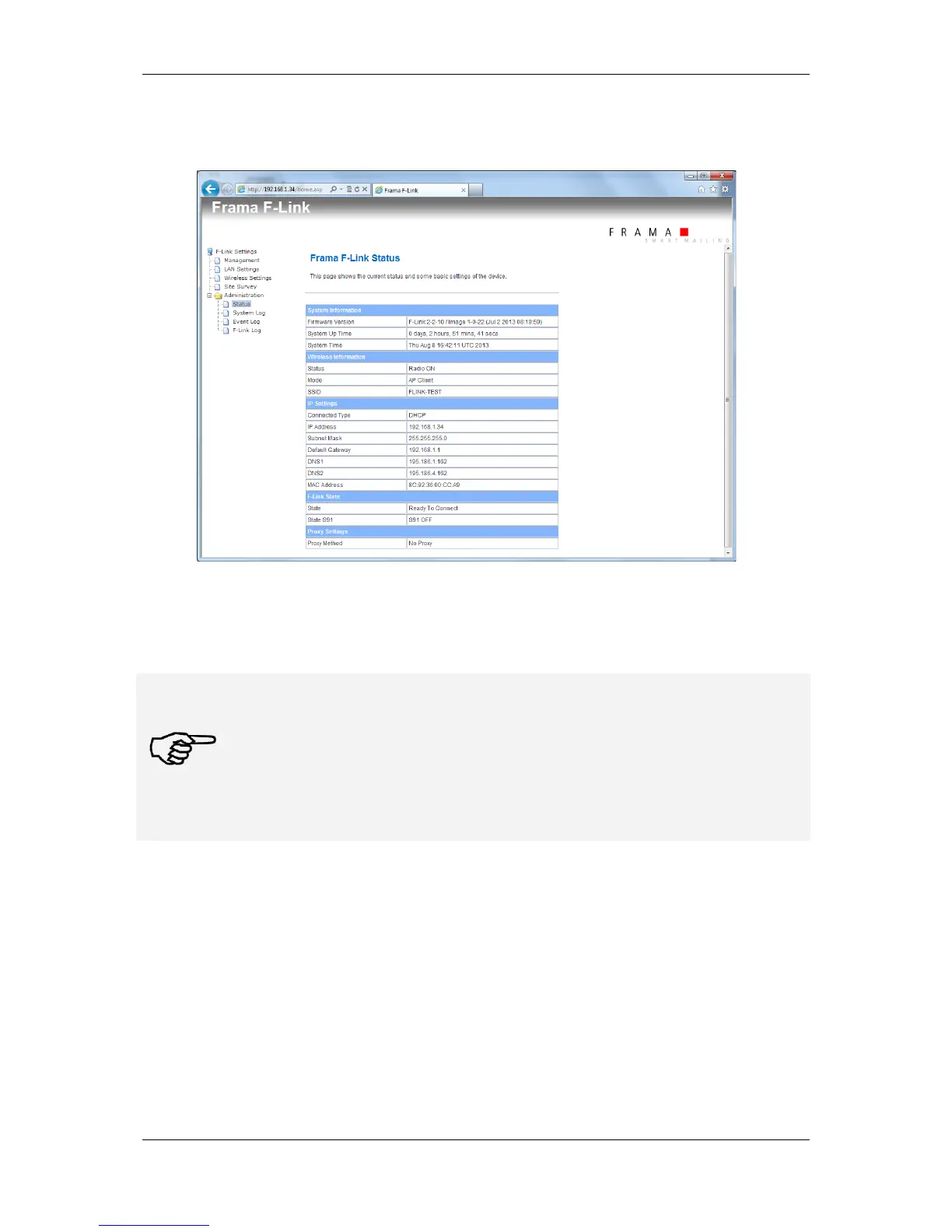
3. Open configuration page Administration – Status. Check if F-Link gets the correct IP settings
from the wireless network.
4. Check the F-Link status. Must be “Ready To Connect”.
5. Execute business processes on the franking system.
Note!
Don’t enable the wireless function, when F-Link is connected to a LAN network
with DHCP server!
Connect the F-Link device directly to a PC for configuring it for wireless operation.
After enabling the wireless function the F-Link still uses the default IP 192.168.1.200 on
the LAN connection as long as the wireless network connection was not successfully
builds up.



 To Next Page