Framery O
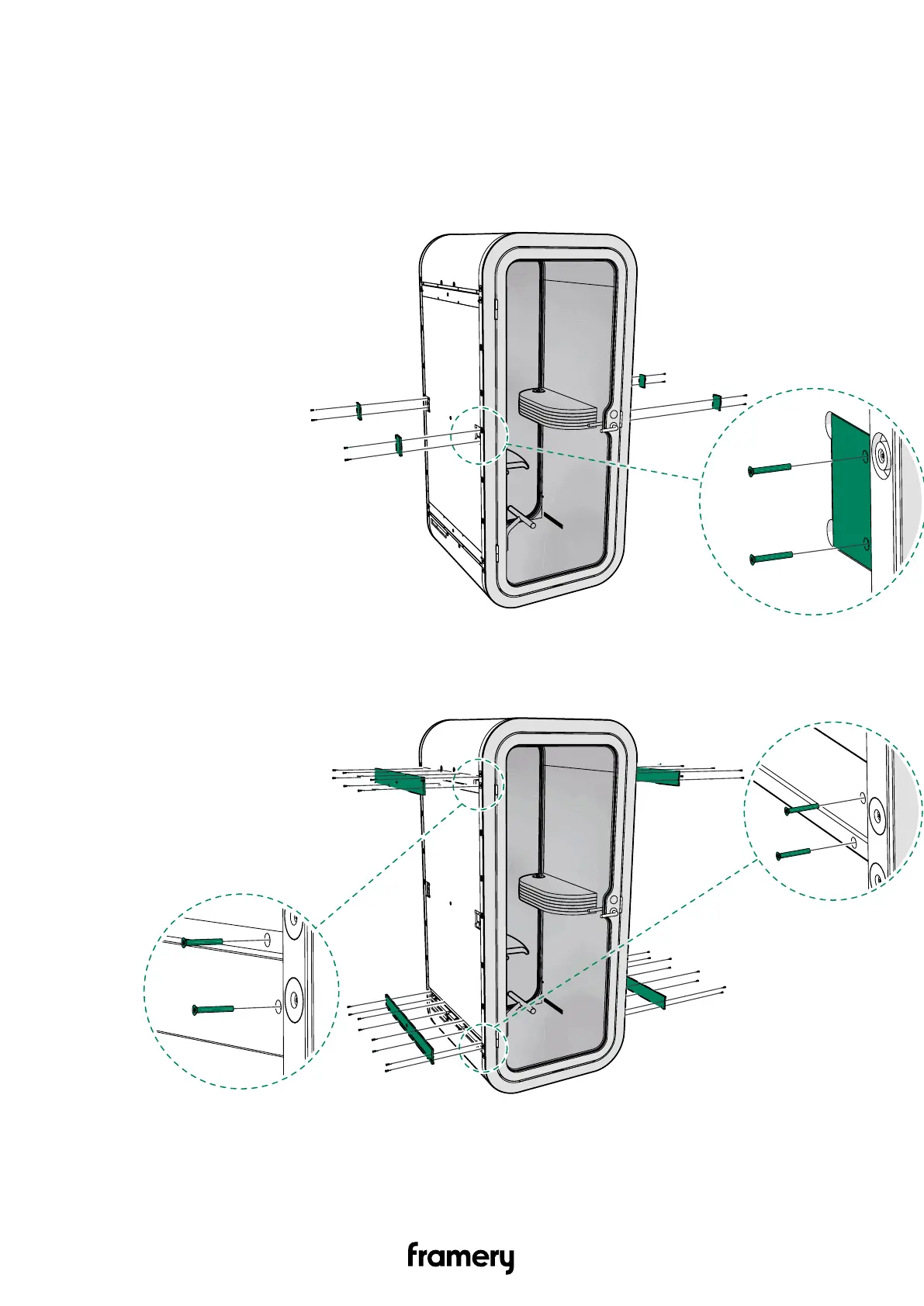
6.2 Remove the cover panels
Remove the wooden cover panels to access the frame bolts that you should check and
tighten, if needed. The screws are 4x30 AW20 (TX20 torx screwdriver can be used).
1. Unscrew the 4x30 screws (8 pcs) and remove the wall cover panels (4 pcs).
2. Unscrew the 4x30 screws (32 pcs) and remove the top and bottom cover panels (4
pcs).
16
Complete care instructions
info@frameryacoustics.com


 To Next Page