Framery O
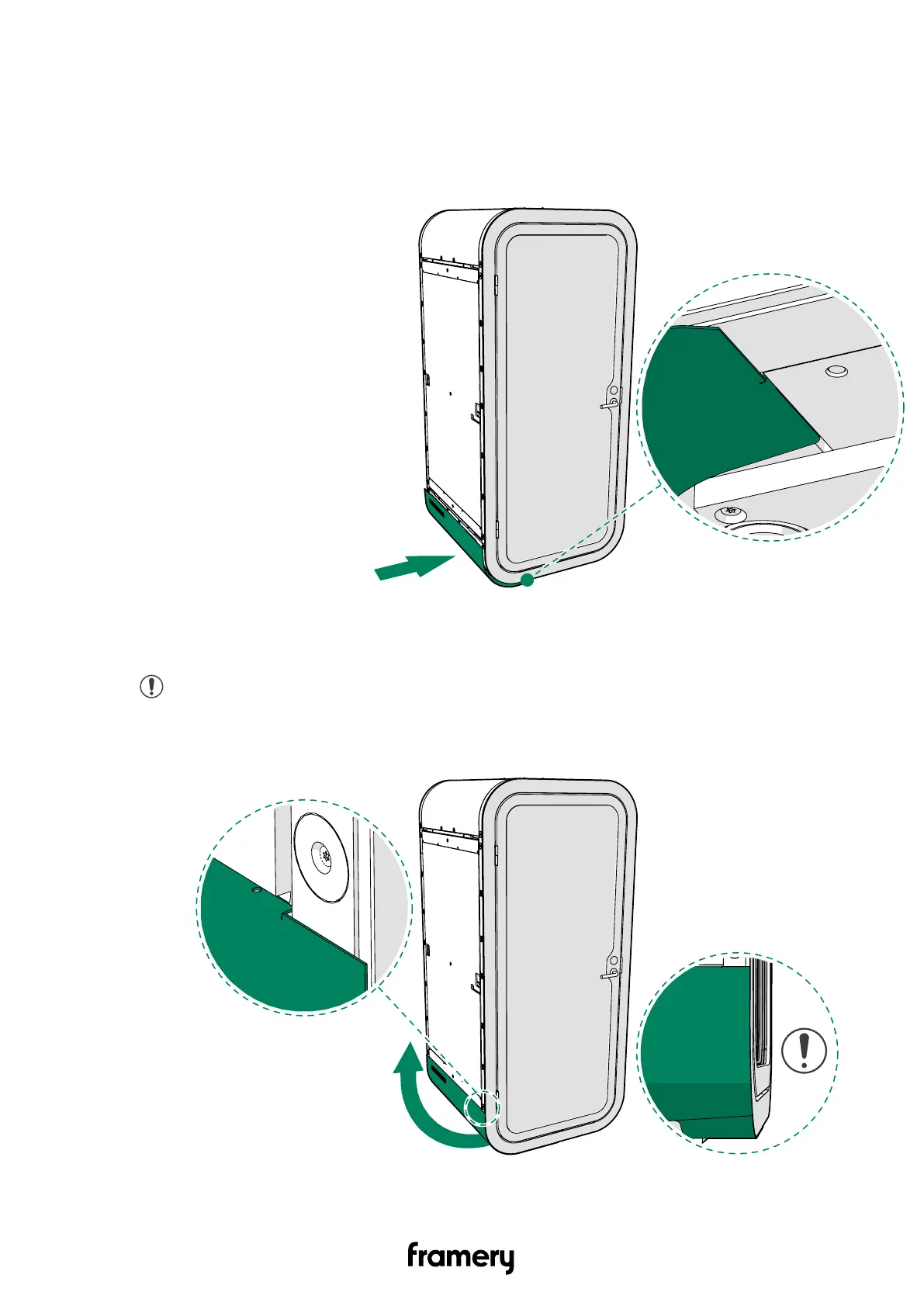
12.4 Install the bottom body covers
1. Slide the left-hand bottom body cover under the pod.
2. Guide the body cover folds into the installation grooves under the pod.
3. Pull the body cover outwards and upwards at the same time. Guide the cover folds into
the installation grooves on the sides of the pod.
Note: Align the body cover to the door frame. Make sure that there are no
gaps between the body cover and the door frame. Make sure that the body
cover is installed evenly and aligned correctly.
Complete care instructions
info@frameryacoustics.com
45


 To Next Page