5 | Description of machine Franke Kaffeemaschinen AG
30 User manual SB1200 FM CM
Individual adaptations
– Display: 2x3, 3x4, or 4x5 products per page
– Activate Credit Mode
– Individual arrangement of drinks
5.3.3 Individual Operating Mode
What is the Individual Operating Mode?
– New Graphical User Interface
– Guided product selection process
– Developed for self-service environments
– Improved guided payment process
– From software version 2.60, two individually adjustable operating modes: Step by Step and Pop-Up
The Individual Operating Mode only works with Step by Step and Pop-Up.
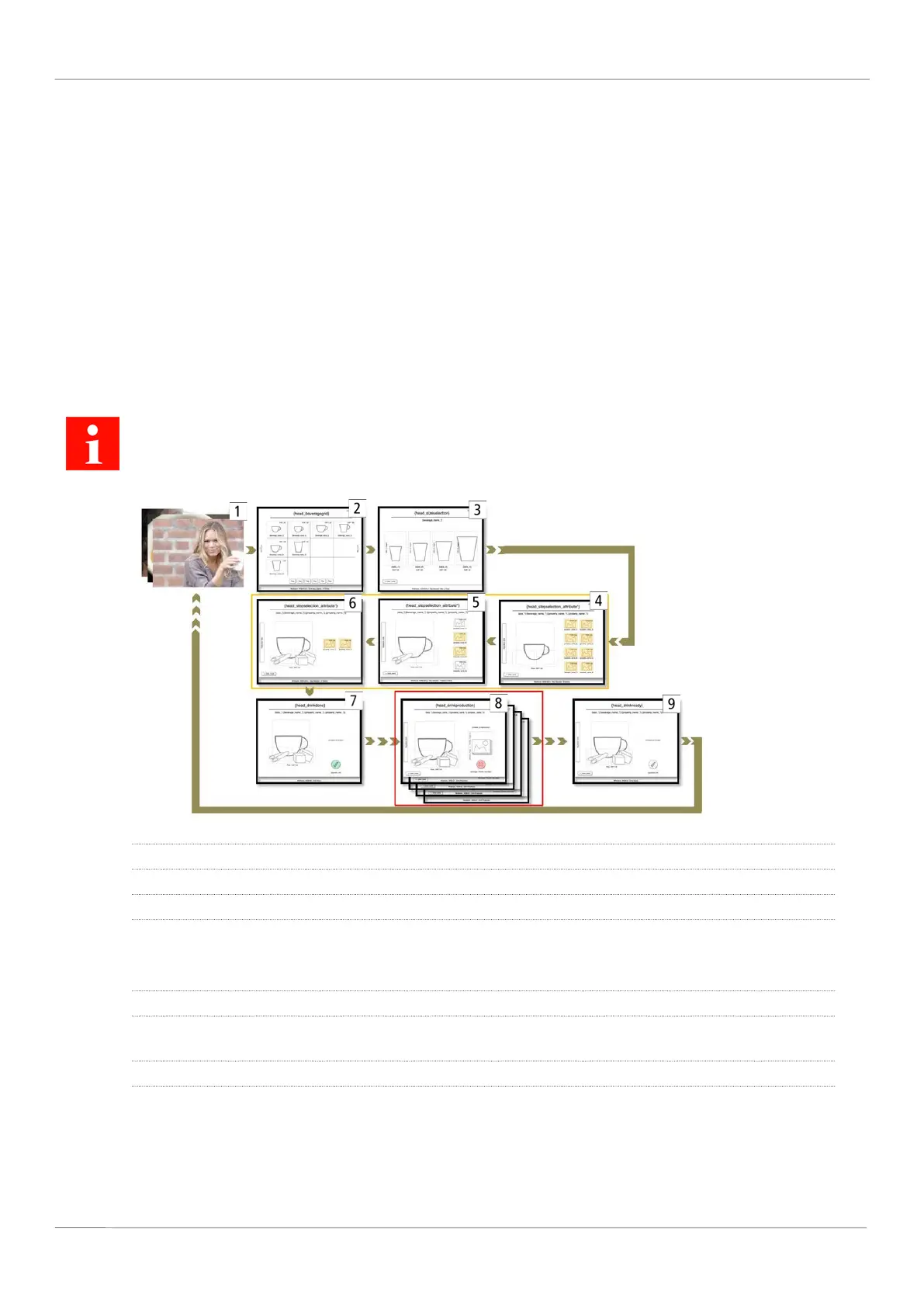
Step by Step
1 Screen saver
2 Select beverage
3 Select cup/mug size
4–6 Select filter attribute values for filter attributes like flavor or milk type.
Customers are guided through the Individual Operating Mode GUI step by step. Each filter attribute is shown
on a separate screen. Up to eight filter attributes can be used.
7 Start beverage preparation: Confirm beverage selection, select payment type
8 The beverage is being prepared. Advertising media, e.g. images and videos, can be shown while the beverage
is being prepared.
9 Beverage preparation complete



 To Next Page