Franke Kaffeemaschinen AG Cleaning | 9
User manual SB1200 FM CM 55
For the Beverage Station with the UT40 cooling unit, the cleaning of the Flavor Station is included in a preset cycle
under the menu item Clean system. If you want to clean the Flavor Station ahead of schedule, select Clean system
with FSU.
If the system comprises the SU12/UT12 cooling unit and a Flavor Station, select the menu item Clean Flavor Sta-
tion to clean the Flavor Station ahead of schedule.
When the cleaning cycle is complete, the machine either switches back to the maintenance level or the energy sav-
ing mode. Your service technician can set the desired option for you.
Espresso Double Espresso 2 Espressos
Caffè Crema Steam Tea water
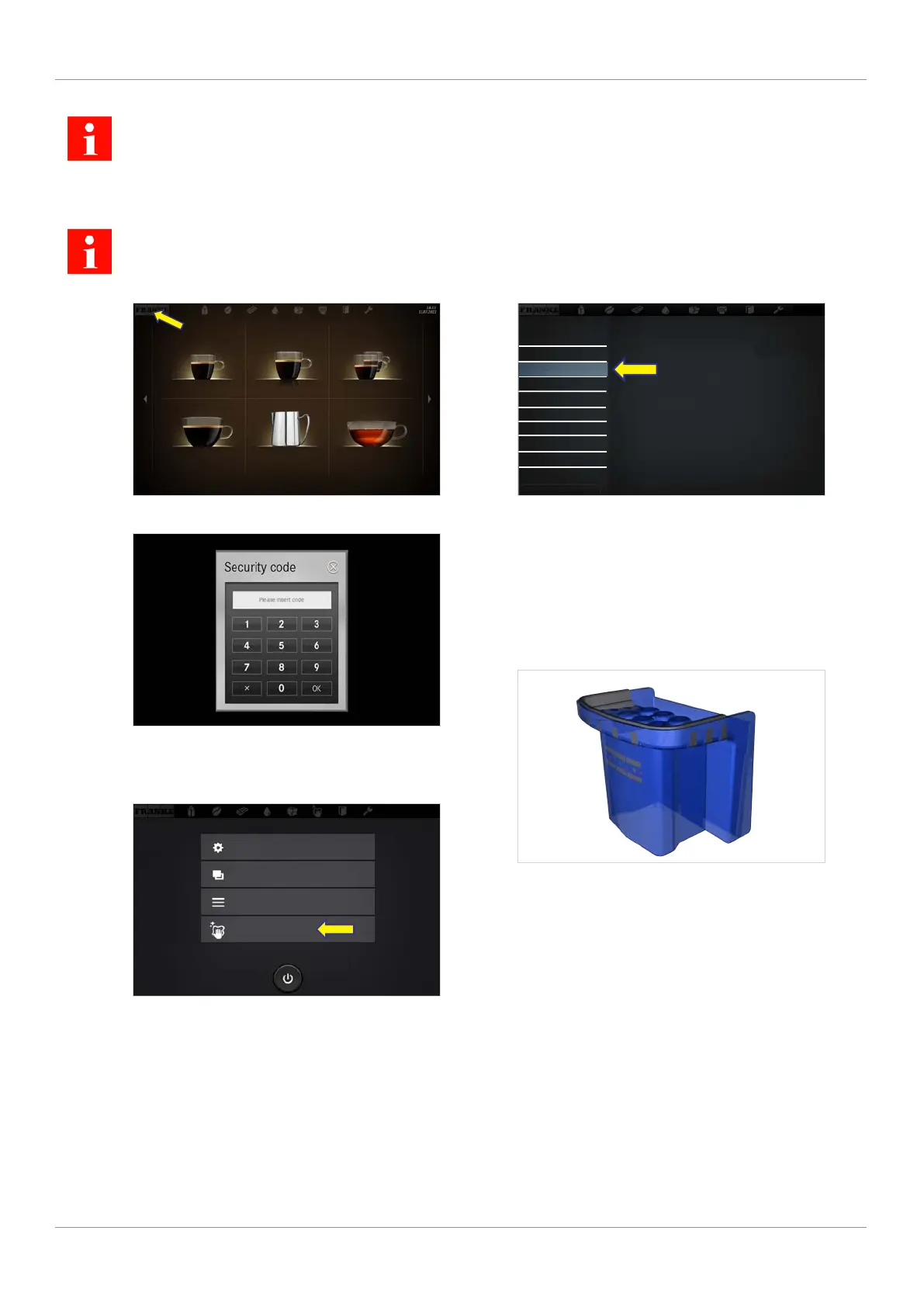
1. Tap the Franke logo.
2. Enter the PIN.
PIN codes [
}
59]
3. Press Ok.
2020-03-02
10:54
My settings
Individualization and data transfer
Counters
Cleaning and maintenance
4. Select Cleaning and Maintenance.
10:54
2020-03-02
Clean system
Clean system and FSU/Clean Flavor Station
Rinse coffee machine
Prepare cold media
Prepare Flavor Station
Filter water quantity
Wipe Protection
Error/event log
Cleaning and maintenance
5. Select Clean system.
6. Confirm message with Yes to begin the cleaning
process.
7. Follow the instructions on the user interface and
confirm the completed steps by selecting Next.
ð The machine shows the next step.
8. Have the spout cleaning device ready and posi-
tion it under the lowered spout when prompted.
9. Follow the instructions on the user interface and
confirm the completed steps by selecting Next.
ð The machine shows the next step.



 To Next Page