Franke Kaffeemaschinen AG Configuration | 10
User manual SB1200 FM CM 71
Parameter Value range Remarks
Sugars 0.0–500.0g
Increment 0.1
Enter sugar content in g per 100ml
Total fat 0.0-50.0%
Increment 0.1
Enter fat content in %
Protein 0.0–30.0g
Increment 0.1
Enter protein content in g per 100ml
Calories 0–2000kcal
Increment 1
Enter calorific value in kilocalories (kcal)
[List of common allergens
and ingredients]
– Yes
– No
– Enter ingredients or allergens for the milk type used
– Default: No
Other allergens User-defined Enter ingredients or allergens that are not included in the
list
10.5.6 Menu 6 Access rights
The access rights option makes it possible to assign different PIN codes for different tasks and roles. Three access
levels (owner, specialist, and operator) can be defined for accessing the maintenance level.
Menu item PIN code (default values)
6.2 Owner
1111
6.3 Specialist
2222
6.4 Operator
7777
6.6 Key (secured) products
8888
6.7 On/Off machine
9999
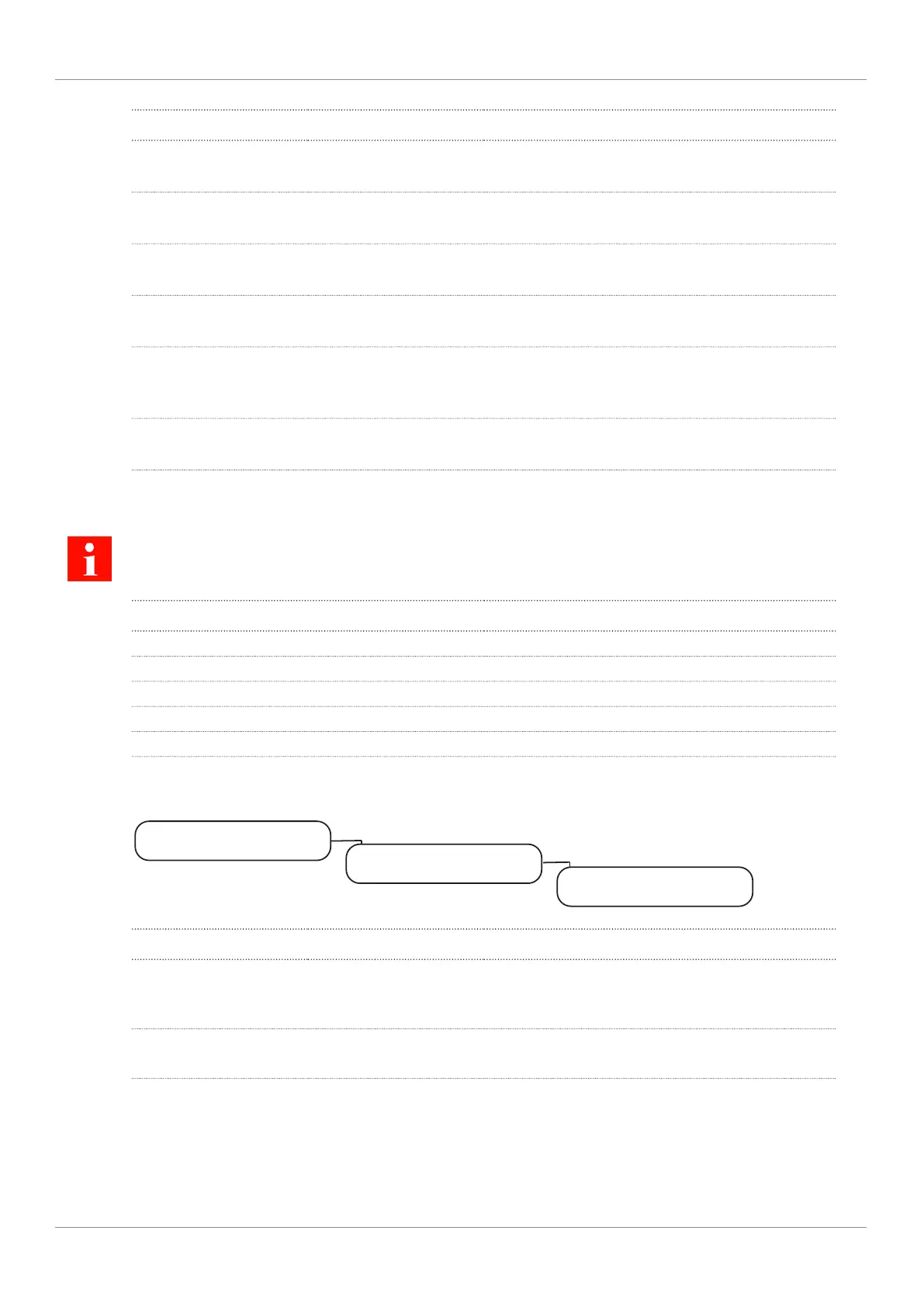
Menu item 6.2 Owner
My settings
6.2 Owner
6 Access rights
Parameter Value range Remarks
Change PIN Enter new PIN – Authorizations: Access to My settings; Retrieve
counter
– Default PIN: 1111
PIN set – Yes
– No
– Yes: PIN is set and being used
– No: PIN is not being used



 To Next Page