FRANKIA OPERATING MANUAL64 FRANKIA OPERATING MANUAL 65
Access to the menu:
Hold down Button 3 (right) for more than 3 seconds until “Set” flashes. The settings in the menu can be changed with
Buttons 1 (left) and 2 (middle). Button 3 switches the menu to the next step. The changes are saved automatically.
Function of the MT 5000H as the control of the EFOY fuel cell:
The MT 5000H can switch the EFOY fuel cell on or off at calculated times. The cornerstones of the hybrid controller are
determined by the set values for the size of the battery (Ah), solar modules (Wp) and type of the EFOY fuel cell. The
aim of the hybrid control is to have a full battery at the time of the expected sunset, without drawing too much valuable
energy from the fuel cell. The fuel cell can also be switched on and off manually. To do so, press Button 2 for more than
3 seconds until ON or OFF appears in the display. Manual switch-off is not possible if the MT 5000H has calculated that
the fuel cell must run in order to charge the battery to 90% by evening. Operating status is indicated by the “Hybrid”
mark on the display and the LED in the Hybrid box: When the EFOY fuel cell of the MT 5000H is switched on, a marking
arrow at the bottom of the display points to the word “Hybrid” and the green “Hybrid” LED on the MT Hybrid box lights up.
4.9 EZA - Lithium energy system
With this option, instead of a normal living area battery, a compact energy system is in its place. This system includes
a LiFePo battery with 130Ah, an integrated charging booster (fully charged in less than 2 hours driving time), direct
connection and monitoring of the inverter and the energy flow in the vehicle (via App)
Condition control of the electrical system via Bluetooth App for Android and IOSdevices. The link for the App can be
found at www.eza.fr/app.html
The EZA lithium energy system enables you to be autonomous without maintenance and without special monitoring.
However, it is necessary to have the cells of the battery checked every year, but without exact date restrictions, to ensure
that they are properly balanced. Your dealer has the technical know-how to do this.
EZA has provided you with options to visualise the inputs and outputs of your battery so that you can see the different
consumption and charging processes of your battery if you wish:
• 1- The free App can be downloaded on your smartphone and/or tablet.
• 2- A wired display is optional for people who prefer a fixed solution. It enables the visualisation of the
charging currents, the autonomy and the percentage of utilisation.
1- How to use the APP:
• a. Download the APP from the website www.eza.fr
• b. Download the APP from “Google Play” or “App Store” by (search for EZA)
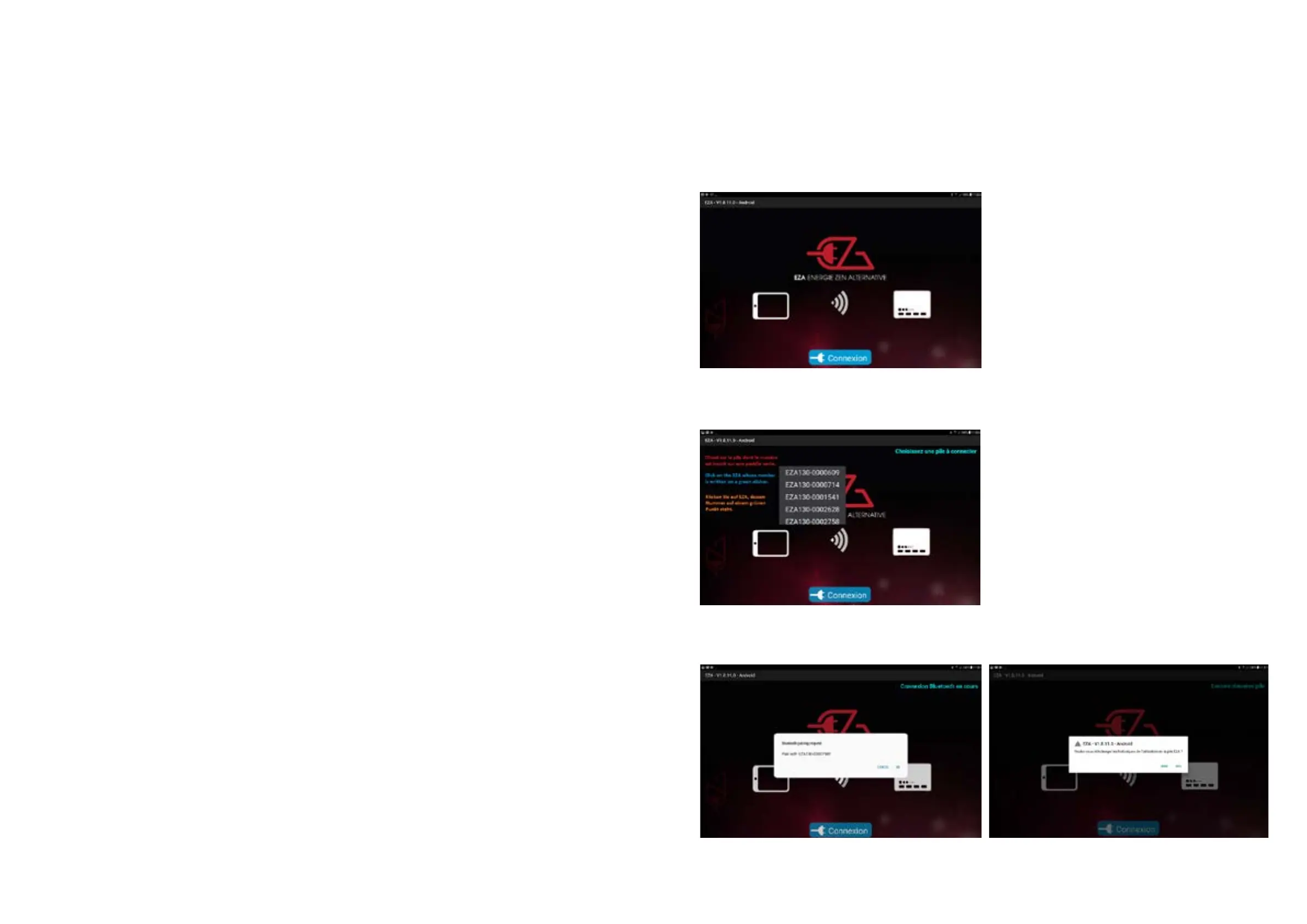
• c. Install and launch the App - The following screen appears: click on “Connection”
• d. One or (if there are other systems in the vicinity) several Bluetooth references is/are displayed Click
on the number of your EZA system (you can find the Bluetooth number in the vehicle documentation or
as a green sticker on the front panel of the EZA_housing).
•
• e. The next 2 screens are displayed as follows
or
• To connect, click on ”OK” or “OUI”.


 To Next Page