23
2. Click Save.
Note: If you click Connect button under the signal strength bars, Enable Auto Connection will be
cleared automatically regardless of whether Enable Auto Connection was checked before
rebooting the device.
Change Your Connection Options
1. Select a connection option.
2. Click Save.
Note: If the device is not activated, the options will be unavailable (grayed out).
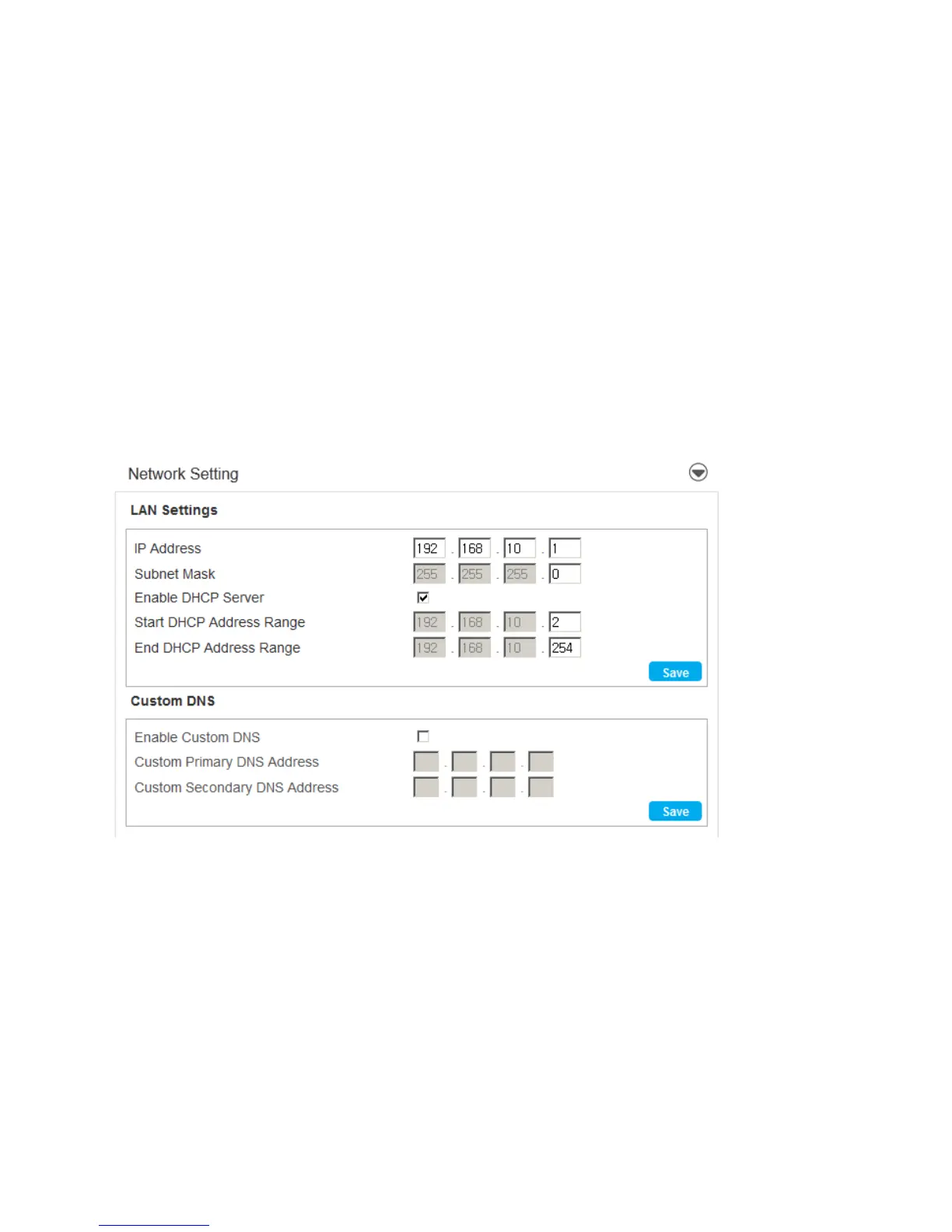
Network Setting
When you open the Network Setting menu, the following choices are available:
LAN Setting
● IP Address – IP Address that your PC is assigned by your device
● Subnet Mask – Subnet Mask that your PC is assigned by your device
● Enable DHCP Server – Enable this option to automatically assign IP address to other Wi-Fi
connected devices.
● Start DHCP Address – Your 4G LTE Mobile Hotspot will assign IP address beginning with this
IP address
● End DHCP Address Range – Your 4G LTE Mobile Hotspot will assign IP address ending with
this IP address.



 To Next Page