3
6 icons /
4 display lines for
alphanumeric character
display
The display has (6) icons on the top, including signal strength,
4G/3G service indicator, alert message, roaming indicator,
connected devices, and battery status. Under the icon line, the
display has a display area for (4) lines of alphanumeric
character display. To save power, the display automatically
turns off in 20 seconds unless any function key is pressed by
users.
When the battery is being charged, the LED illuminates a red
light. When the battery is fully charged, the LED color
changes to green.
Connect the charger cable to the micro USB port to charge the
battery.
Press once to display alert messages. Press and hold the
button to delete the message displayed.
Press once to display data usage information. Press and hold
to reset the data usage information.
Press and hold the button to turn on or to turn off your 4G
LTE Mobile Hotspot
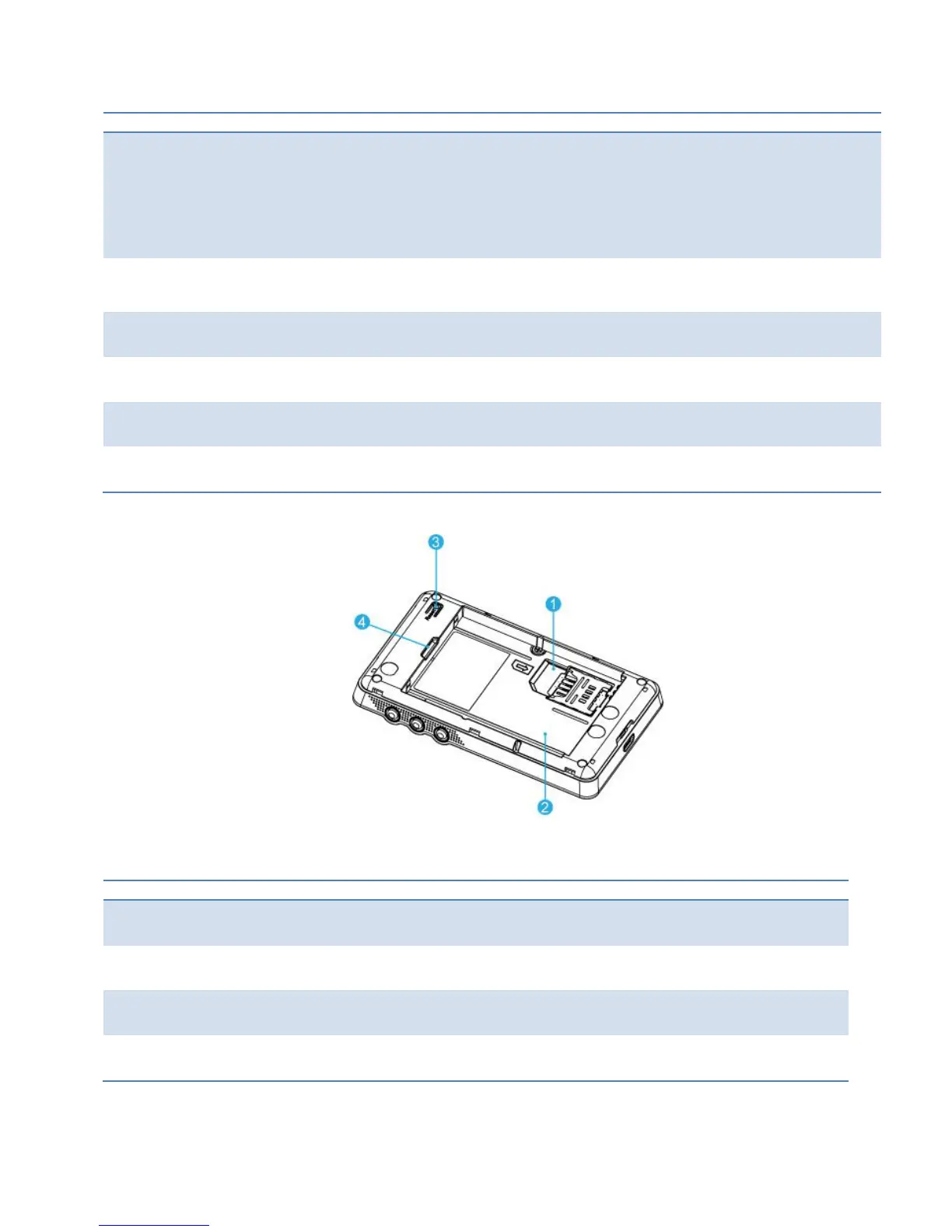
The 4G LTE SIM card is installed here.
The battery is installed in the compartment.
Insert a paper clip into the hole and press and hold to reset the device to factory
settings.
Lift the battery cover here



 To Next Page