178 PB
COMPONENTS TESTING
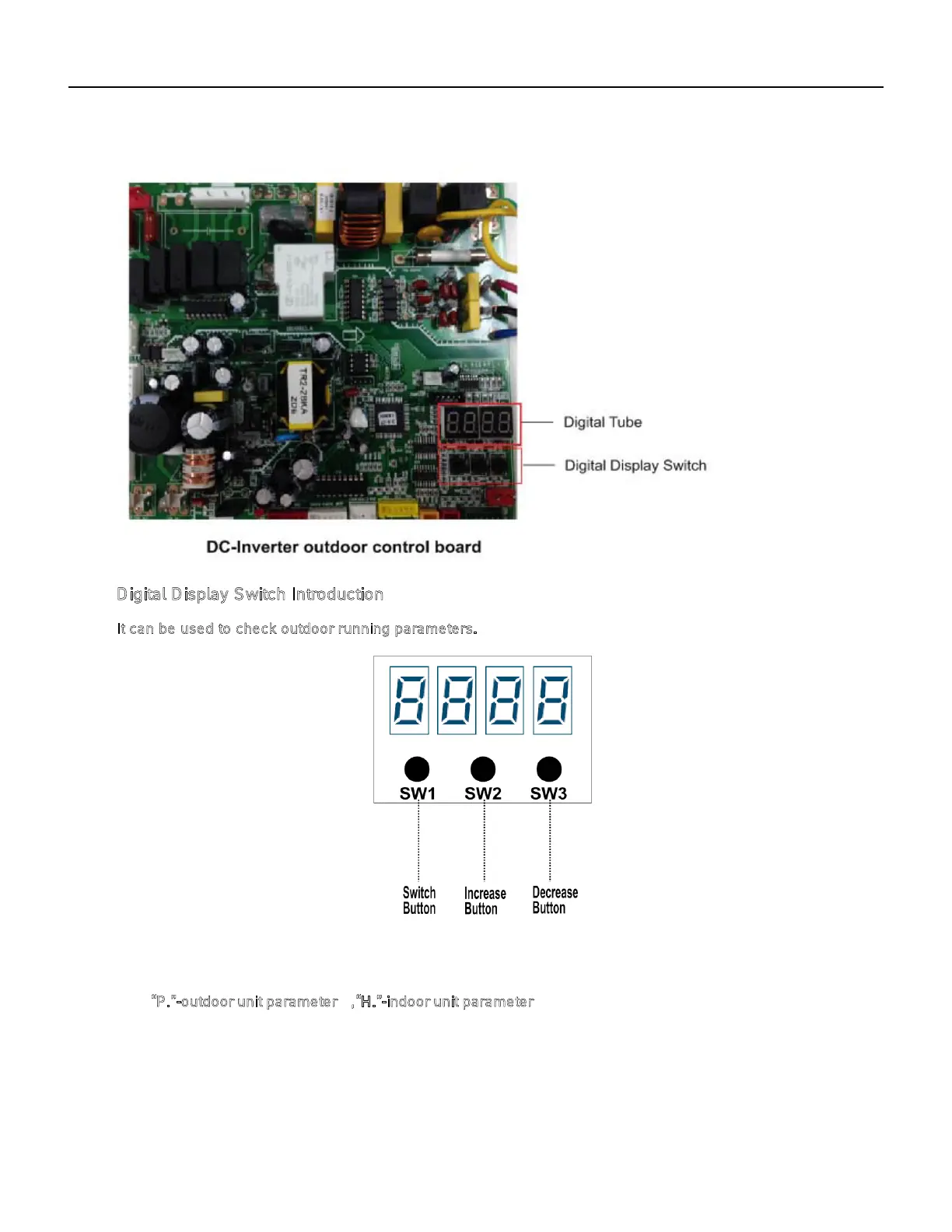
Field Settings (Running Parameter Query)
There are 3 buttons on the digital display board :
Digital D isplay Switch Introduction
It can be used to check outdoor running parameters.
be rapidly increase;
3) DECREASE button:Each time it is pressed, the number lowers by 1,hold down it, the number
will rapidly decreased.
4) The parameters will be displayed after 3s when the checking numbers are selected.
1) SWITCH button :Indoor parameters and outdoor parameters can be selected in turn by pressing it.
“P.”-outdoor unit parameter , “H.”-indoor unit parameter;
2) INCREASE button:Each time it is pressed, the number rises by 1,hold down it, the number will



 To Next Page