
 Need help?
Do you have a question about the Frigidaire FFRH2522R2E0 and is the answer not in the manual?
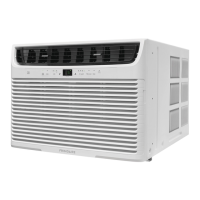
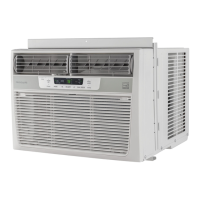
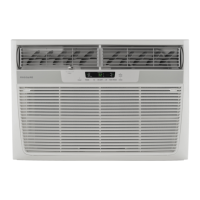
This document serves as a comprehensive Use & Care Manual for the Frigidaire Room Air Conditioner, providing detailed instructions for its operation, maintenance, and troubleshooting. It is designed to help users maximize the efficiency and lifespan of their appliance.
The Frigidaire Room Air Conditioner is designed to cool and circulate air within a room, offering various modes to suit different comfort needs. It features an electronic control panel and a remote control for convenient operation. The core function is cooling, which involves a compressor and fan working together to lower the room temperature. The unit also includes a fan-only mode for air circulation without cooling, and a heating feature on some models to provide warmth.
A key safety feature is the current detection device integrated into the power supply cord, designed to reduce the risk of fire. This device includes a TEST and RESET button on the plug head, allowing users to verify its functionality. The unit requires proper grounding to minimize shock and fire hazards, and it is crucial to use a properly grounded wall receptacle.
The air conditioner offers a range of user-friendly features accessible via both the touch pad and the remote control.
Electronic Control Panel and Remote Control: The unit can be controlled by either the touch pad on the unit itself or the provided remote control. The remote control, which requires AAA batteries, allows for convenient adjustment of settings from a distance.
Temperature Setting: Users can adjust the desired temperature between 60°F (16°C) and 90°F (32°C) in cooling mode, and between 55°F (13°C) and 80°F (27°C) in heating mode (on applicable models). The display shows the set temperature, or the actual room temperature in fan-only mode. The temperature display can also be switched between Fahrenheit and Celsius.
Fan Speed Adjustment: Multiple fan speeds (auto, high, medium, low) are available. The auto fan feature automatically adjusts the fan speed based on the room temperature, increasing speed when the room warms up and decreasing it as the temperature stabilizes. Users can manually select their preferred fan speed.
Operating Modes:
Timer Feature (Delay Stop / Start): This feature allows users to program the unit to turn on or off after a set period, from 0.5 hours up to 24 hours. This is useful for pre-cooling a room before arrival or ensuring the unit turns off after a certain time.
Clean Air Feature (on some models): When activated, an electronic air purifier energizes to remove pollen and impurities from the air, improving indoor air quality. This feature can only be activated from the unit's touch pad.
Remote Sensing Feature (on some models): This feature, activated via the remote control, allows the remote to act as a thermostat, sensing the temperature at its location. This ensures the unit maintains the desired temperature where the user is, rather than just at the unit's location. The unit's control panel will pulse to indicate it's receiving the signal from the remote.
Fresh Air Vent Control (on some models): A manual vent allows users to control air exchange:
Fault Codes: The display will show specific fault codes (e.g., "HS", "AS", "ES", "CS", "OS") if a sensor has failed, prompting the user to contact service.
Regular maintenance is crucial for the air conditioner's performance and longevity.
Air Filter Cleaning: The air filter should be checked and cleaned at least once a month, or more frequently if necessary. A "Check Filter" reminder light illuminates after 250 hours of operation. Cleaning involves opening the front panel, grasping the filter by the center, pulling it up and out, then washing it with liquid dishwashing detergent and warm water, or vacuuming it. Ensure the filter is thoroughly dry before reinstallation.
Cabinet Cleaning: The cabinet and front panel can be dusted with an oil-free cloth or washed with a cloth dampened in a solution of warm water and mild liquid dishwashing detergent. It is important to unplug the unit before cleaning and to avoid using harsh cleaners, wax, or polish. Care should be taken to prevent excess water from reaching the controls.
Winter Storage: If the unit is to be stored for winter, it should be carefully removed from the window according to the installation instructions, covered with plastic, or returned to its original carton.
Troubleshooting Guide: The manual includes a "Before You Call" section with common occurrences and their solutions, helping users diagnose and resolve minor issues without needing service. This covers problems like the unit not operating, insufficient cooling, ice formation on coils, rapid cycling, unusual noises, and water dripping.
Energy Saving Tips: The manual provides several tips to optimize energy consumption, such as proper sizing and installation of the unit, positioning it on the shady side of the home, closing fireplace dampers and registers, keeping blinds and drapes closed, maintaining good home insulation, and operating heat-producing appliances during cooler parts of the day.
This comprehensive guide ensures that users can effectively operate and maintain their Frigidaire Room Air Conditioner, promoting comfort and efficiency while adhering to safety guidelines.
 General
| Type | window |
|---|---|
| Color | white |
| Operating Area Size | 1600.0 square feet |
| Cooling Capacity | 25000.0 british thermal units |
| Cooling Settings | 3.0 |
| Heater | yes |
| Heating Capacity | 16000.0 british thermal units |
| Fan Airflow Rate | 136.0 cubic feet per minute |
| Filter | antibacterial |
| Remote Control | no |
| Timer | yes |
| Sleeping Mode | yes |
| Current | 11.3 amperes |
| Height | 18.625 inches |
| Width | 26.5 inches |
| Net Weight | 153.0 pounds |

 To Next Page