Instructions and Help
Instructions and Help
Use the comprehensive customer documentation to connect, configure,
and operate your FRITZ!Box. The latest information on products and
updates is presented in the newsletter (available only in German), and
in the social media.
After a FRITZ!OS update, download the latest manual from en.avm.de/
service/manuals.
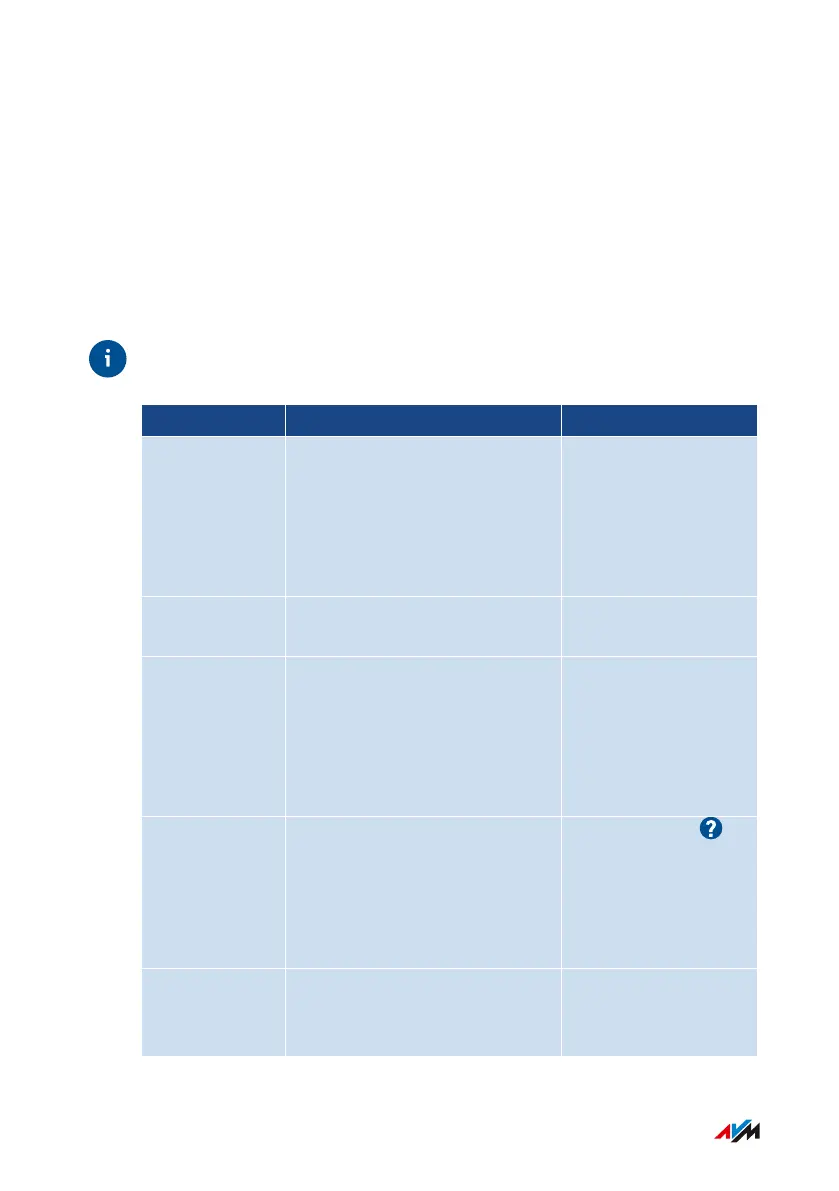
Medium Contents Where
Manual • This manual
• Connecting, configuration,
and operation
• Range of functions of your
FRITZ!Box
en.avm.de/service/
manuals
Quick guide Connecting and configuration Provided in print with
your FRITZ!Box
Service card • Important settings of your
FRITZ!Box upon delivery
• Overview of basic functions
• A look at the FRITZ!Box con-
figuration options
Provided in print with
your FRITZ!Box
Online help • Instructions on configura-
tion and operation
• Help on the functions and
settings options in the user
interface
http://fritz.box/
Knowledge
Base
Solutions for common prob-
lems during connection, con-
figuration, and operation
en.avm.de/service
FRITZ!Box7590 14
General Information on the FRITZ!Box
• • • • • • • • • • • • • • • • • • • • • • • • • • • • • • • • • • • • • • • • • • • • • • • • • • • • • • • • • • • • • • • • • • • • • • • • • • • • • • • • • • • • • • • • • • • • • • • • • • • • • • • •
• • • • • • • • • • • • • • • • • • • • • • • • • • • • • • • • • • • • • • • • • • • • • • • • • • • • • • • • • • • • • • • • • • • • • • • • • • • • • • • • • • • • • • • • • • • • • • • • • • • • • • • •



 To Next Page