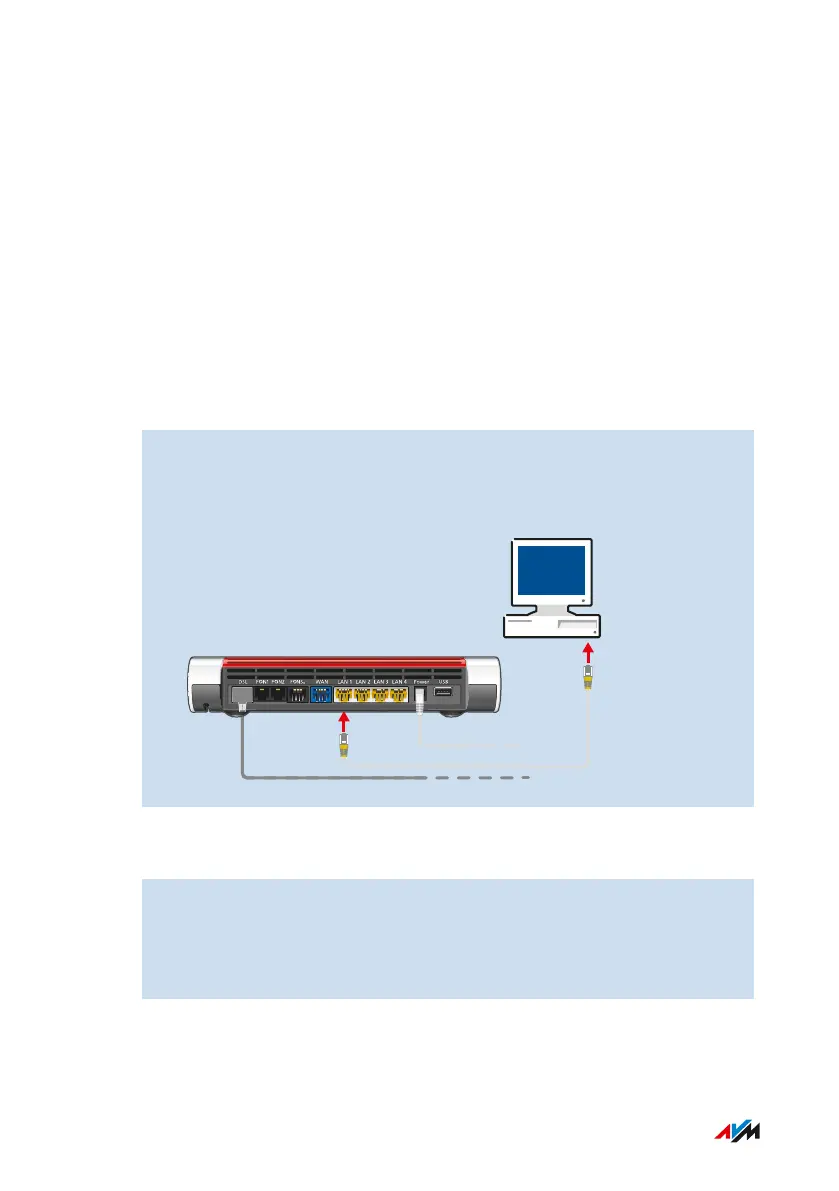
Connecting Computers and Other Devices Using a LAN Cable
Overview
You can connect computers and other network devices with the
FRITZ!Box using a LAN cable.
Please Note
• The LAN cable used must not be longer than 100 m.
Instructions: Connecting a Computer Using a Network Cable
1. Insert the LAN cable into the LAN socket of the computer.
2. Insert the free end of the cable into a LAN socket on the
FRITZ!Box.
Instructions: Connecting a Network Hub or Network Switch
1. Insert the LAN cable included in the package into the uplink port
of the network hub or network switch.
2. Insert the free end of the cable into a LAN socket on the
FRITZ!Box.
FRITZ!Box7590 39
Connecting
• • • • • • • • • • • • • • • • • • • • • • • • • • • • • • • • • • • • • • • • • • • • • • • • • • • • • • • • • • • • • • • • • • • • • • • • • • • • • • • • • • • • • • • • • • • • • • • • • • • • • • • •
• • • • • • • • • • • • • • • • • • • • • • • • • • • • • • • • • • • • • • • • • • • • • • • • • • • • • • • • • • • • • • • • • • • • • • • • • • • • • • • • • • • • • • • • • • • • • • • • • • • • • • • •



 To Next Page