EasyManua.ls Logo

Fritz!Box 7590 - Page 42

Fritz!Box 7590
317 pages
Print Icon
To Next Page IconTo Next Page
To Previous Page IconTo Previous Page
Loading...
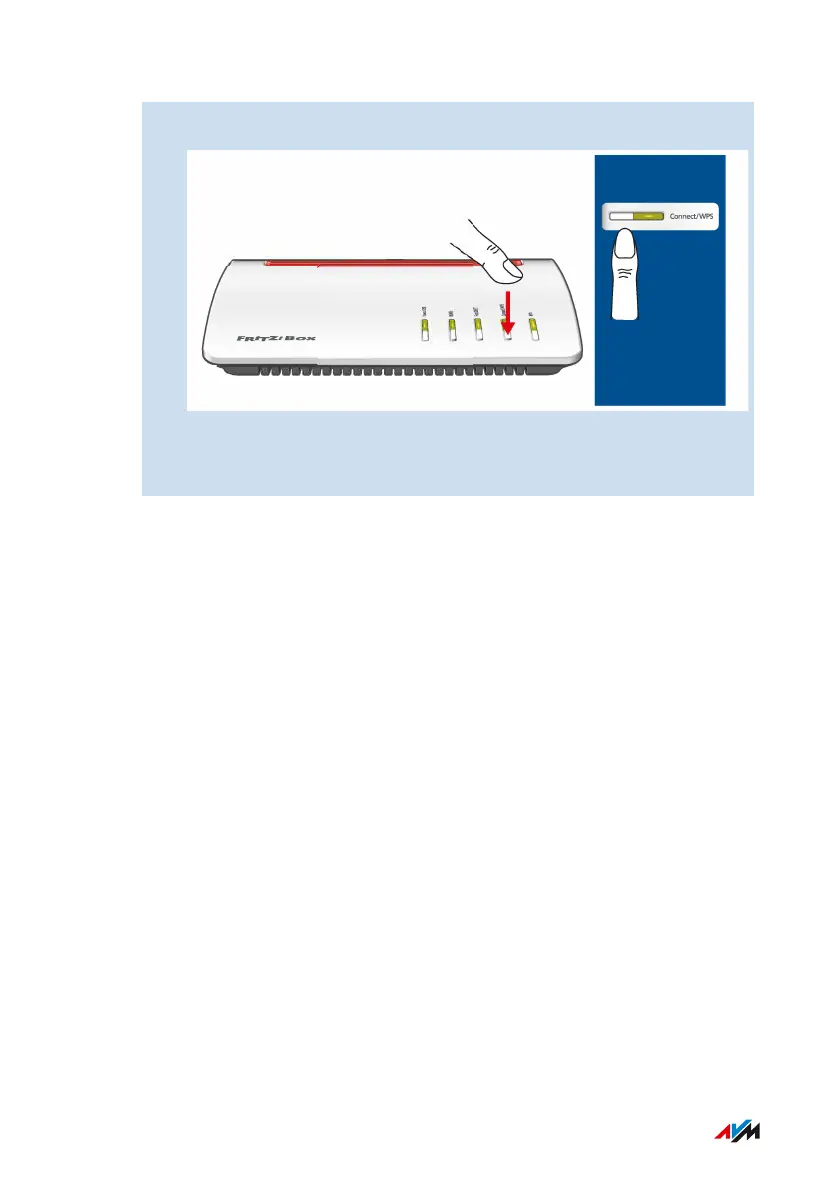
3. On the FRITZ!Box: Press the Connect/WPS button briefly.
Press and hold
until the LED
flasches
The Connect/WPS LED flashes while the Wi-Fi connection is be-
ing established.
FRITZ!Box7590 42
Connecting
• • • • • • • • • • • • • • • • • • • • • • • • • • • • • • • • • • • • • • • • • • • • • • • • • • • • • • • • • • • • • • • • • • • • • • • • • • • • • • • • • • • • • • • • • • • • • • • • • • • • • • •
• • • • • • • • • • • • • • • • • • • • • • • • • • • • • • • • • • • • • • • • • • • • • • • • • • • • • • • • • • • • • • • • • • • • • • • • • • • • • • • • • • • • • • • • • • • • • • • • • • • • • • •

Table of Contents

Other manuals for Fritz!Box 7590

Related product manuals