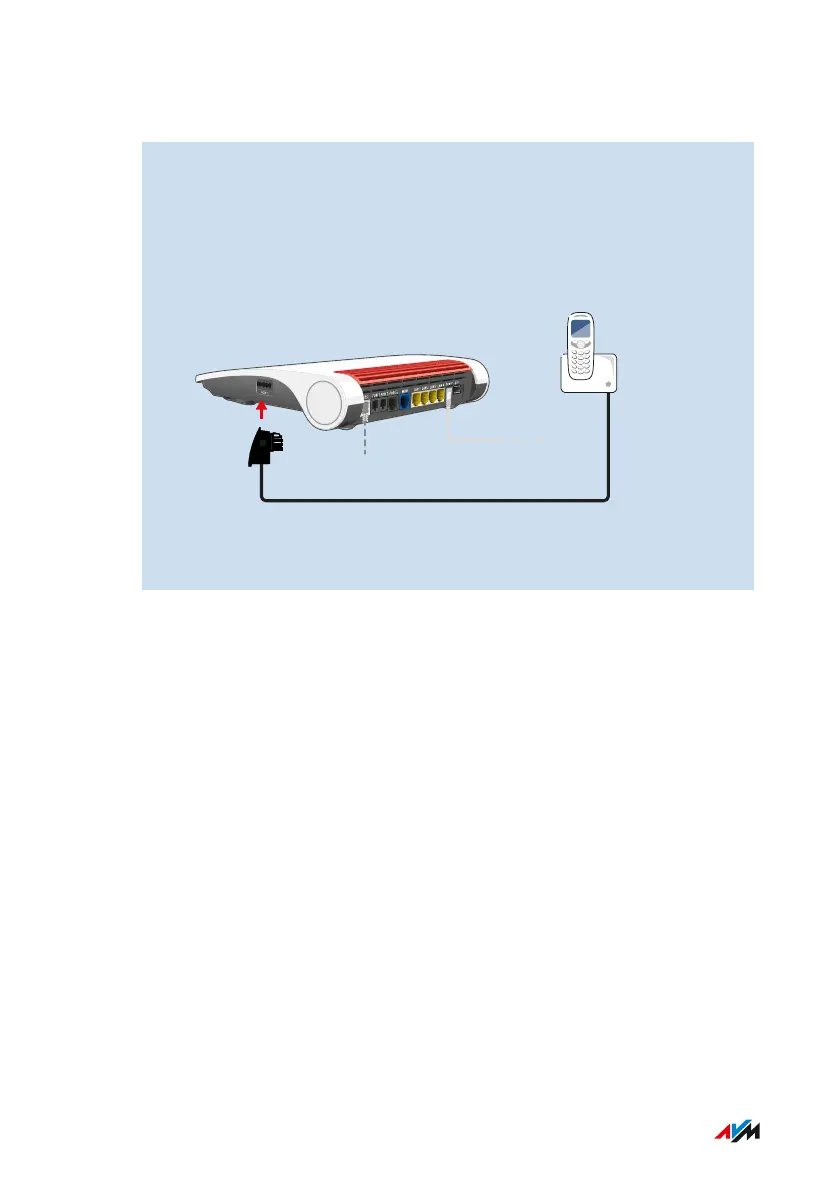
Instructions: Connecting an Analog Telephone
1. Connect the telephone, the answering machine or the fax ma-
chine to a FON1 socket. Use only one FON1. One of the two
sockets must remain free.
Some countries have telephone connectors specific to their net-
works. The FRITZ!Box package may include an adapter for con-
necting telephones.
2. Configure the telephone in the FRITZ!Box user interface; see
page91.
FRITZ!Box7590 86
Connecting Telephones
• • • • • • • • • • • • • • • • • • • • • • • • • • • • • • • • • • • • • • • • • • • • • • • • • • • • • • • • • • • • • • • • • • • • • • • • • • • • • • • • • • • • • • • • • • • • • • • • • • • • • • • •
• • • • • • • • • • • • • • • • • • • • • • • • • • • • • • • • • • • • • • • • • • • • • • • • • • • • • • • • • • • • • • • • • • • • • • • • • • • • • • • • • • • • • • • • • • • • • • • • • • • • • • • •



 To Next Page