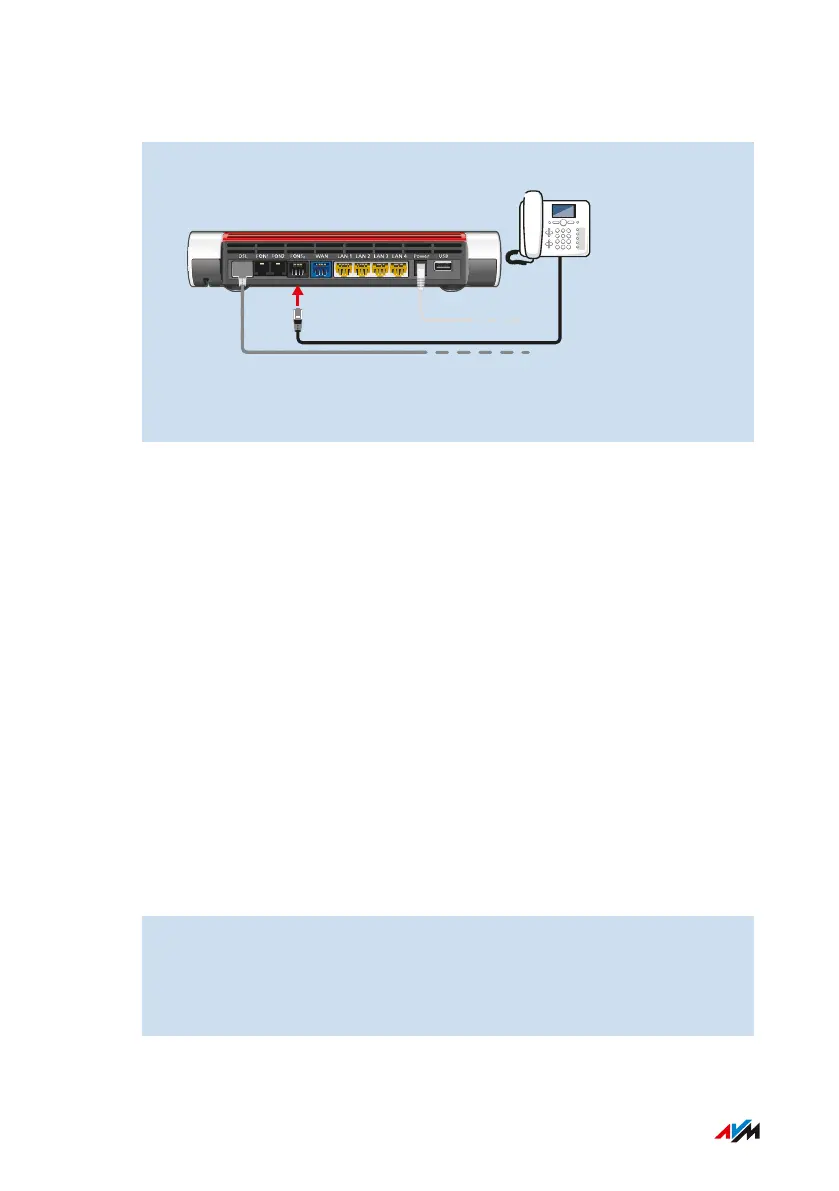
Instructions: Connecting an ISDN telephone
1. Connect the telephone to the FONS
0
socket.
2. Configure the telephone in the FRITZ!Box user interface; see
page91.
Connecting Multiple ISDN Devices
Up to eight ISDN telephones or one ISDN telephone system can be con-
nected to the FRITZ!Box. The FRITZ!Box can provide power to one ISDN
device, but the other ISDN devices must use their own power supply.
Multiple ISDN devices can be connected in the following ways:
• with an ISDN distributor (available from vendors)
• by having a technician install an S
0
bus, which is connected to the
FONS
0
socket. Note for the technician: The FONS
0
socket is termi-
nated. Two terminating resistors are included in the FRITZ!Box.
Instructions: Connecting an IP Telephone
IP telephones are special telephones for internet telephony (IP stands
for Internet Protocol). If your FRITZ!Box is connected with a landline,
you can use the connected IP telephone to make calls over the landline
network as well.
1. Connect the IP telephone to the FRITZ!Box using a network cable
or connect the IP telephone with the FRITZ!Box over Wi-Fi.
2. Configure the telephone in the FRITZ!Box user interface; see
page91.
FRITZ!Box7590 88
Connecting Telephones
• • • • • • • • • • • • • • • • • • • • • • • • • • • • • • • • • • • • • • • • • • • • • • • • • • • • • • • • • • • • • • • • • • • • • • • • • • • • • • • • • • • • • • • • • • • • • • • • • • • • • • • •
• • • • • • • • • • • • • • • • • • • • • • • • • • • • • • • • • • • • • • • • • • • • • • • • • • • • • • • • • • • • • • • • • • • • • • • • • • • • • • • • • • • • • • • • • • • • • • • • • • • • • • • •



 To Next Page