SERVICE MANUAL FS360_EN01 Version00.doc
FROMM
For further updates, see our website www.fromm-stretch.com and Login!
It is forbidden to duplicate this manual or parts thereof or any other form without the author’s authorisation © 2018
ERRORS DURING OPERATION
THE HORSESHOE DOES NOT START
- The machine does not start and triggers
any error on the display
- Check whether something has activated the
safety device on the turntable.
- Check the wiring according to the diagram.
- The machine does not start and triggers
any error on the display
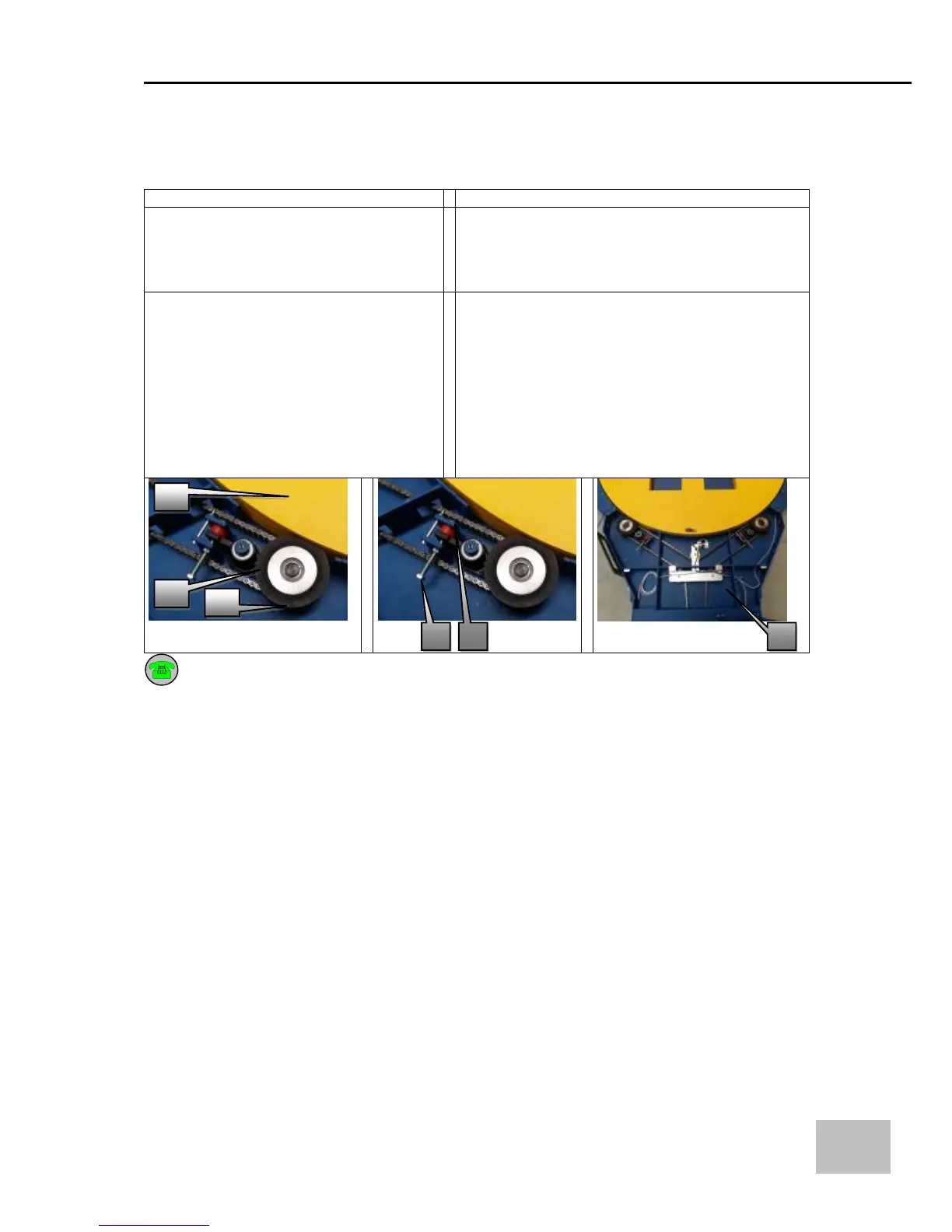
- Remove the guard (3) (Fig.3).
- Check that the two wheels (1) touch the
turntable’s disk (2) (Fig.1).
- Replace the two wheels if they are broken or
worn.
- Clean the side of the rotation disk (6) (Fig.1).
- Increase the pressure of the roller on the
turntable by adjusting the screws (4) and securing
the locking nuts (5).
- The higher the force created by the wheel on the
disk, the quicker the wheel will wear!!
If the problem persists, contact the company’s after-sales customer service


 To Next Page