EasyManua.ls Logo

Fronius Acctiva Easy 1202 - User Manual

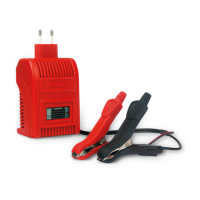
Fronius Acctiva Easy 1202
100 pages
Go to English
Print Icon
To Next Page IconTo Next Page
Loading...
Fronius prints on elemental chlorine free paper (ECF) sourced from certified sustainable forests (FSC).
/ Perfect Charging / Perfect Welding / Solar Energy
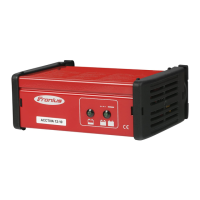
Acctiva Easy 1202, 1204, 1206,
2403
Acctiva Easy 6/12, 12/24
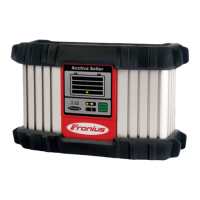
Selectiva 1006, 2003
Selectiva 1002/2003
DE
Bedienungsanleitung
Batterieladesystem
EN
Operating instructions
Battery charging system
FR
Instructions de service
Chargeur de batteries
NL
Bedieningshandleiding
Acculaadsysteem
TR
Kullanım kılavuzu
Akü şarj sistemi
42,0410,0836 008-23022021

Questions and Answers

  • J
    Jennifer MckayAug 7, 2025
    What to do if my Fronius Acctiva Easy 1202 Battery Charger switches off during charging?
    • V
      Valerie Hammond DDSAug 7, 2025
      If the Fronius Battery Charger switches off during charging, it may be due to high ambient temperature causing the charger to overheat. Allow the charger to cool down. Charging will resume automatically once it has cooled sufficiently.
  • A
    Ariel WheelerAug 11, 2025
    What does it mean when the Fronius Acctiva Easy 1202 displays symbols alternately?
    • L
      Lawrence BartlettAug 11, 2025
      Alternating symbols on your Fronius Battery Charger can indicate several issues. It could be that the charger leads are connected to the wrong poles, in which case you should connect the battery poles correctly. It could also mean a battery open circuit or contact fault, so check the charger leads, contacts, and battery poles. Another possibility is a charger lead short circuit; inspect the leads, contacts, and battery poles for any short circuits.
  • W
    William SmithAug 15, 2025
    Why does my Fronius Acctiva Easy 1202 Battery Charger show alternating symbols?
    • R
      rodneypopeAug 15, 2025
      Alternating symbols on the Fronius Battery Charger can be caused by a battery that is too large. In this case, restart charging. It can also be caused by active accessories using too much power. If this is the case, switch off the accessories and restart charging.
  • T
    Thomas MartinezAug 20, 2025
    What to do if my Fronius Acctiva Easy 1202 Battery Charger shows a safety cut-out?
    • Y
      ywoodwardAug 20, 2025
      If the Fronius Battery Charger indicates a safety cut-out, unplug the charger from the mains, disconnect the battery connection, determine the cause of the trip, and rectify the error. Restart charging if necessary.
  • H
    Heather JohnsonAug 25, 2025
    What to do if my Fronius Battery Charger displays nothing before the open circuit voltage test?
    • J
      jessica32Aug 25, 2025
      If nothing appears on the display of your Fronius Battery Charger before the open circuit voltage test, it could be that the battery is flat or in deep discharge. In this case, recharge the deep-discharge battery. Another reason could be that the charger leads are connected to the wrong poles; ensure that you connect the battery poles correctly.
  • G
    garciajessicaAug 28, 2025
    What to do if my Fronius Battery Charger indicates a faulty battery?
    • G
      Gerald NashAug 28, 2025
      If the Fronius Battery Charger indicates a faulty battery, check the battery and never allow charging to continue. Ensure that the selector switch is correctly set and restart charging. Also, verify that the charger type is correct for this application and that the battery and charger are compatible.
  • G
    greenbrandySep 1, 2025
    What does it mean when my Fronius Acctiva Easy 1202 skips the startability display?
    • F
      Frances WaltonSep 1, 2025
      When the Fronius Battery Charger skips the startability display, it signifies that the system is in very good condition with optimal startability. No remedial action is necessary.

Fronius Acctiva Easy 1202 Specifications

General IconGeneral
Input Frequency50-60 Hz
Output Voltage12 V
Charging Current2 A
Battery Capacity1.2-120 Ah
Operating Temperature-20°C to +40°C
Charging Stages7-stage charging
Protection FeaturesReverse polarity protection, short-circuit protection

Related product manuals