14
Important! To get back to the "Now" mode displaying the power of the total system, you
only have to push both navigation arrow keys at a time.
If no key is pressed for 60 s, the unit will switch back automatically into "Now" display
mode and will display performance data for the entire installation.
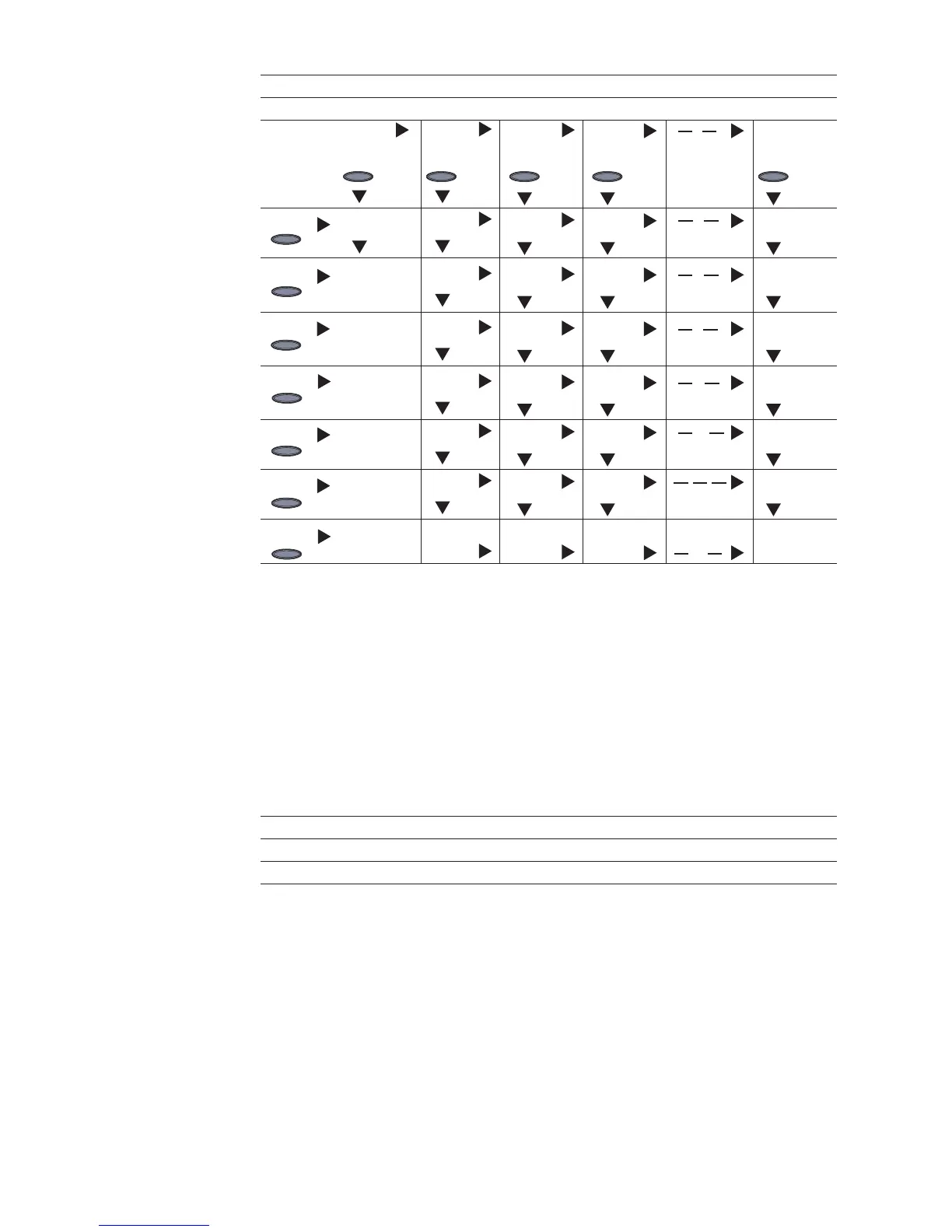
Display modes DAY, YEAR, TOTAL
ALL IG01 IG02 IGXX IG15
Energy Energy Energy Energy Energy
Cash Cash Cash Cash Cash
CO
2
CO
2
CO
2
CO
2
CO
2
P
AC max
P
AC max
P
AC max
P
AC max
U
AC max
U
AC max
U
AC max
U
AC max
U
AC max
U
AC max
U
AC min
U
AC min
U
DC max
U
DC max
U
DC max
U
DC max
Service hrs. Service hrs. Service hrs. Service hrs.
Overview of
display navigati-
on
(continued)
Enter Enter Enter EnterEnter
Enter
Enter
Enter
Enter
Enter
Enter
Enter
Status LED The status LED on the personal display always shows the current status of the selected
inverter. During normal operation in the ALL menu, the status LED is off.
If one of the inverters in the system outputs a service message, then the status LED will
start to flash.
Menu LED red LED red flashing LED green LED OFF
ALL - Service mess. IG XX - Normal operation
IG XX Service mess. - Normal operation IG not active (night)
More detailed information on states and meanings of the status LEDs on the inverter can
be found in your FRONIUS IG operating instructions.


 To Next Page