12
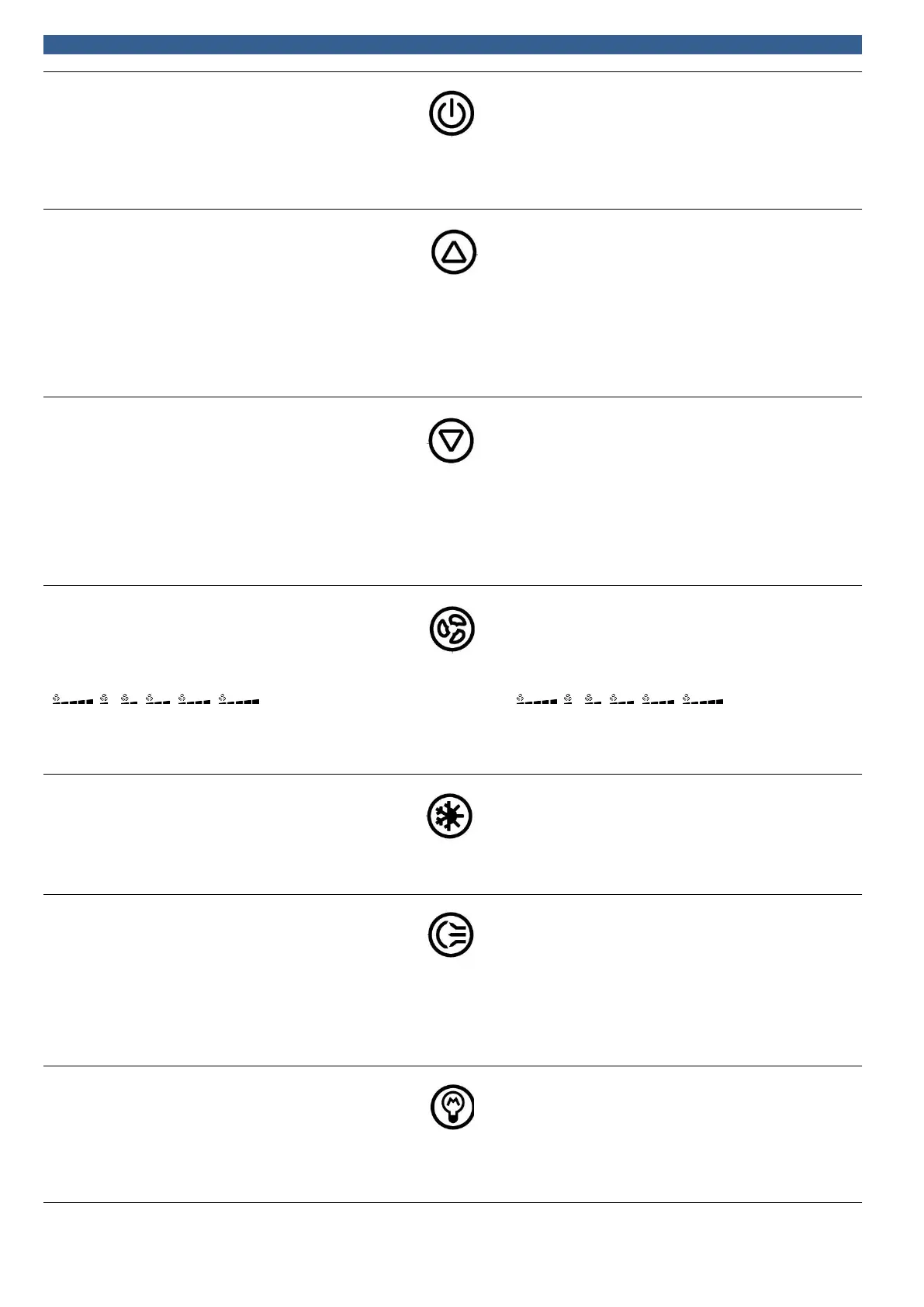
ON / OFF:
premere il tasto ON / OFF per accendere il fan coil. L’unità
lavora di default in funzione automatica, le alette superiori
cominciano a oscillare automaticamente. A dispositivo
spento viene visualizzato solo l’orario.
ON / OFF:
Press the ON / OFF button to power on. Automatic mode is
defaulted at the first start-up, then the fan coil working at
automatic fan speed, swing automatically. Power Off state
only show the time
+ Tasto:
Tasto di regolazione temperatura e orario.
Regolazione temperatura: premere per aumentare la
temperatura di un grado alla volta
Regolazione orario: premere per aumentare l’orario di
un’ora alla volta.
Tenere premuto per 3 secondi.
La funzione non è attiva a unità spenta.
+ Button :
This button can be used to adjust the hours and the
temperature. When adjusting temperature, press to set
the temperature increase of 1℃; Press to increase 1 hour
when timing adjustment; Press and hold for 3 seconds to
adjust connecting.
This button is no responding when power off.
- Tasto:
Tasto di regolazione temperatura e orario.
Regolazione temperatura: premere per diminuire la
temperatura di un grado alla volta
Regolazione orario: premere per diminuire l’orario di
un’ora alla volta.
Tenere premuto per 3 secondi.
La funzione non è attiva a unità spenta.
- Button:
This button can be used to adjust the minutes and
temperature When adjusting temperature, press to set the
temperature decrease of 1℃; Press to decrease 1 minute
when timing adjustment. Press and hold this button for 3
seconds to adjust connecting.
This button is no responding when power off.
Ventola:
Premere il pulsante per cambiare la velocità del
ventilatore. Il ventilatore può essere settato come:
automatico – breeze – basso – medio – alto – forte.
Il display LCD mostra l’icona corrispondente.
Funzionamento attivo per ogni status dell’unità.
La funzione non è attiva a unità spenta.
Fan Speed Button:
Press this button to change the fan speed. The fan speed
changed as: Automat -Breeze-Low- Medium-High-Strong in
turn.
The LCD display show the corresponding wind icon.
It is working in every mode.
This button is no responding when power off.
Pulsante Mode:
Premere per scegliere la funzione desiderata: automatico -
condizionamento – riscaldamento – ventilazione.
Il tasto non funziona a unità spenta.
Mode Button:
Press this key to change working mode of the fan coil unit.
Automatic – cooling – heating - fan.
This button is no responding when power off.
Pulsante oscillazione alette:
Premere per regolare il movimento delle alette.
Premendo il pulsante una volta si ottiene l’arresto del
movimento.Premendo un’altra volta il movimento riparte.
L’icona viene visualizzata sul display durante il
funzionamento.
Il tasto non funziona a unità spenta.
Swing Button:
Press this button to stop/start swing.
Press this
button to stop the air deflector at current
position when it swinging.
Press this button to start
swing when the air deflector is static. When swing the LCD
display will show this icon.
This button is no responding when power off.
Pulsante Display Unità:
Di defalut vengono visualizzate tutte le icone quando
l’unità è accessa. A unità spenta sono visibili solo il timer.
Premere per spegnere il display LCD.
Premere un’altra volta per accenderlo.
Unit display Button:
It is default to show every icon and button at
corresponding mode when power on. When power off it is
default to show only the time and buttons. Press this
button to turn off the LCD display area and button light.
Press any button to turn on the lights.


 To Next Page
 Loading...