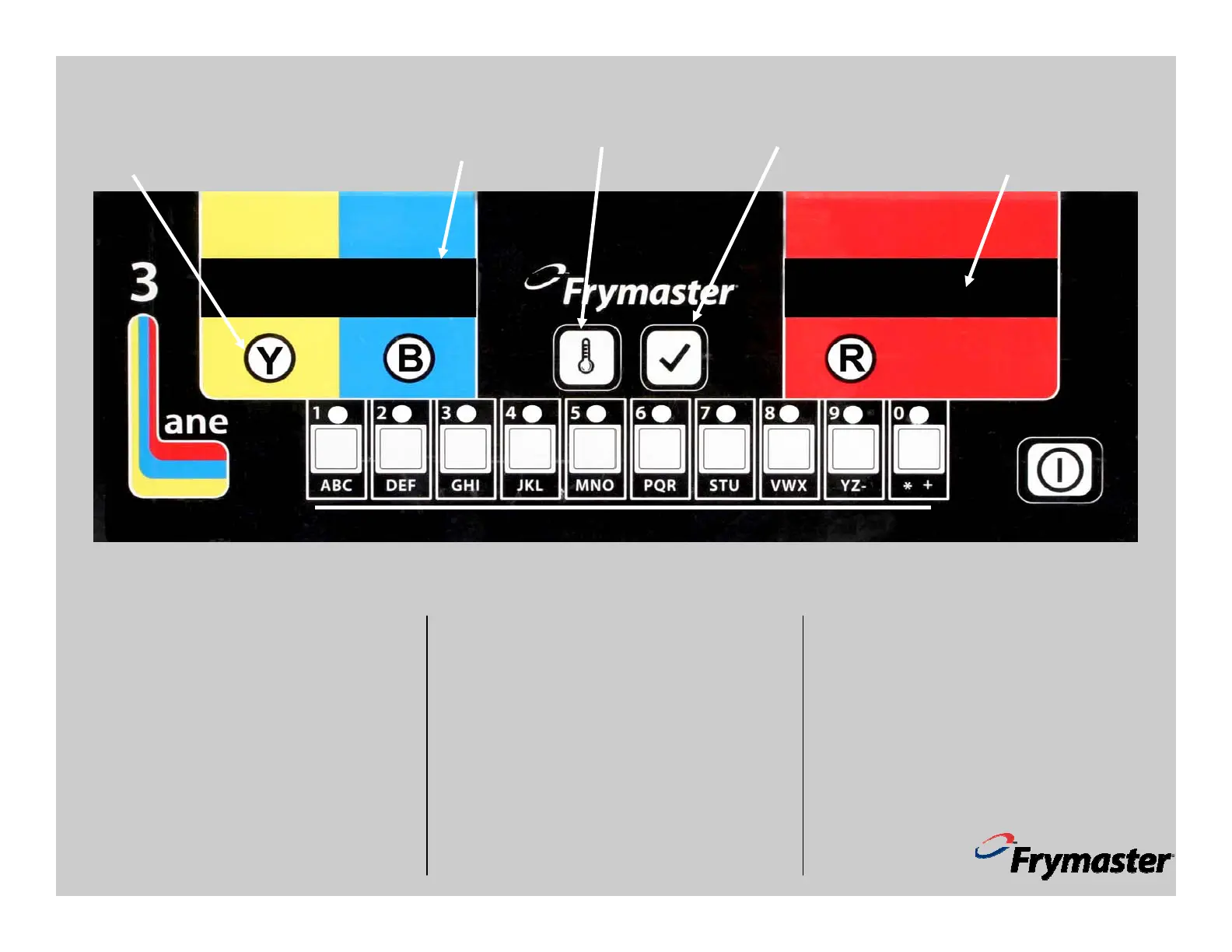
1814 Cooking Computer—Dedicated Mode
Basic Dedicated Mode
1. Press ON/OFF key. Status display becomes
LO, changing to dashed lines at setpoint.
2. Lane display become FRY.
3. Press desired lane key.
4. Display becomes countdown timer, alternat-
ing with FRY..
5. Display becomes SHAK when the basket
should be shaken. Press lane key to silence
alarm.
6. Display becomes DONE at completion of
cook cycle. Press Lane key to silence alarm.
7. Display alternates between FRY and quality
countdown timer, changing to FRY when
the timer is complete. Cook cycles can be
started when the countdown timer is active.
Codes
With the computer displaying off, press check-
mark key to enter codes.
5000: Displays total cook cycles.
5005: Clears total cook cycles.
5050: Sets computer in multi-product mode.
Menu keys are active.
5060: Sets computer in dedicated mode for
fries. FRY displayed in all lanes; menu keys are
inactive.
FRY
FRY
FRY
- - - - -
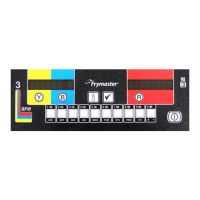
In dedicated mode all lanes are set to french fries; all menu keys are deactivated.
Lane Keys, Dedicated Mode
FRY displayed in all lanes. Press
lane key to cook.
Displays, Dedicated
Mode
FRY displayed in all
lanes.
Temperature Key
Press once for current tem-
perature, twice for setpoint,
350°F in dedicated mode.
Checkmark Key
Used to change modes,
enter programming.
Status Indicator
Displays OFF when the fryer is off,
dashed lines at setpoint. Displays Hi,
LO or HOT when the fryer is out of
temperature range.
ON/OFF











 To Previous Page