EasyManua.ls Logo

Frymaster GEN II LOV BIGLA30 Series - User Manual

Frymaster GEN II LOV BIGLA30 Series
88 pages
Print Icon
To Next Page IconTo Next Page
Loading...
OPERATOR’S MANUAL
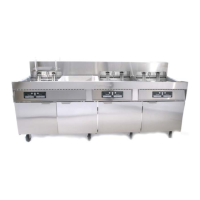
FRYMASTER BIGLA30 SERIES GEN II LOV™
GAS FRYER
TABLE OF CONTENTS
WARRANTY STATEMENT ................................................................................................... Page i
INTRODUCTION ................................................................................................................... Page 1-1
INSTALLATION INSTRUCTIONS ....................................................................................... Page 2-1
OPERATING INSTRUCTIONS ............................................................................................. Page 3-1
M3000 COMPUTER INSTRUCTIONS ................................................................................. Page 4-1
OPERATING THE BUILT-IN FILTRATION SYSTEM ........................................................... Page 5-1
PREVENTIVE MAINTENANCE ............................................................................................ Page 6-1
OPERATOR TROUBLESHOOTING ..................................................................................... Page 7-1
Frymaster L.L.C., 8700 Line Avenue, Shreveport, LA 71106
PHONE 318-865-1711 FAX 318-219-7135
PRINTED IN THE UNITED STATES SERVICE HOTLINE 1-800-24-FRYER APRIL 2011
www.frymaster.com Email: service@frymaster.com *8196286*
FOR YOUR SAFETY
Do Not Store or use gasoline or other
flammable vapors and liquids in the
vicinity of this or any other appliance.
This equipment chapter is to be
installed in the Fryer Section of the
Equipment Manual.
MANUFACTURED
BY
8700 Line Avenue
SHREVEPORT, LOUISIANA 71106
PHONE: 1-318-865-1711
TOLL FREE: 1-800-551-8633
1-800-24 FRYER
FAX: 1-318-219-7135


Questions and Answers

  • J
    Joseph SchmidtSep 10, 2025
    What does it mean if M3000 Frymaster GEN II LOV BIGLA30 display shows TEMP PROBE FAILURE?
    • L
      Lisa MontgomerySep 10, 2025
      If the M3000 display on your Frymaster Fryer shows 'TEMP PROBE FAILURE', it indicates a problem with the temperature measuring circuitry, the probe itself, or damaged computer wiring. Shut the fryer down.
  • N
    Nicole FryAug 22, 2025
    What to do if M3000 Frymaster GEN II LOV BIGLA30 Fryer display shows CHANGE FILTER PAD?
    • R
      Ryan HansenAug 22, 2025
      If the M3000 display on your Frymaster Fryer shows 'CHANGE FILTER PAD?', it means a filter error has occurred because the filter pad is clogged, a 25-hour filter pad change prompt has occurred, or a change filter pad prompt was ignored previously. Replace the filter pad, ensuring the filter pan has been removed from the fryer for at least 30 seconds. Do not ignore these prompts.
  • C
    Colleen WashingtonAug 25, 2025
    What to do if Frymaster GEN II LOV BIGLA30 computer locks up?
    • J
      James SchmidtAug 25, 2025
      If the computer on your Frymaster Fryer locks up, try removing and then restoring power to the computer. If the issue continues, further assistance from your ASA may be required.
  • T
    Tammy AllenAug 26, 2025
    What does it mean if M3000 Frymaster GEN II LOV BIGLA30 Fryer displays IS VAT FULL? YES NO after a filtration?
    • A
      Amber ElliottAug 26, 2025
      If your M3000 Frymaster Fryer displays 'IS VAT FULL? YES NO' after filtration, it indicates a filter error. This can be due to a dirty or clogged filter pad, clogged filter pumps, improperly installed filter pan components, worn or missing O-rings, cold oil, or a filter pump thermal overload. Follow the instructions on pages 5-4 through 5-6 to clear the filter error.
  • R
    Richard LutzAug 27, 2025
    What does it mean if M3000 Frymaster GEN II LOV BIGLA30 Fryer display shows IS DRAIN CLEAR?
    • C
      Candice ColeAug 27, 2025
      If the M3000 display on your Frymaster Fryer shows 'IS DRAIN CLEAR?', it means the drain is clogged and oil couldn't drain. Clear the drain and press the 9 (1) YES button to resume filtration.
  • T
    Timothy GuzmanAug 29, 2025
    Why is my Frymaster GEN II LOV BIGLA30 operating normally, but recovery is slow when cooking?
    • P
      pattersonkristinAug 29, 2025
      Slow recovery during cooking with your Frymaster Fryer can be caused by a dirty or obstructed combustion air blower. Cleaning and adjustment of the blower may be needed.
  • R
    Russell LeeSep 18, 2025
    Why is there no display on the Frymaster GEN II LOV BIGLA30 Fryer computer?
    • B
      bakerkevinSep 18, 2025
      If there is no display on the Frymaster Fryer computer, first ensure the computer is turned on by pressing the ON/OFF switch. Then, verify the fryer is plugged in and the circuit breaker hasn't tripped.
  • Y
    yvettesilvaSep 12, 2025
    What does it mean if M3000 Frymaster Fryer display shows HEATING FAILURE?
    • J
      Jacqueline MurphySep 12, 2025
      If the M3000 display on your Frymaster Fryer shows 'HEATING FAILURE', this message can appear during startup if there is air in the lines. Check that the gas valve is on. If the message continues, shut the fryer down.
  • T
    Thomas LeonSep 8, 2025
    What does it mean if M3000 Frymaster GEN II LOV BIGLA30 display shows hELP HI-2 or High limit failure?
    • A
      Amanda CarterSep 8, 2025
      If the M3000 display on your Frymaster Fryer shows 'hELP HI-2' or 'High limit failure', it indicates a failed high limit. You should shut the fryer down immediately.
  • E
    elaine01Sep 5, 2025
    What does it mean if M3000 Frymaster GEN II LOV BIGLA30 Fryer display shows REMOVE DISCARD?
    • S
      Shelly NguyenSep 5, 2025
      If the M3000 display on your Frymaster Fryer shows 'REMOVE DISCARD', it means a product cook was started with a different setpoint than the current vat temperature. Remove and discard the product. Press the cook button under the display to clear the error, and reset the vat's setpoint before cooking.

Summary

Safety and Compliance Information

Regulatory Compliance Information

Information for U.S. customers, computer FCC compliance, and Canadian standards.

General Safety Warnings and Precautions

Critical warnings regarding installation, maintenance, hazardous materials, and operational safety.

Specific Hazard and Operational Warnings

Warnings covering physical hazards, chemical exposure, flammability, and safe operational practices.

Warranty and Parts Information

Fryer Component Warranty Provisions

Details warranty coverage for fryer components, parts, and associated labor costs.

Frypot & Combustion Chamber Warranty

Specific warranty terms and coverage periods for frypots and combustion chambers.

Parts Return and Warranty Exclusions

Procedures for returning parts and conditions that may void the manufacturer's warranty.

Chapter 1: Introduction

Chapter 1: General Information

Overview of the BIGLA30 series LOV™ gas fryers, their features, and general specifications.

Chapter 1: Safety Information

Explains safety notations (CAUTION, WARNING, DANGER) used throughout the manual.

Chapter 1: M3000 Computer Information

Details FCC compliance and computer-related information for the M3000 control system.

Chapter 1: Qualified Personnel

Defines qualified personnel required for installation, operation, and servicing of the equipment.

Chapter 1: Definitions

Provides definitions for qualified personnel and other technical terms used in the manual.

Chapter 2: Installation Instructions

Chapter 2: General Installation Requirements

Essential requirements for safe, efficient, and trouble-free appliance operation.

Chapter 2: Clearance and Ventilation

Specifies required clearances and ventilation for proper fryer operation and safety.

Chapter 2: National Code Requirements

Details compliance with national and local gas and electrical codes for installation.

Chapter 2: Electrical Grounding

Outlines requirements for proper grounding of electrical components for safety.

Chapter 2: Pre-Connection Preparations

Steps to take before connecting gas supply, including essential safety precautions.

Chapter 2: Gas Line Connection

Procedures and safety warnings for connecting the fryer to the gas supply.

Chapter 3: Operating Instructions

Chapter 3: Setup and Shutdown Procedures

Guides for setting up, lighting, and shutting down the fryer safely and correctly.

Chapter 3: Lighting the Fryer

Step-by-step instructions for safely lighting the fryer burners.

Chapter 3: Basic Operation Overview

Explains basic operation, including M3000 computer use and filtration system.

Chapter 3: Low Oil Volume Refill System

Details the automatic oil refill system and its components for maintaining oil levels.

Chapter 4: M3000 Computer Instructions

Chapter 4: M3000 General Information

Introduction to the M3000 computer, its features, capabilities, and control interface.

Chapter 4: Basic Operation

Instructions for turning the fryer on/off, checking temperatures, and using basic controls.

Chapter 4: Cooking Modes

Guides for cooking with multi-product and dedicated displays on the M3000 computer.

Chapter 4: Fryer Setup Programming

Steps for configuring fryer settings like language, temperature, time, and date formats.

Chapter 4: Common M3000 Tasks

Explains tasks like adding products, storing menu items, and oil management procedures.

Chapter 4: Filter Menu Operations

Describes accessing and performing filter operations like draining, filling, and cleaning.

Chapter 4: Programming Levels

Details Level 1 and Level 2 programming for product setup, AIF, deep cleaning, and testing.

Chapter 4: Troubleshooting M3000 Functions

Covers INFO mode, filter stats, review usage, and last load data display for diagnostics.

Chapter 5: Filtration Instructions

Chapter 5: Preparing the Filter

Steps for cleaning and assembling the filter pan and its components before use.

Chapter 5: Auto Intermittent Filtration (AIF)

Explains the automatic filtration feature, cycle prompts, and demand filtration.

Chapter 5: Troubleshooting AIF

Covers common AIF errors like incomplete filtration, clogged drains, and filter busy status.

Chapter 5: Manual Filtration

Procedures for manually performing filtration and cleaning the filter system.

Chapter 6: Preventative Maintenance

Chapter 6: Daily Checks and Service

Daily tasks including inspection, cleaning of the fryer cabinet, and filtration system.

Chapter 6: Weekly Checks and Service

Weekly maintenance tasks such as cleaning behind fryers and cleaning the frypot.

Chapter 6: Quarterly Checks and Service

Quarterly tasks including cleaning the combustion air blower assembly.

Chapter 6: Semi-Annual Checks and Service

Semi-annual maintenance for gas valve vent tubes and oil level sensors.

Chapter 6: Annual System Inspection

Recommends annual inspections by qualified service personnel for fryers and filtration systems.

Chapter 7: Operator Troubleshooting

Chapter 7: Troubleshooting Introduction

Guides on how to approach troubleshooting problems and when to contact service personnel.

Chapter 7: Computer & Heating Issues

Addresses problems like no display, heating failures, error messages, and computer lock-ups.

Chapter 7: Filtration Problems

Solutions for filtration errors, clogged drains, filter pump issues, and filter busy conditions.

Chapter 7: Error Log Codes

Explains various error codes displayed by the M3000 computer and their meanings for diagnosis.

Appendices

Appendix A: RTI Bulk Oil Instructions

Guidance on using bulk oil systems for filling and discarding oil with an RTI system.

Appendix B: JIB Prep with Solid Shortening

Instructions for preparing the JIB system when using solid shortening, including melter setup.

Appendix C: Solid Shortening Melter Use

Guidelines for operating the solid shortening melter and its associated systems for proper function.

Frymaster GEN II LOV BIGLA30 Series Specifications

General IconGeneral
BrandFrymaster
ModelGEN II LOV BIGLA30 Series
CategoryFryer
LanguageEnglish

Related product manuals