2-3
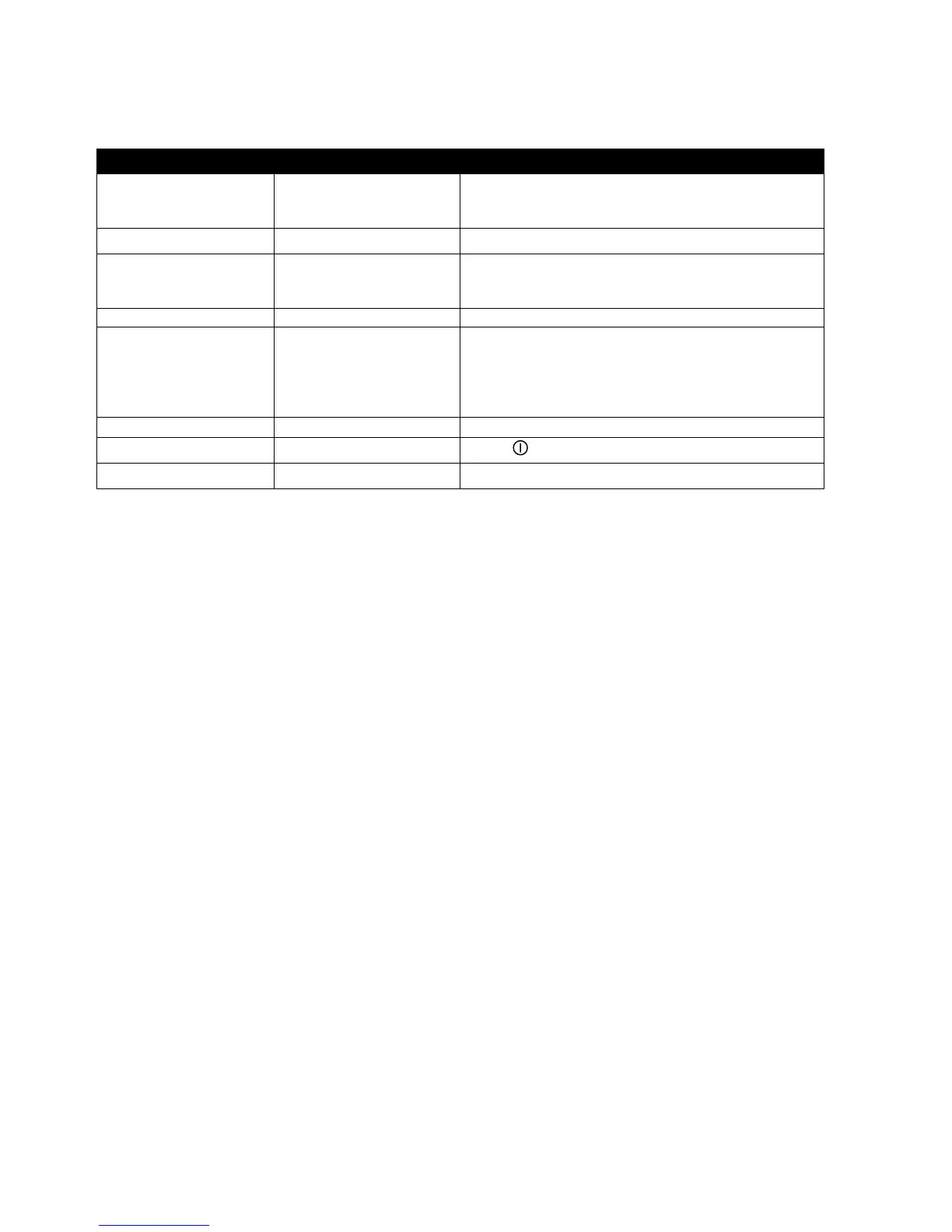
Left Display Right Display Action
REMOVE M 2:35
Enter cook time in minutes and seconds with
numbered keys. Press à to toggle between auto
and manually cancelling alarm.
REMOVE Your settings Press 9.
QUAL M 7:00
Enter time product can be held after cooking.
Press à to toggle between auto and manually
cancelling alarm.
QUAL Your Settings Press 9.
SENS 0 Sens allows the fryer controller to adjust cooking
times slightly, ensuring small and large loads cook
identically. Setting the number to 0 allows no time
adjustment; a setting of 9 produces the most time
adjustment. Enter setting with numbered keys.
SENS Your setting Press 9.
FRIES YES
Press
(power key).
OFF











 To Next Page