PAG.
11
rev 1.0
ENGLISH
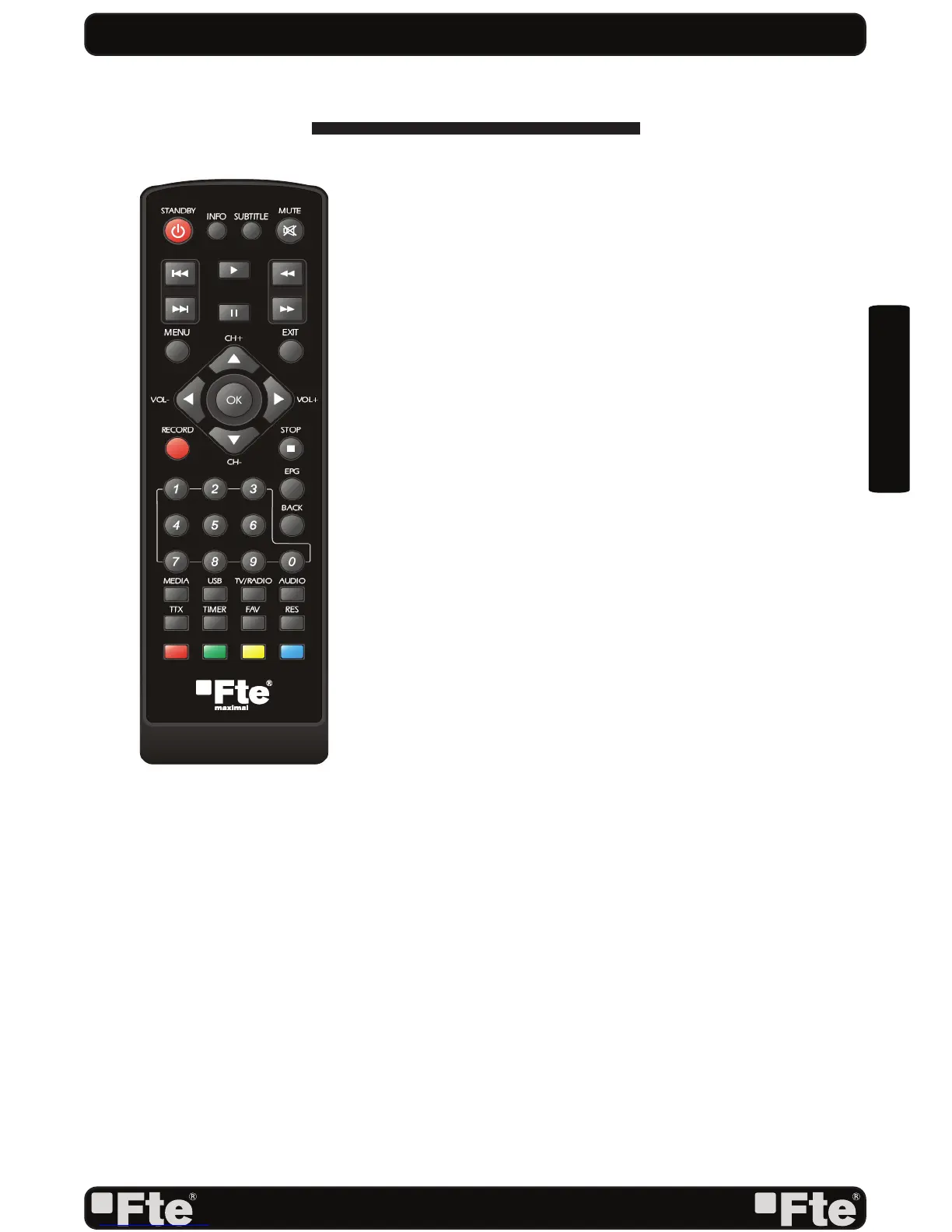
1. Standby: Switches receiver ON or in stand-by-mode.
2. Info: Shows channel information with signal bar.
3. SUB: Switches subtitle on and off.
4. Mute: Switches audio on and off.
5. |<<: Back
6. Play: Start button for recording and TimeShift.
7. <<: Backward button for recording and TimeShift.
8. >>|: Next
9. Pause: Pause button for recording and TimeShift.
10. >>: Forward button for recording and TimeShift.
11. Menú: Opens the main menu.
12. Exit: Exit menus or stop operations.
13. CH+/-: Changes channel up and down.
14. OK: Confi rms selections or opens channel list.
15. Vol+/Vol-: Adjusts audio volume up and down.
16. Record: Quick start for recording.
17. Stop: Stop button for recording and TimeShift.
18. Numeric keys: For direct typing values and names.
19. EPG: Shows the EPG information.
20. Back: Watch the last viewed channel.
21. Media: Opens PVR menu.
22. USB: Opens the multimedia process menu
23. Audio: Opens audio menu.
24. TV/Radio: Switches between TV and Radio channels.
25. TTX: Opens and closes teletext.
26. Timer: Opens the timing menu
27. FAV: Opens favourite channel list.
28. RES: It changes the video output mode in Tv mode.
29. Colour Keys
REMOTE CONTROL & PANEL DESCRIPTION
1.3 REMOTE CONTROL DESCRIPTION
1
2
3
4
5
6
7
8
9
10
11 12
13
14
15
16
17
18
19
20
21
22
23
24
25
26
27
28
29



 To Next Page