PAG.
21
rev 1.0
ENGLISH
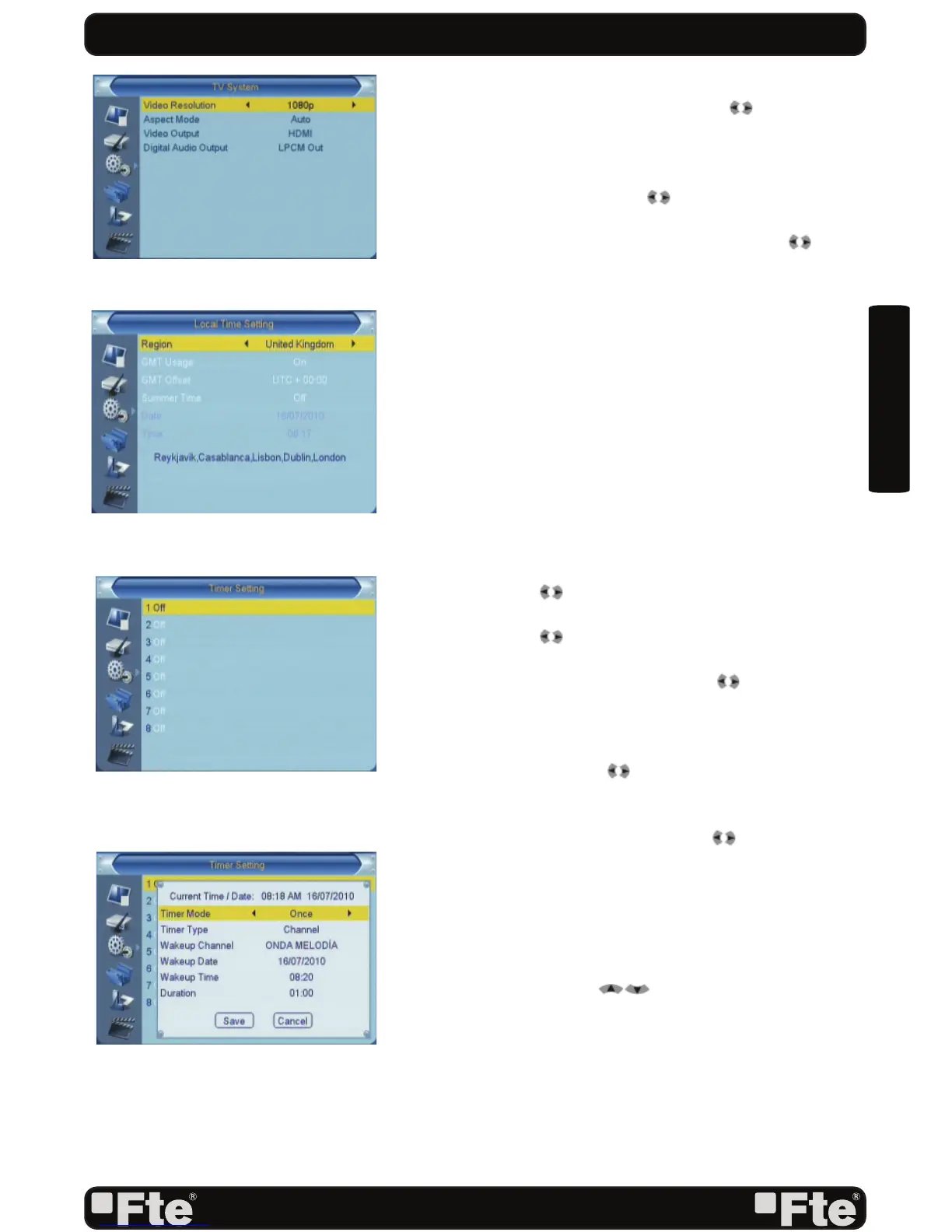
select from 576i / 576p / 720p / 1080i/ 1080p in HDMI
mode and
576i in RGB mode. Press [ ] to select the
desired mode.
2. Aspect Mode is used for switching the screen aspect ratio
mode. Now we provide below options: 4:3 PS / 4:3 LB /
16:9 / AUTO. You can press [ ] key to select each mode
circularly.
3. In video output you can choose, by the means of [
] keys,
the video output mode: RGB / HDMI. We recommend
selecting YUV mode when the connection is made by
HDMI, if on the contrary it is made by scart cable, we
recommend selecting RGB mode.
4. Digital Audio Out: It will allow you to select the type of
audio digital output. Options: LPCM Out / BitStream Out.
If you connect this output to a device with Dolby digital,
select BitStream Out option.
5. Press [Exit] key to draw back from “TV System” menu.
5.3 LOCAL TIME SETTINGS
When you enter to “Local Time Setting” menu, you will see
window like below (OSD 32):
1. Region is used for selecting the country which you are in.
You can press [ ] key to select each mode circularly.
2. GMT Usage: This item is use for open the usage of GMT.
You can press [ t] keys to switch “Off / On”.
3. The “GMT Offset” item is valid only when the setting of
“GMT Usage” is “Off”. You can press [ ] keys to switch
“GMT Offset” value, and the range is “-12:00 ~ +12:00”,
increase each half hour progressively.
4. Summer Time: this option is only available when “GMT
Usage” is enabled. Use [ ] to switch On/Off the summer
timetable.
5. “Date” and “Time” items are valid only when the setting of
“GMT Usage” is “Off”. You can press [ ] keys to moving
highlight and use number keys to input directly.
6. Press [Exit] key to return back from ”TV System” menu.
5.4 TIMER SETTING
When you enter “Timer Setting”, you will see the window like
OSD 33. You can press [ ] keys to set Timer number,
and there are 8 timers in total. When you press [OK] key you
will see a screen like beside (OSD 34):
1. Current time information will display on the fi rst column;
if the current time is incorrect, please modify the time
information in “Time” item.
2. Timer Mode: There are several modes for Timer to setting,
include Off, Once, Daily.
3. Timer Type: You can choose between “DVR Recorder”/
SYSTEM SETUP
OSD 31
OSD 32
OSD 34
OSD 33



 To Next Page