PAG.
26
rev 1.0
ENGLISH
GAMES
7.GAMES
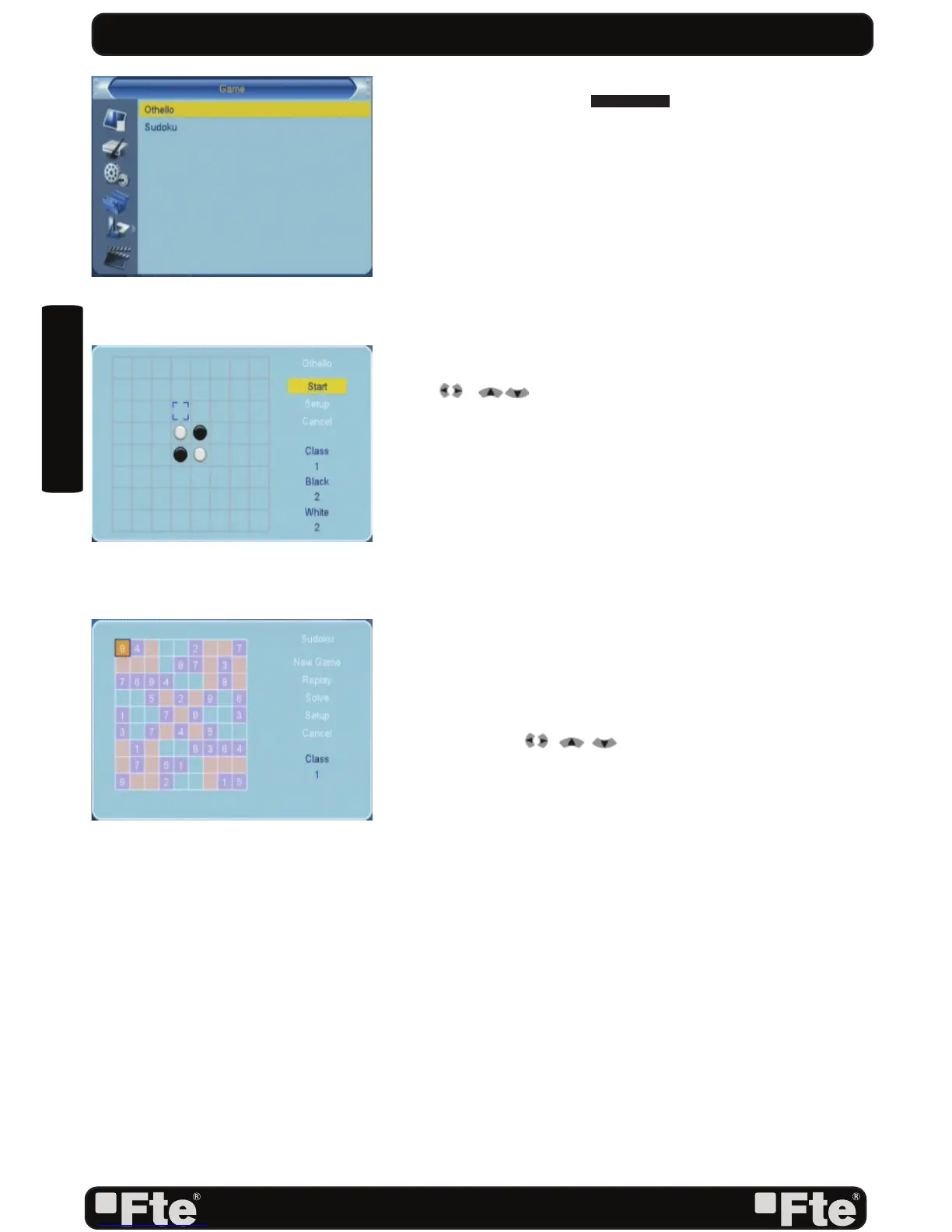
When you enter “Game” menu (OSD 46), you will see three
games including Othello and Sudoku.
7.1 OTHELLO
1. Moving highlight to “Setup” and press [Left/Right] keys to
select the game level (degree of diffi culty) (OSD 47).
2. Moving highlight to “Start” and press [OK] key to start the
game.
3. Moving highlight to [Exit] keys and press [OK] key to draw
back from the game.
4. Start on the game:
• [ /[ ] use these arrow keys to guide chessman.
• [OK] — set chessman.
• [Exit] — Quit game and draw back to “Game” menu.
7.2 SUDOKU
1. Moving highlight to “Setup” and press [Left/Right] keys to
select the game level (degree of diffi culty) (OSD 48).
2. Moving highlight to “Start” and press [OK] key to start the
game.
3. Select the option “Replay” and press [OK] in order to start
again the same game.
4. Select the option “Solve” and press [OK] in order to see the
solution of the game.
5. Moving highlight to [Exit] keys and press [OK] key to draw
back from the game.
6. Use the keys , , to guide the pointer.
7. Use the numeric keypad in order to add a number in every
square.
8. [Exit] — Quit game and draw back to “Game” menu.
OSD 46
OSD 47
OSD 48



 To Next Page