PAG.
29
rev 1.0
ENGLISH
8.1.5. SORT FILE
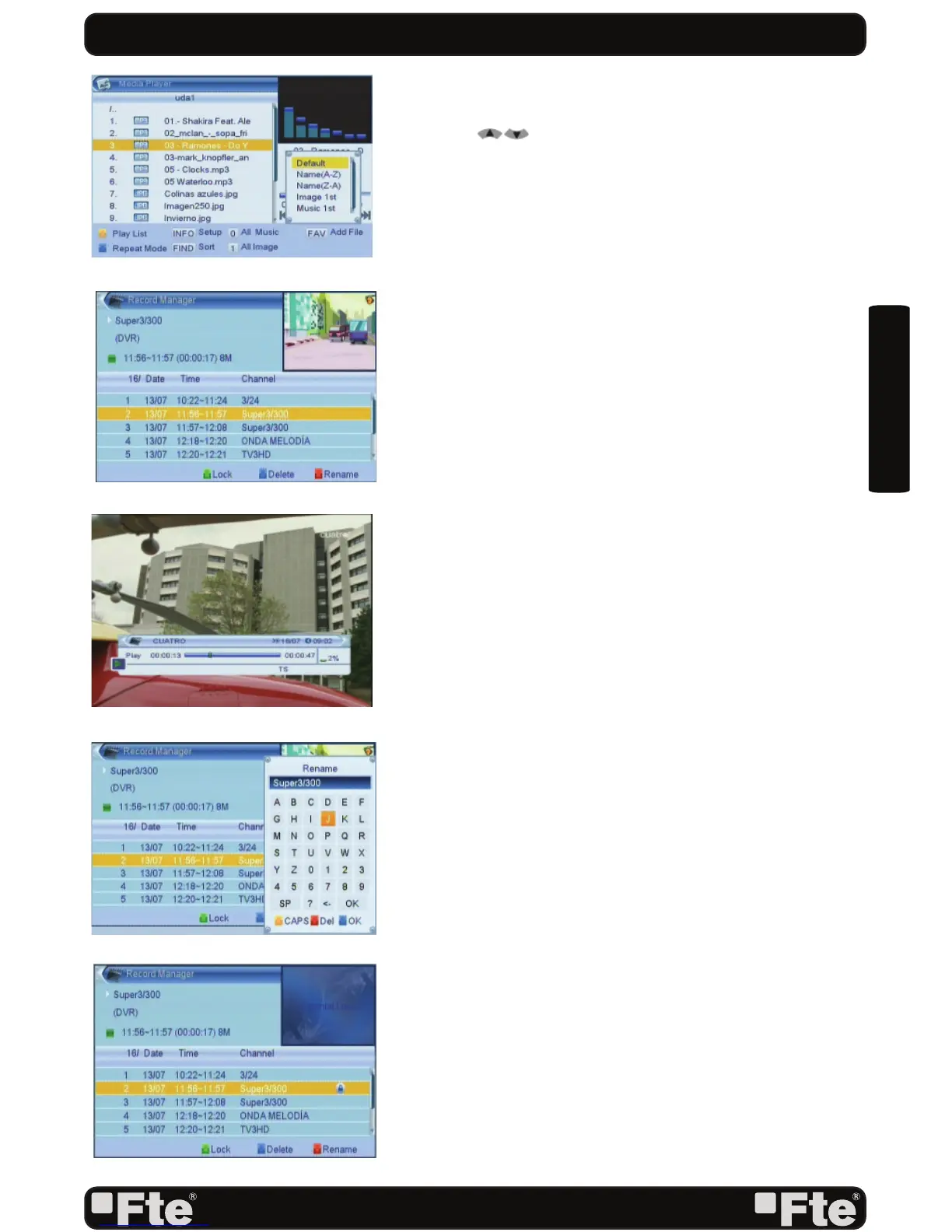
1. Press the [red] key to open the Sort window (OSD 56).
Press [ ] to select and [OK] to confi rm your choice.
2. The ways of sorting are:
- Default: Sorting by scanning result.
- Name (A-Z): Sorting in Alphabetical Order, ignoring “$”
symbol.
- Name (Z-A): Sorting in Alphabetical Order, ignoring “$”
symbol.
- 1º Image: Sort imagen fi les in fi rst position.
- 1º Music: Sort music fi les in fi rst position.
8.2. RECORD MANAGEMENT
With this option of the menu, you can reproduce, rename,
block and delete recordings (OSD 57).
8.2.1. HOW TO REPRODUCE A RECORDING
If you want to reproduce a recording, you only have to select
it and press the key [OK] (OSD 58).
8.2.2. HOW TO RENAME A RECORDING
1. Press the key [Red] to rename a recording.
2. A window will appear where you can change the name
of the record (OSD 59). Press OK [Blue] to go out and
modify the name.
3. Press the [Exit] key to leave. A window will ask for
confi rmation to save the changes.
8.2.3. HOW TO BLOCK A RECORDING
With this function it is possible to block a recording so it is
necessary to introduce a password to watch it.
1. If you want to block a recording, select it and press the
[Green] key.
2. A window appears and asks for the password. If it has not
been modifi ed, it is by default the code “0000”.
3. The blocked channel is marked with an icon (OSD 60).
4. In order that the blockade of channels work, it is necessary
that the blocking option is activated in the menu of
“Blockade with password”.
5. Press the key [Exit] to leave.
REC & MEDIA
OSD 57
OSD 58
OSD 59
OSD 56
OSD 60



 To Next Page