PAG.
23
rev 1.0
ENGLISH
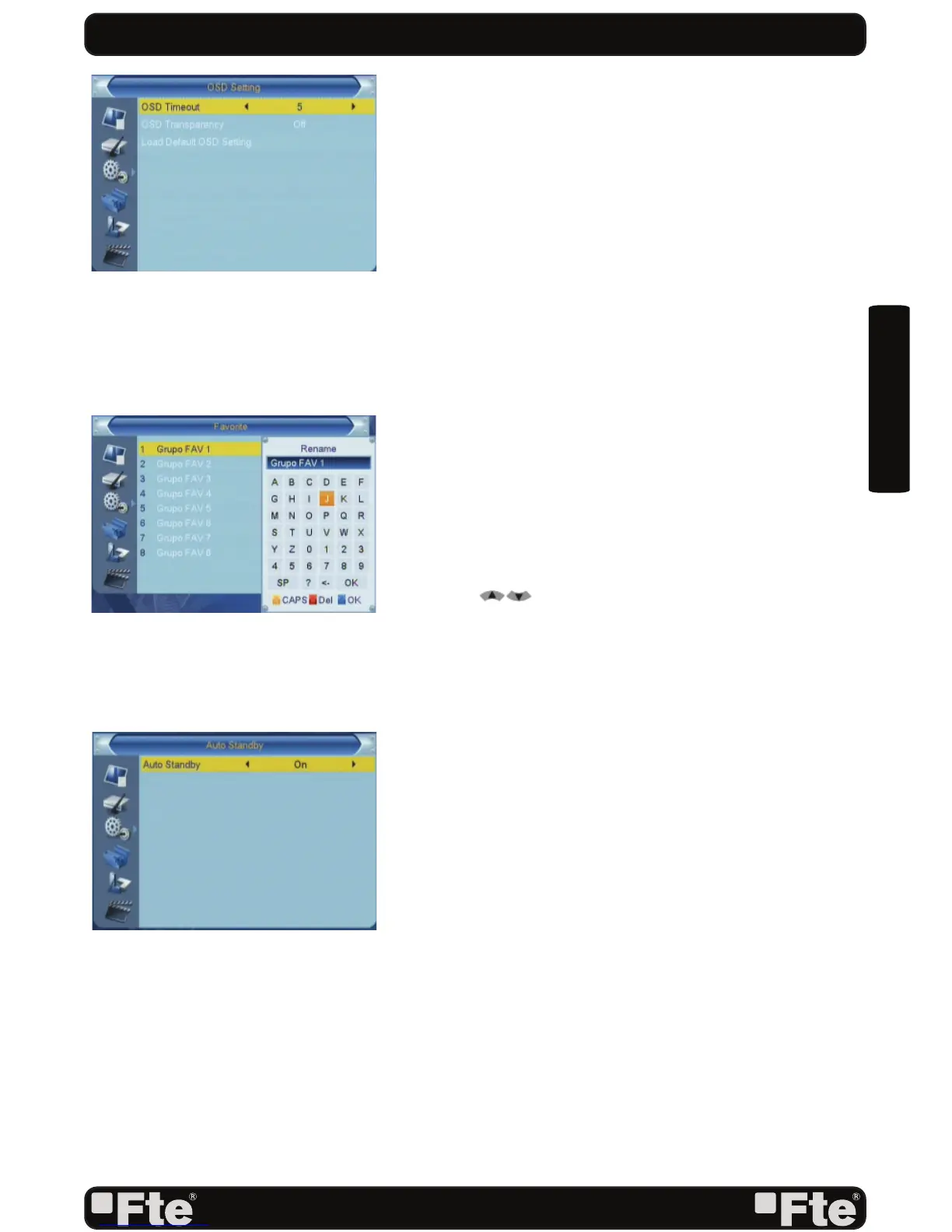
5.6. OSD SETTING
When you input to “OSD Setting” menu, you will see a screen
like below (OSD 36):
1. OSD Timeout: If you confi gure this option you will be able
to change OSD time of information of the channel that is
tuned in every moment.
2. OSD Transparency: Besides the setting of “OSD Menu
Style”, you also can set the transparency of OSD. You can
press [Left/Right] key to select the values. There are 5
levels of transparency, 10%, 20%, 30%, and 40% and
“NO” (means no transparency function).
3. Load Default OSD Setting: If you are not satisfy with your
setting, you can move highlight to this item and press [OK]
key to reset parameters as default value.
4. Press [Exit] key to draw back from the “OSD Setting”
menu.
5.7. FAVORITE
In this menu, user is able to change the name of the Favourite
Groups. Press [OK] to enter this menu and you will see a
screen like beside (OSD 37).
To change the name of the Favourites Groups:
1. Press [ ] and select a Favorite Group.
2. Press [Ok] button to edit the name of the Group.
3. Once the name is correct, confi rm pressing [Blue] button.
4. Select “Exit” to leave this menu.
5.8. AUTO STANDBY
Auto Standby: This option will allow you to activate or
deactivate the automatic Standby option (OSD 38). Options:
On, Off.
-On: The receiver will be in standby mode automatically after
3 hours, as long as during this time no commands have been
sent to the receiver through the remote control or buttons of
the front panel, and no programmed timers are run.
-Off: Auto standby function gets deactivated.
SYSTEM SETUP
OSD 36
OSD 37
OSD 38



 To Next Page