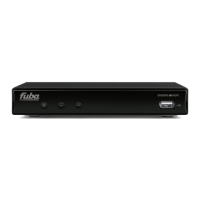
ODE821CI+HD
2.3 Remote Control
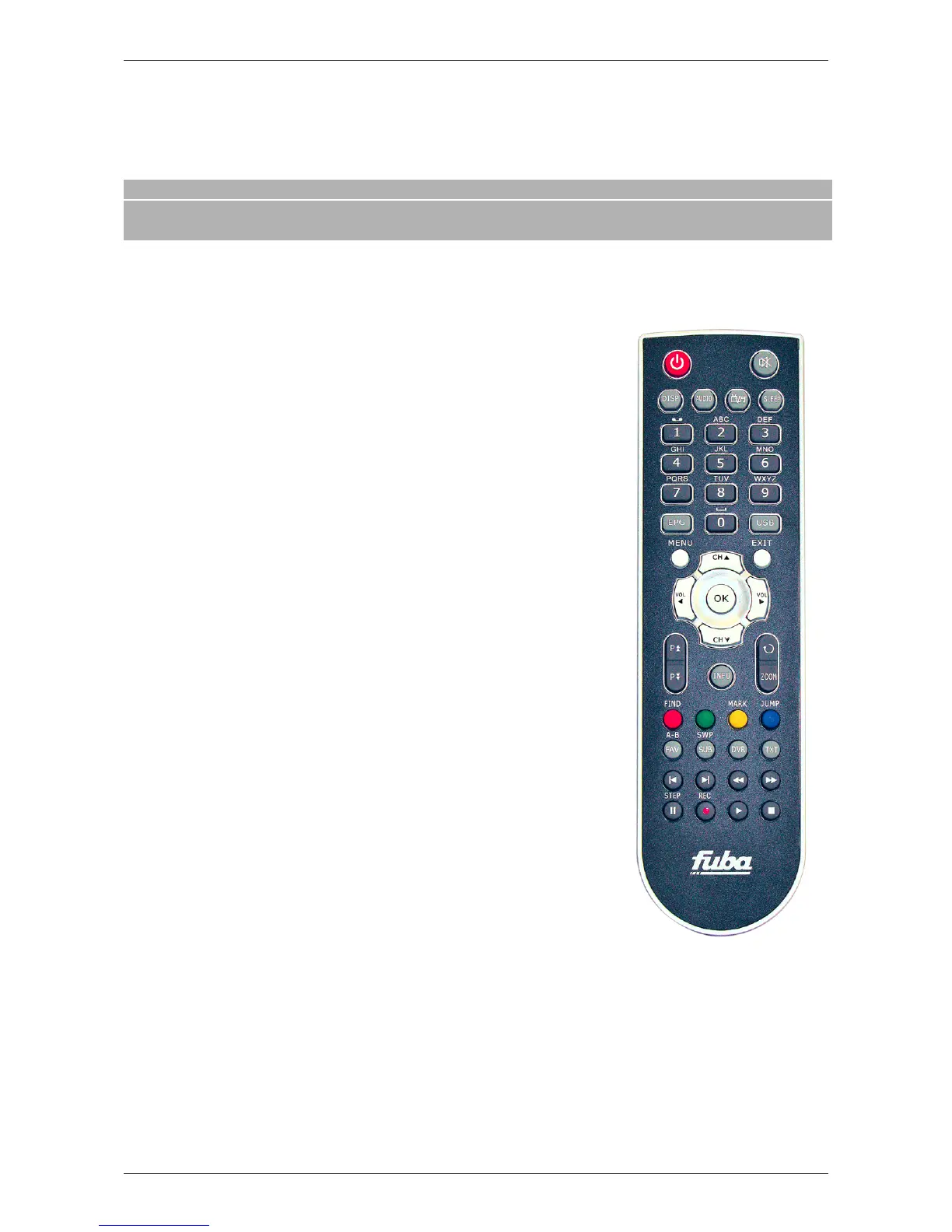
Get well acquainted with your remote control and you will find it much easier to navigate through the various menu
options and to take advantage of the special functions that can only be selected by remote control. The buttons have
very easy, user-friendly functions.
CAUTION
Make sure that the remote control batteries are inserted in the right direction. Check their polarity on the
back of the battery cover. Use 2xAAA batteries.
• POWER Key: Receiver on (ON) or off (Stand-by)
• MUTE Key: Audio mute button
• DISP Key: (in viewing mode) Changing screen resolution
• AUDIO Key: (in viewing mode) Changing audio track (if there are more audio tracks)
• TV/Radio Key: (in viewing mode) Swap between TV / radio receiver modes
• SLEEP Key: It starts timer in order to put receiver in stand-by mode
• Numerical keys 0-9: In viewing mode: changing channel, in menu mode: numeric
value insertion
• EPG Key: (in viewing mode) to enter in Electronic Programme Guide
• USB Key: (in viewing mode) to access multimedia files in the USB devices
connected to the receiver
• Menu Key: to enter/leave in/from main menu
• Exit Key: (in menu) coming back to previous menu or exit from current visualized
menu
• Keys CHº / CH» / VOL¶ / VOL·: allow to move among menu items and se-
lect values. Moreover CHºand CH»can tune to a different channel and VOL¶and
VOL·can increase/decrease the volume
• OK Key: in viewing mode enter the channel list while in menu confir m the selection
• Keys P /P: page up/down for moving faster on a list
• FAV Key : changing current channel list for satellite or favourite channel group
• BACK Key: in viewing mode coming back to previous tuned channel while in menus
coming back to previous menu or exit from current visualized menu
• ZOOM Key: zoom function (1 – 16x). Press Exit for exiting
• Function Keys: red/green/yellow/blue keys have several functions regarding the
selected menu
• INFO Key: In viewing mode, by pressing once, it shows information banner, by
pressing twice it shows detailed information on the current program, by pressing
three times it shows information on signal strength and quality
• SUB Key: subtitles enabled/disabled
• DVR Key: information on the current record/timeshifting and on the records already
done (if they are in the USB device connected to the receiver)
• TXT Key: teletext enabled/disabled
• Keys µ / ¸: moving forward/backward during a record/timeshift (the default jump
duration is 30 seconds)
• Keys ´ / π: fast forward / fast backward during playing records/timeshift
• Keys � / · / �: stop/play/pause during record/timeshift
• REC Key: start of the record (if the USB device is connected). Press � to exit from
record.
2.4 Connections
Satellite digital TV is transmitted via numerical type signals from satellites. This is why it is essential to make sure that
the parabolic antenna is correctly pointed. If your receiver is unable to tune into any channels, before contacting
the aftersales service, it is important that you have your antenna plant controlled by a specialist antenna
installer.
4


 To Next Page