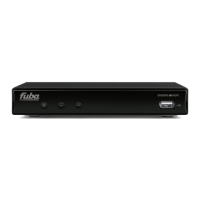
ODE821CI+HD
3 Installation
3.1 First Installation
After connecting TV to receiver as shown in par. 2.4.1, Connect power supply cable to power socket. After few
seconds, the receiver will show the first install menu on TV screen. This menu appears on first boot and after a
factory reset (par. 4.5.2 ). This menu consists in:
• First window
– Language: set menu language
– First Audio: favorite audio track
– Second Audio: second favorite audio track
– Subtitles: set subtitles language
– Teletext: set teletext language
• Second window
– GMT : set time zone
– Summer Time: summer time on/off
• Third window
– CH password: set a password for lock the visualization of a channel
CAUTION
After changing the password, please keep the new password in a safe place. If the user
forgets the CH password, the only way to reset the password will be changing CH password
from menu 4.4.6 or performing a factor y reset (par. 4.5.2) and then perform again the first
installation.
• Fourth window
– Default Channels: a popup asks the user to load default channel list (channels from Hotbird and/or Astra
satellites)
CAUTION
For each of the above windows the user can use keys CHº e CH» in order to select an item and keys VOL¶ e
VOL· for interact with the selected item.
3.2 Changing First Installation
The user can change any time the first installation parameters from main menu by entering the submenu Installation.
For further details please refer to section 4.3.
6


 To Next Page